

willgarthwaite
Participant
July 28, 2017
Answered

HOW DO I START USING APPLE PENCIL ON IPAD PRO / ACROBAT?

  • July 28, 2017
  • 1 reply
  • 36603 views

SO FRUSTRATING!! PLEASE HELP

This topic has been closed for replies.
Correct answer MobileDeveloperCK

Hi,

Acrobat Reader for iPhone and iPad supports Apple Pencil only in the "Freehand Drawing" mode.
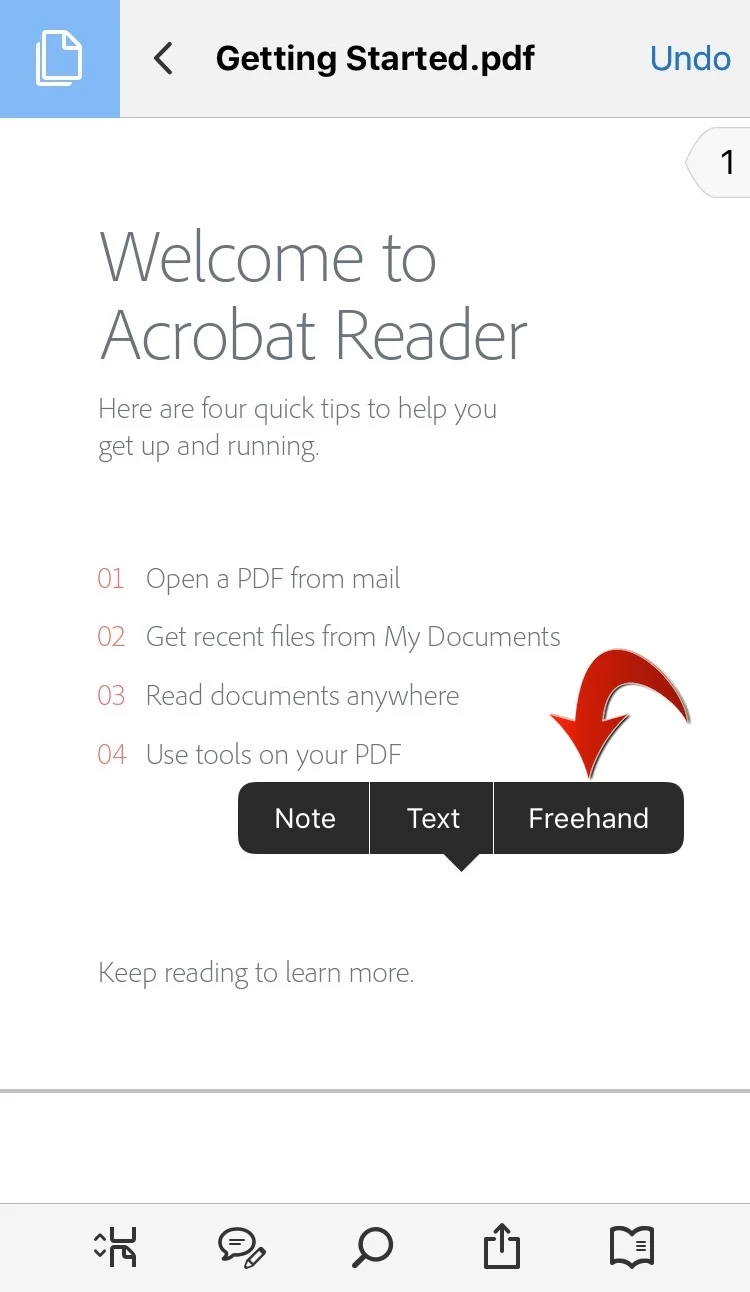
  1. Open a PDF document.
  2. Long-press on an empty area (i.e. no text underneath) of a page to display the context menu.
  3. Tap Freehand in the context menu.
  4. Start drawing with Apple Pencil.
  5. Tap the Save button in the upper-right corner to save the drawing.

The default color of drawing is red.  But you can change properties (Color, Thickness, and Opacity) once you add drawing to a page.

To change Thickness/Color/Opacity
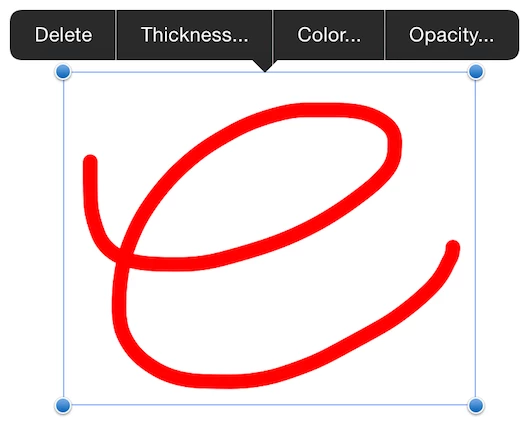
  1. Tap an existing drawing.
  2. Tap Thickness.../Color.../Opacity...
  3. Select your desired Color/Thickness/Opacity property from the palette that pops up.

Hope this helps.

Please let us know if you have additional questions.

1 reply

MobileDeveloperCKCommunity ManagerCorrect answer
Community Manager
July 31, 2017

Hi,

Acrobat Reader for iPhone and iPad supports Apple Pencil only in the "Freehand Drawing" mode.

  1. Open a PDF document.
  2. Long-press on an empty area (i.e. no text underneath) of a page to display the context menu.
  3. Tap Freehand in the context menu.
  4. Start drawing with Apple Pencil.
  5. Tap the Save button in the upper-right corner to save the drawing.

The default color of drawing is red.  But you can change properties (Color, Thickness, and Opacity) once you add drawing to a page.

To change Thickness/Color/Opacity

  1. Tap an existing drawing.
  2. Tap Thickness.../Color.../Opacity...
  3. Select your desired Color/Thickness/Opacity property from the palette that pops up.

Hope this helps.

Please let us know if you have additional questions.

Participant
July 13, 2023

I tried that, it did not work for me. Is there a setting that I'm missing or perhaps the version of ipad/pencil?

S_S
Community Manager
Community Manager
July 19, 2023

Hi @Sumithra31060652ue6p,


Hope you are doing well. Thank you for writing in!


Have you checked if the pencil is paired with your device? If the pencil works with the essential tasks of an iPad, it should work with Acrobat too.


If this is not happening, please share a video on what happens when you try to use the Apple Pencil with Reader Mobile, and we will investigate further.


Look forward to hearing from you.


-Souvik
