


Answered
How to restore the files if accidentally deleted Acrobat Reader app.
is there a way to restore what I had in adobe export PDF? I accidentally deleted it off my iPad and now when I go back into it what was in local is no longer in local

is there a way to restore what I had in adobe export PDF? I accidentally deleted it off my iPad and now when I go back into it what was in local is no longer in local
Hey,
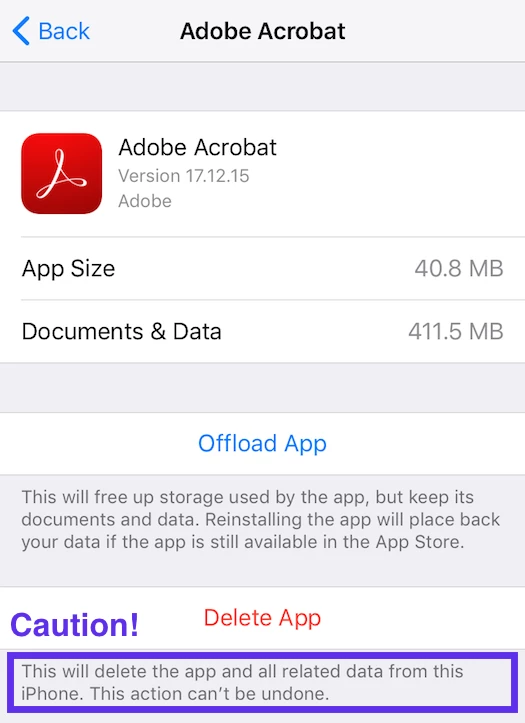
Could you confirm the iOS version you have installed currently? If you are working on updated version iOS 11.0 then you would get two options to take the app off the device- offload and delete.
Correction-
As you have shared above that the app was uninstalled or deleted (not offload), then sorry to say- any iOS app, iOS (the operating system) will erase all of your local files and settings from the device.
But if you will offload the app then it would keep the data after restoring.
iOS Settings > General > iPhone (or iPad) Storage > Adobe Acrobat.
Regards,
Akanchha
Already have an account? Login
Enter your E-mail address. We'll send you an e-mail with instructions to reset your password.
 AdChoices