


Participant
June 28, 2023
Answered

On Android landscape orientation view not working properly

  • June 28, 2023
  • 2 replies
  • 7310 views

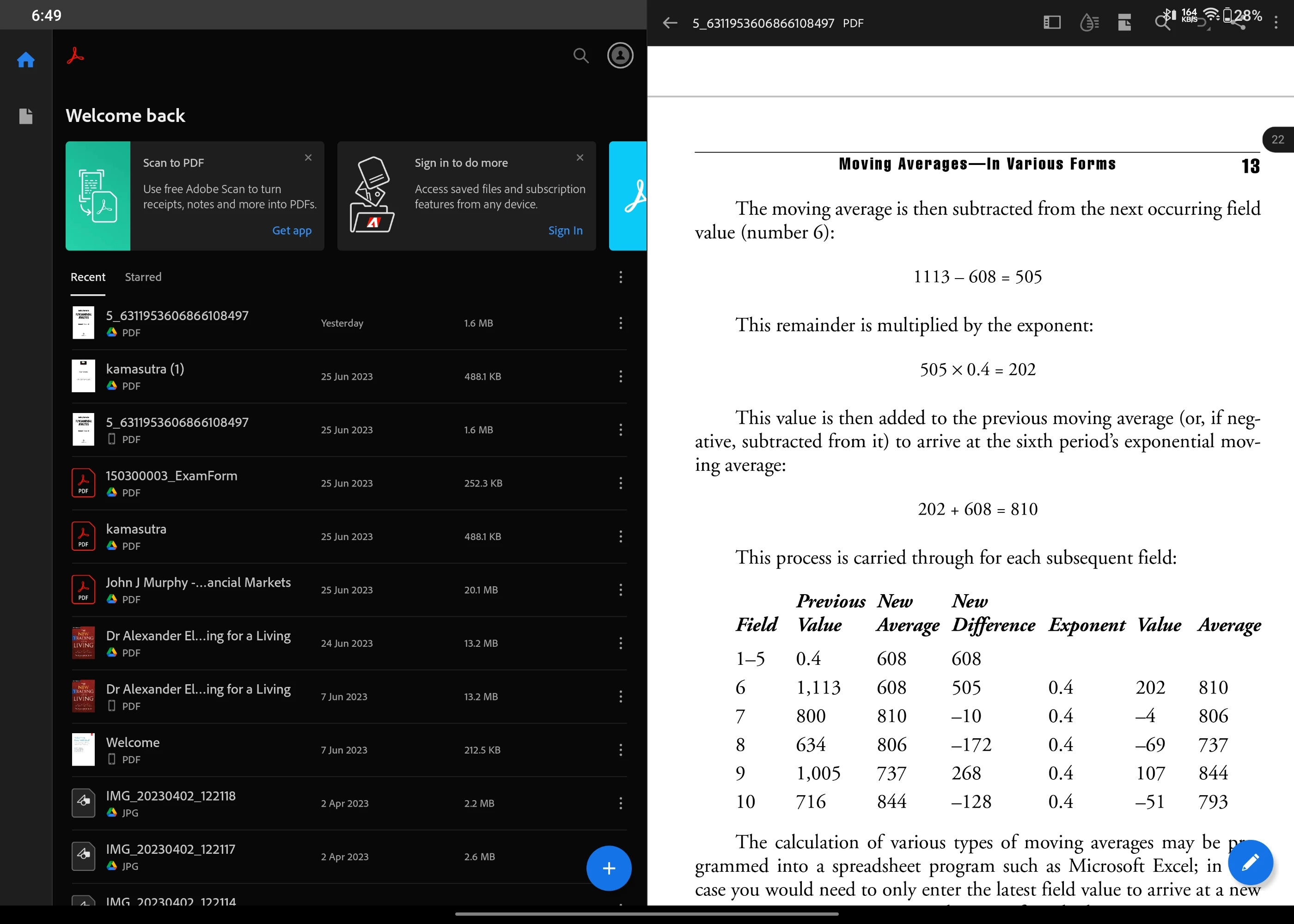
When I auto rotate on my android device the landscape view for Adobe Reader is not working properly.


Along with the page it also shows main menu which is very annoying. And this happens with all the pdf files.


Attaching the respective screenshot.
Correct answer Jevaughn26031526qm43

THANK YOU!! Worked on my Huawei Matepad Pro. Settings > Display & Brightness > App Multiplier > Turn off Adobe Acrobat

2 replies

Participant
January 30, 2024

Hey everyone, I've figured out what is causing this issue on the OnePlus Pad. Go to Settings>Special Features>Dual Windows and try disabling Adobe Acrobat there. Hopefully, it should work, and the problem should be fixed.

S_S
Community Manager
Community Manager
January 30, 2024

Hi @vinod35124367cw5d,


Would you mind sharing a screenshot of how you see Acrobat after following the above steps? 


This would help us identify the root cause and also a lot of users who see the same issue.


Thanks,

Souvik

Participant
January 30, 2024

Hey, sure thing. I've attached two files showing how it looks before and after disabling it in the dual windows setting. This is in the display two pages mode. If it's in the single page mode, the page is displayed in the middle like it should be.

Participant
June 28, 2023

Iam using Android tablet device. 

S_S
Community Manager
Community Manager
June 28, 2023

Hi @Swapnil30759889rik5,


Hope you are doing well. Sorry for your experience with Acrobat Reader Mobile.


Can you try clicking the panel button on the tool menu ( to the left of the liquid drop icon) and check if this helps?


If it does not, please share a few pieces of information for further investigation:

1. The app version of Acrobat Reader Mobile you are using (go to Profile-> About Acrobat);

2. The Android tablet model and Android version you are on;


Look forward to hearing from you.


-Souvik

S_S
Community Manager
Community Manager
December 15, 2023

Hi, I have been having a similar issue on my OnePlus Pad Go running OxygenOS 13.2. The PDF does not open in full screen in landscape mode and only covers about half the screen in the center. I assume it's because of the 7:5 aspect ratio of the pad. It works fine in portrait. It would be great if it can be optimised for full screen in landscape too.


Hi @Ani6002,


Thanks for sharing the screenshot. The team is already looking into it and the fix will be live soon.


-Souvik