


wilw7699339
New Participant
October 13, 2016
Question

Unable to download PDFs on Android devices

  • October 13, 2016
  • 15 replies
  • 165128 views

I am not able to download PDFs on Android devices, I placed some PDF documents on a webpage.  I find that they open fine on the desktop and iOS devices.  However, on Android devices, I get a message that the PDF cannot be downloaded. What can I do to remedy this issue?
15 replies

New Participant
January 17, 2025
  • Acrobat version
  • 24.12.2.3685
Amal.
Community Manager
Community Manager
January 17, 2025

Hi there


I hope you're doing well, and thank you for reaching out to us!

To help us better understand and resolve the issue you're facing with opening the downloaded PDF file, could you please provide some additional details?

  1. Error Message:

    • What happens when you try to open the downloaded PDF?
    • Do you see any error messages or unusual behavior?
    • If possible, please share a screenshot of the error or issue for clarity.

  2. Device and App Details:

    • Could you let us know the version of your operating system (OS)?
    • Please ensure the app is updated to the latest version from the App Store (iOS) or Play Store (Android) and restart your device after updating  https://helpx.adobe.com/acrobat/mobile-app-faq.html

  3. Additional Information:

    • If the issue persists, could you share a short video recording that shows the steps you’re taking and how the issue appears? This will give us more insight into what’s happening.


New Participant
October 31, 2021

I noticed since I updated just day ago, now Adobe is requiring access to ALL MY FILES ETC, AND CAN DELETE OR MODIFY ANYTHING THEY CHOOSE. I'm very upset that a day or 2 ago I could open files I choose to see but now I can't unless I turn on the access to ALL FILES! RIDICULOUSLY AGAINST PRIVACY.

New Participant
October 30, 2021

Government of Maharashtra

htra

ls_rbls
Community Expert
June 13, 2021

You're opening a PDF file directly in your browser using an Android mobile device.


Have you consulted with the Android OS help how to download a PDF ?


New Participant
June 13, 2021
Hello there

I have not contacted them asI did not think I needed to as i had always
download my pdf from my Samsung S8 and had problems with it now i have the
S21 and am now facing this issue
Thanks for respose
ls_rbls
Community Expert
June 13, 2021

I'd suggest to check if some preferences ir settings have changed at the web browser level.


I suspect this may have to do when Android OS performs an unattended update.


For example, uninstalling and reinstalling the Acrobat Reader Mobile App alone may not resolve the issue because the underlying problem seems to be more related to download location preferences (to the internal mobile device memory or SD Card).


It may be also related to setting the default PDF handler in that device, in which case, you may need to make the Acrobat Reader  mobile app the default PDF handler rather than the web browser (or whatever your new Samsung device comes pre-configured with ).


OR, maybe changing the deafult download location that you are currently using in the web browser (save download automatically or ask every time) is also necessary.


Last, there are few new experimental features in the new Chrome and Firefox web browsers that are hidden; to disable  them may require some advanced knowledge using the:


chrome://flags or about:flags


Below are some slides to help visualize what I am referring to:


  • With the Acrobat Reader Mobile App opened, sign in with your AdobeID; then see the slides below and make this app the default PDF handler


  • Then go to the Acrobat Preferences and select where to download files:


  • NOTE that the internal storage (or internal phone memory) is a secured location and may restrict the user or apps from accessing certain directories.


  • If this is the current Document Cloud cache location that the Acrobat Reader mobile app is using, switch to SD Card.


  • Then in the web browser that you're curently using to click on downloadable links, go to settings and choose the following:


  • Notice in my screenshot that I've also configured in my Android device where to store my downloads.


  • In addition I've also set the option to ask where to save files. This allows me to have manual control of which folders or directories I need my downloads to be stored into rather than letting my device handle every download automatically.


  • For extra precaution, and to avoid clicking unknowingly on malformed URLs or malicious hyperlinks with redirects, I've also blocked automatic pop-ups and redirection at the browser level in the "Privacy and Security" settings:


  • This configuration allows me to paste the link shown below in any of my 5 different Chrome-based engine web browsers; a pop- up will ask me to confirm the download.


  • Soon after that, the file should open automatically in the Acrobat Reader mobile app.


Sequence of steps is shown in the next sets of slides below:


  • When you confirm by clicking on the download button, all you have to do is swipe down the notification screen, and you'll see that the download manager has successfully downloaded the file.


  • Just click on the link to that file provided by the download manager and it will open up in Acrobat.


New Participant
June 8, 2021

Unable to download PDF files.showing that file name is too large & I have to shorten it

New Participant
June 6, 2021

I have a new phone i was able to download pdf onto my old phone but now i  am unable to on the new phone what is the problem 

New Participant
June 29, 2020

Same here. Android 9, LG Stylo 5.

Bernd Alheit
Community Expert
June 30, 2020

May be a problem with 2 slashes (//) in the path of the document.

ottawa_canuck
New Participant
December 1, 2018

In Android 7, version 18.4.1 (and all other recent versions) of Adobe Acrobat Reader can open this URL directly from a link on a web page:

http://dailysudoku.com/sudoku//pdf/2018/11/2018-11-27_S1_N1.pdf

In Android 6, the same version of Adobe Acrobat Reader *cannot* open that link directly from a web page, but shows an error screen instead; however, it can open the document if I manually download it to storage first.

Please tell your dev team that there is a misconfiguration (probably around permissions) for opening web links in Android 6. They should have no problem reproducing the bug.

New Participant
November 22, 2019

This is also happening in Adroid 9 on a Samsung Tab S3.  It was working previously, and then suddenly stopped working, with this same error message.

New Participant
November 22, 2019

I also just discovered that this stopped working on my Samsung Note 8, running Android 9.  Both my tablet and my phone previously handled PDF's just fine, but all of a sudden they don't.  This would imply to me that the Acrobat app must have changed, since my phone and tablet software doesn't update at the same time.

New Participant
April 29, 2018

In my case it is not all .pdfs that fail to download,  but,  it is ALL datasheets from www.mouser.com that fail to download to my Galaxy S4

Adorobat
Community Manager
Community Manager
May 9, 2018

Hi Paulwdent,

Could you let us know if there is any error message you are getting when trying to download datasheets from the website you mentioned?

Also, let us know version of Acrobat Reader and Android OS installed on your Android device?

You may refer to this link for the same: Acrobat Reader Help for Android: Troubleshooting FAQs

Thanks,

Shivam

New Participant
January 25, 2018

Android 6.0.1, Adobe Acrobat 17.5.180092

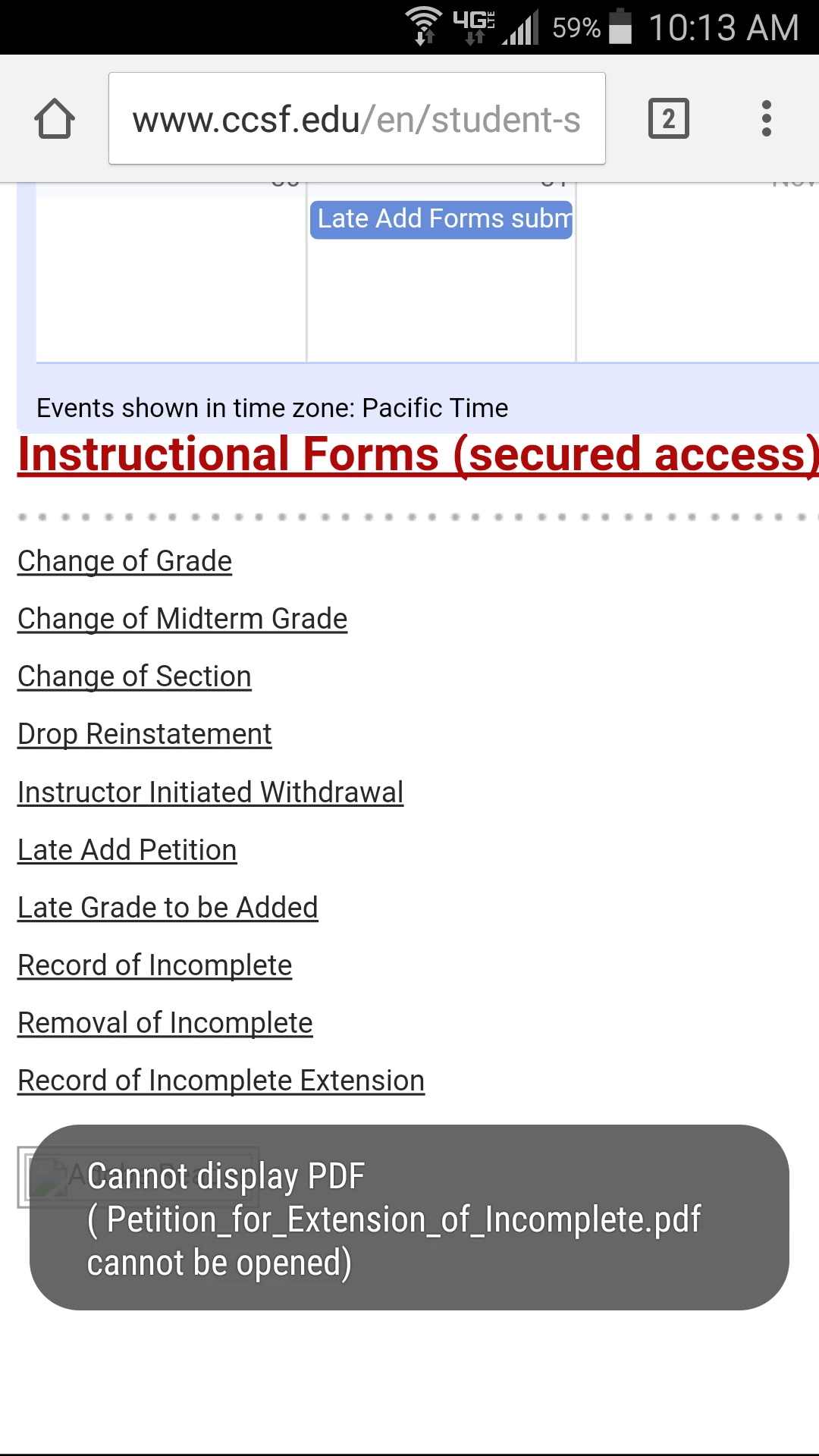
In the past I when I clicked on a PDF link through Chrome, the document was downloaded to Documents (local), then Acrobat opened and displayed the file.  In the past couple days I accessed the same page and when I click on any pdf link, Acrobat opens and I get an error stating the file could not be downloaded. Tried several other pages and same error when trying to view any PDF.  Files that I had previously viewed (hence, downloaded to local storage) will open and display just fine.

Here is a screenshot of the error I get when trying to open any PDF through Chrome, or Samsung Internet for that matter.

thedoorguy
New Participant
January 26, 2018

I experience the same exact issues as well