

New Participant
March 16, 2021
Answered

Unable to View PDF in Full Screen

  • March 16, 2021
  • 1 reply
  • 6446 views

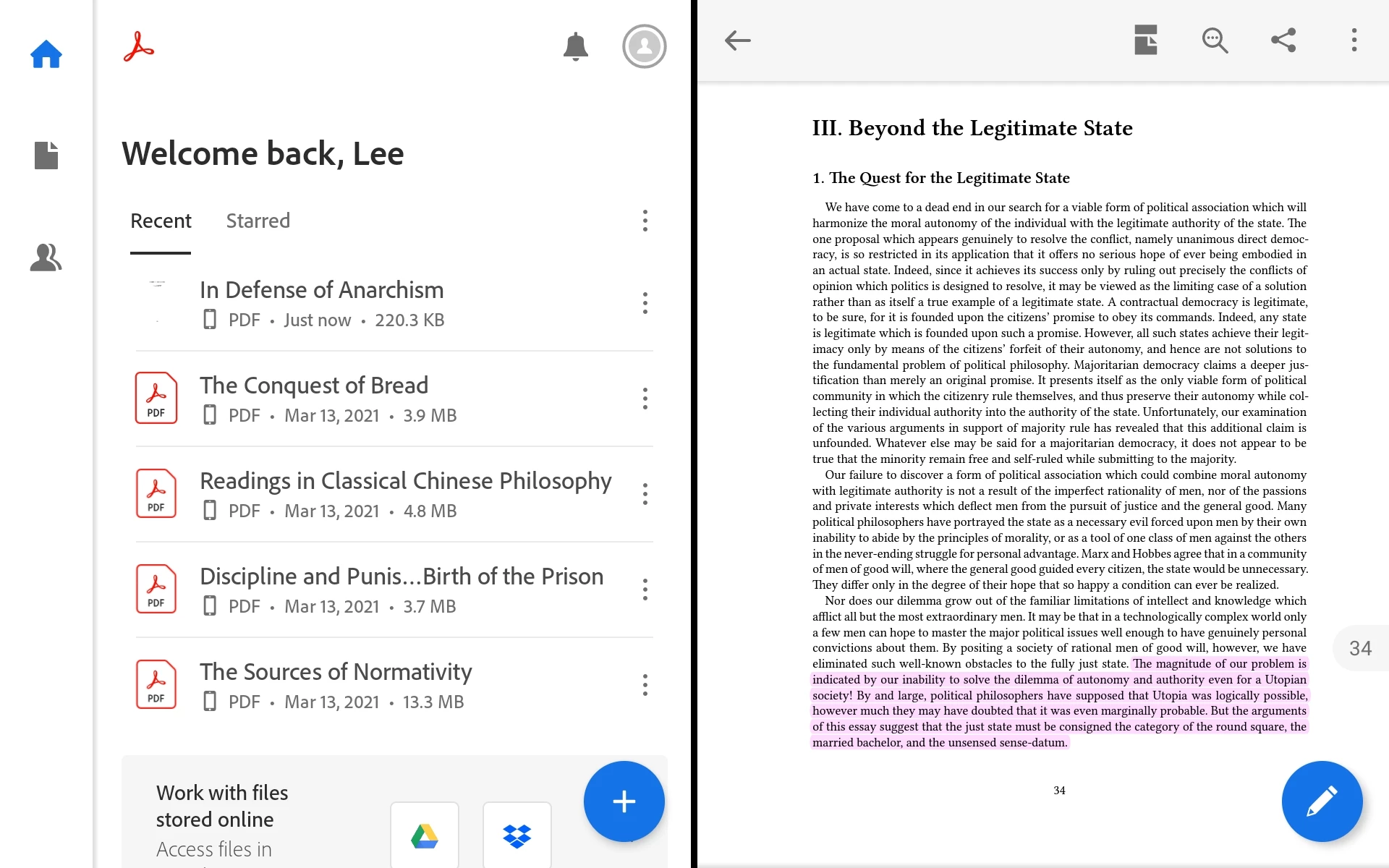
I am unable to view PDFs in full screen in landscape. (Pic attached). I am using Huawei Matepad T10s and have the latest version of the app. Please help. 
Correct answer S_S

Ok, so I finally just figured out the solution. I am beyond happy! 


Hi @Mizael Cantú,


Thanks for letting us know that the issue is fixed for you.


Anyone new coming to the thread, please try the below steps:

Go to Settings>Special Features>Dual Windows and try disabling Adobe Acrobat there. Hopefully, it should work, and the problem should be fixed.


-Souvik

1 reply

Ria Tagra
Inspiring
March 19, 2021

Hi Lee5C08,


Hope you are doing well.

Thank you for posting your query here. You can try reading mode for better reading and viewing experience.

  1. Open a pdf.
  2. Choose the second icon.
  3. Tap the reading mode.

You can also try liquid mode.

  1. Open a pdf.
  2. Choose the drop icon.


For more help refer to: https://www.adobe.com/devnet-docs/acrobat/ios/en/lmode.html


Let us know how it works at your end. If you have any further queries please feel free to reach out to us. We would be more than happy to assist you.


Regards

Ria

Mizael Cantú
Participating Frequently
May 19, 2023

I seem to have the same issue. I'm using OnePlus Tab. Please help. 

S_S
Community Manager
Community Manager
October 6, 2023

Dit anyone manage to solve this already? 

I am having the exact same issue on my OnePlus Tab


Hi @tim080,


We are not able to reproduce the issue at our end.


Would you mind getting on a call with us? This would help us gather more information and get the fix expedited.


If you are up for it, please share your convenient time, time zone, and preferred email address over private message so I can share the meeting invite.


Look forward to hearing from you.


-Souvik
