



Error while combining locally-stored images into a PDF: "Error during processing (file skipped)"
While using the Combine Files tool, I have been running into an error: Acrobat Pro DC will combine only the first several images and will throw an error that says "Error during processing (file skipped)" for any additional images:
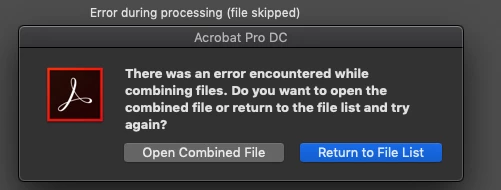
The images I'm combining are TIFF files stored locally on my computer. I have noticed that I can combine fewer separate files when each of the files is bigger, and more image files when the individual images are smaller. I would guess that the issue seems to be that there's some limit to working memory that Combine Files can hold at once.
I have tried restarting my computer as well as uninstalling and re-installing Acrobat Pro DC.
I have never encountered this problem before yesterday; I have combined hundreds of images into PDFs without issue dozens of times in the past two years. I also don't have this problem when combining multiple files that are in PDF format.
I'm running Adobe Acrobat Pro DC 2019.021.20049 on a Mac using Mac OS Mojave 10.14.6.
Any ideas for how to solve this problem? Thanks for your time.
 AdChoices