Exit
  • Global community
    • Language:
      • Deutsch
      • English
      • Español
      • Français
      • Português
  • 日本語コミュニティ
  • 한국 커뮤니티
0

403 Forbidden while requesting for Access Token Request

Community Beginner ,
Jun 01, 2022 Jun 01, 2022

Hi Community,


I am exploring the Adobe eSign integration process. Followed the steps from the offical Acrobat Sign (adobesign.com).


I created developer account, I managed to get the code from Authorization Request step.

I tried with multiple combinations by passing 


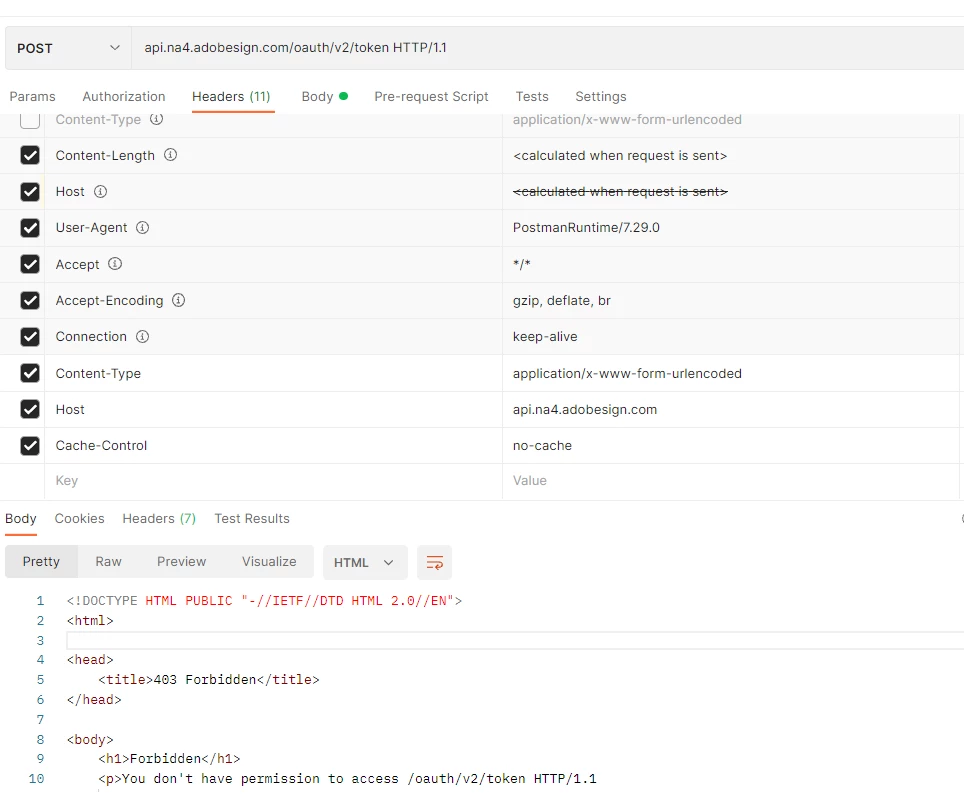
POST /oauth/v2/token HTTP/1.1
Host: api.na4.adobesign.com
Content-Type: application/x-www-form-urlencoded

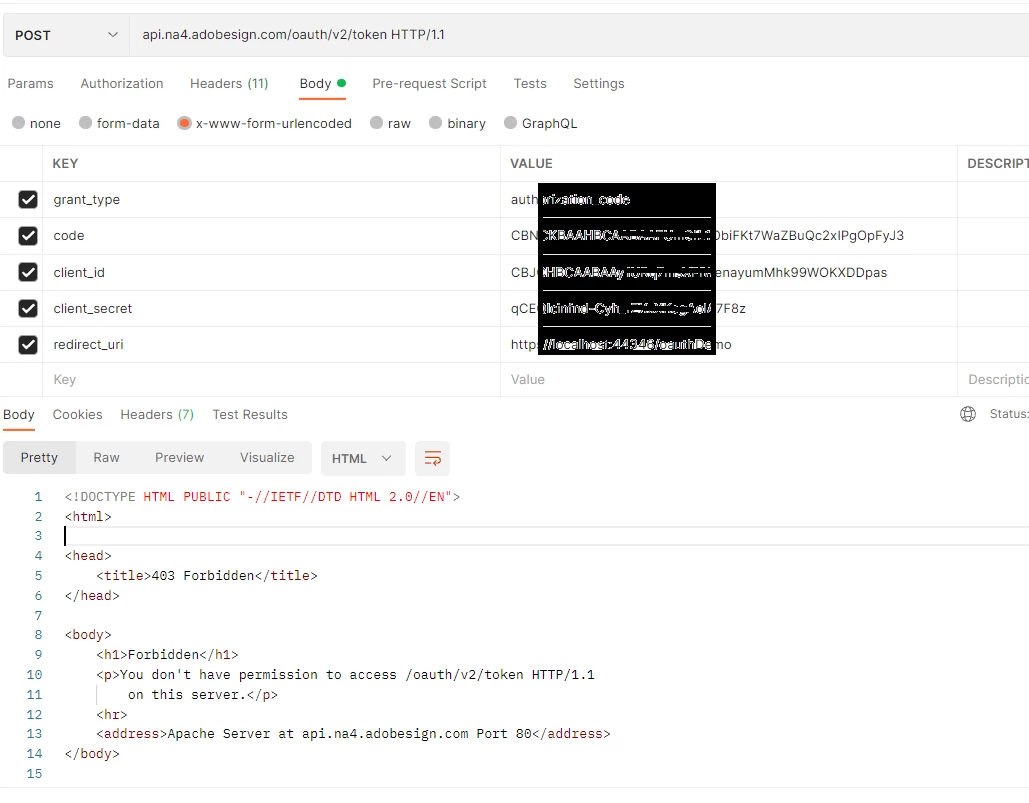
code=myCode& 
client_id=myCliendId&
client_secret=myClientSecret&
redirect_uri=myRedirectURI&
grant_type=authorization_code


What I am missing is unable to understand. 
 

ManojReddy24690788g9wz_0-1654101480440.png


ManojReddy24690788g9wz_1-1654101499354.png


Can someone help me, I am currently struck with no luck.

Thanks!


TOPICS
Configure accounts , SharePoint and Salesforce integration , User interface issues
739
Translate
Report
Community guidelines
Be kind and respectful, give credit to the original source of content, and search for duplicates before posting. Learn more
community guidelines
Community Beginner ,
Jun 02, 2022 Jun 02, 2022
LATEST

The following URL is used to obtain the Code


https://secure.na4.adobesign.com/public/oauth/v2?redirect_uri=https://localhost:44346/oauthDemo&resp...


ManojReddy24690788g9wz_0-1654203509153.png

After getting the CODE, tried getting the Access Token Request. The request always failes with "You don't have permission to access /oauth/v2/token HTTP/1.1
on this server."


Question: While I can successfully generate the CODE, why I am not able to generate the access token as mentioned in the official article Acrobat Sign (adobesign.com)


Any changes from Adobe and they did not update their documentation?


Any help is appreciated.

Translate
Report
Community guidelines
Be kind and respectful, give credit to the original source of content, and search for duplicates before posting. Learn more
community guidelines