

New Participant
September 23, 2018
Answered

How a signer can attach a document while signing

  • September 23, 2018
  • 5 replies
  • 9245 views

How a signer can attach a document while signing

This topic has been closed for replies.
Correct answer CSM_Shannon

Hi, 


If you need to collect supporting documents or images from your signers during the signing process the file attachment field can be used. You can add this field via the drag and drop authoring environment in Adobe Sign or by creating a text tag within your document. Add one attachment field for each supporting document you need your signer to upload.  
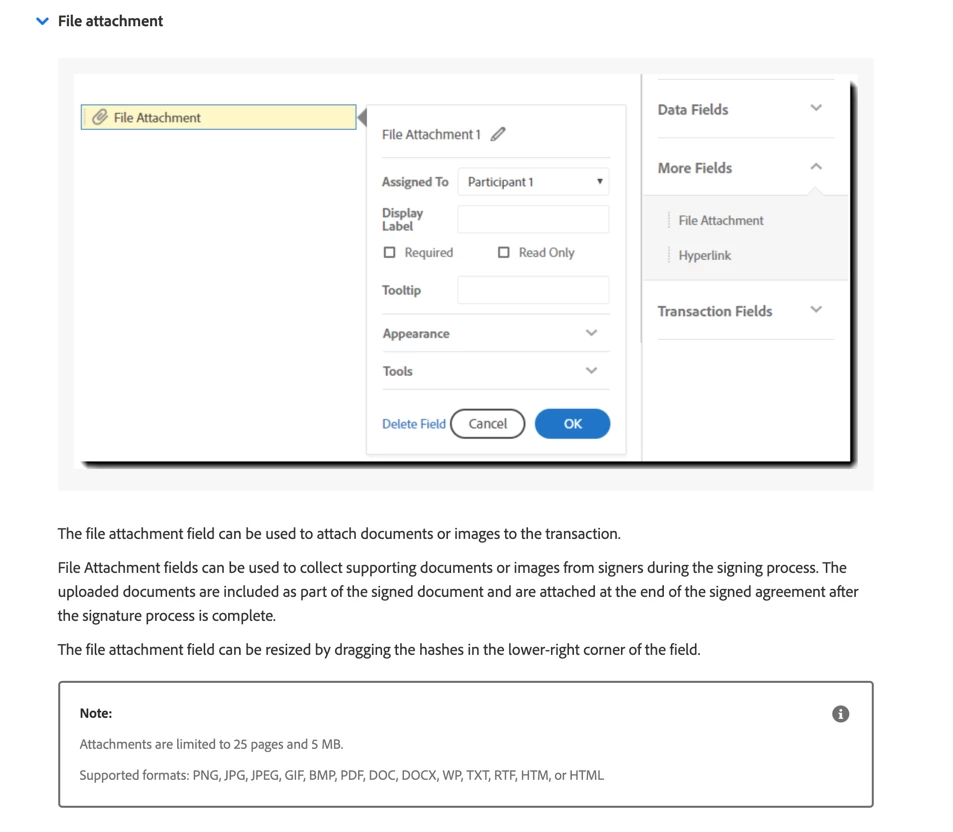


Here is more information about text tags as well - https://helpx.adobe.com/sign/using/text-tag.html#Supporting search for  SUPPORTING DOCUMENTS (FILE ATTACHMENTS) to see how to build this field within your document. 
 
I hope this helps, be well.
Shannon 

5 replies

New Participant
December 16, 2024
VID_2024-12-16-15-48-11-506.mp4
New Participant
August 20, 2024

I am currently working with Adobe Acrobat Teams, is this plan different from the business and enterprise plans? I am not seeing the "More Fields" option on both my app and the web versions.

New Participant
October 4, 2023

Hi, is this feature now available to all users? Or still available only for Enterprise licenses?

Meenakshi Negi
Community Manager
Community Manager
November 4, 2023

Hi Olivier5CC2,


Thank you for reaching out, and sorry about the delay in response.


The feature is not available with the Acrobat Sign individual plan. 

Hope that this information helps.


Let us know if you have any questions. 


Thanks,

Meenakshi


New Participant
May 4, 2020

I am looking to allow my students to upload documents to a fill & sign document.  For example, I would like for students to attach their goals and objectives with their signed documents.  How can this be done?

CSM_ShannonCorrect answer
Adobe Employee
May 4, 2020

Hi, 


If you need to collect supporting documents or images from your signers during the signing process the file attachment field can be used. You can add this field via the drag and drop authoring environment in Adobe Sign or by creating a text tag within your document. Add one attachment field for each supporting document you need your signer to upload.  


Here is more information about text tags as well - https://helpx.adobe.com/sign/using/text-tag.html#Supporting search for  SUPPORTING DOCUMENTS (FILE ATTACHMENTS) to see how to build this field within your document. 
 
I hope this helps, be well.
Shannon 
Community Manager
September 24, 2018

Hi Anupn,

For a signer to attach a document while signing, the sender would need to include an attachment field in the document prior to sending the document for signature.

The attachment field is only available through the Adobe Sign Business or Enterprise license, and can be found under the 'More Fields' section when compiling an agreement with Adobe Sign:

Kind regards,

New Participant
February 8, 2021

Hello Marjana,

Our organization has the Enterprise license and we are starting to use Adobe Sign with Acrobat DC.  Unfortunately we are missing the "More Fields" dropdown (shown above) and therefore are not able to include the attachment field when sending documents to sign.  I have researched this issue but haven't been able to find any answers.