


Participant
August 3, 2016
Answered

How do I delete a second signature block?

  • August 3, 2016
  • 1 reply
  • 1744 views

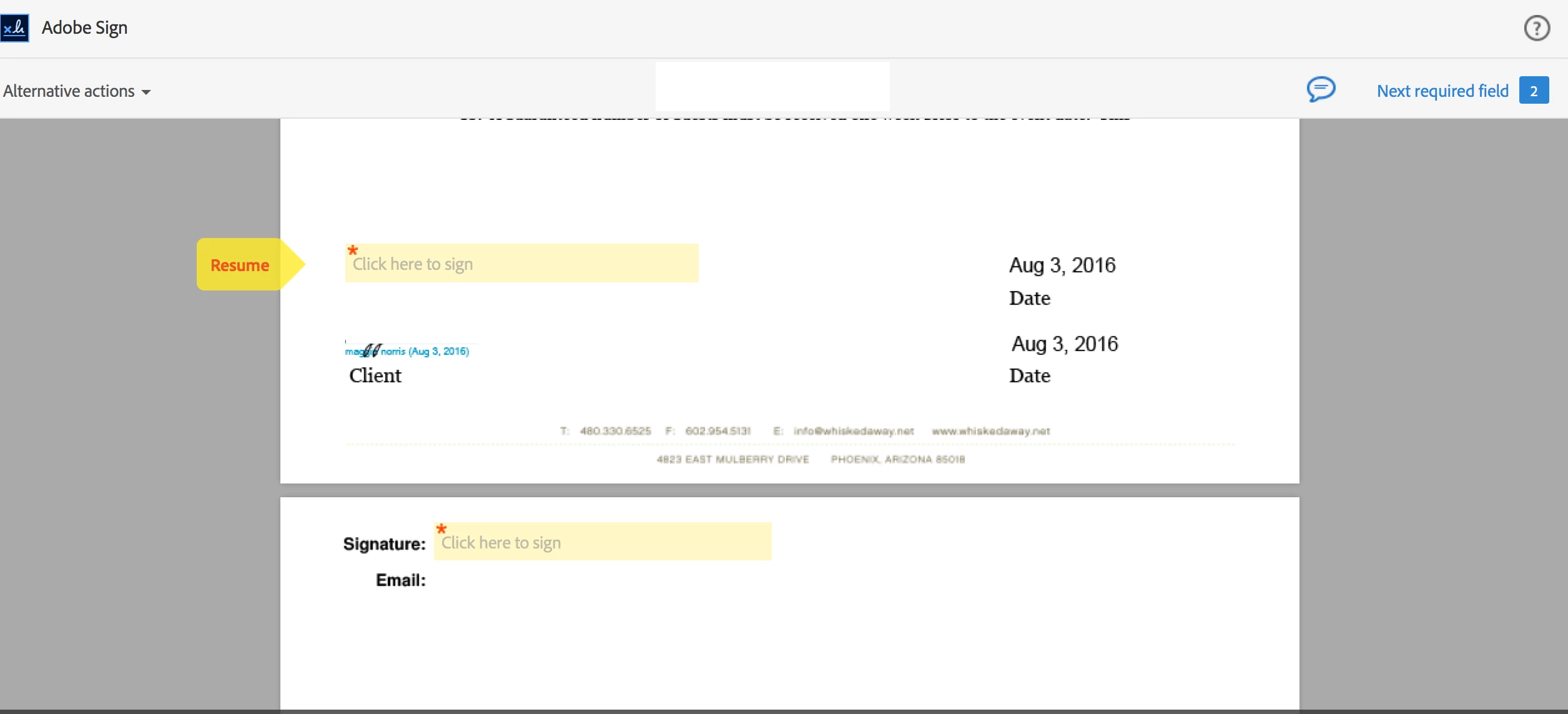
I am using Adobe Sign with Mac.  I recently edited a document in my library and now it is adding a signature block at the very bottom of my document (I have attached the picture).  I have always had two signature fields in the document.  One for my client to sign first and one for me to countersign.  I have seen other threads with this issue but I am not seeing a real resolution as I do not want to add my email under my signature line.  This is a document I have been using for a few years and it has never done this.  Is there a setting that is in Adobe Sign that was not in Echo Sign that I am missing?  Any help would be greatly appreciated. 

Thank you!

Maggie
Save

This topic has been closed for replies.
Correct answer MichaelKazlow

Try deleting the signature field and recreating it.

1 reply

MichaelKazlow
Legend
August 4, 2016

I am using an Enterprise Sign account. When I create a form to be signed, I have a choice on the format of the signature. I can choose Signature only, signature with email, initials only, etc. is it possible when you edited the document you chose signature with email by accident?

Participant
August 4, 2016

No, I chose just the signature.  As I mentioned, it had been working for several years until I modified other portions of the form.  Where it says RESUME in the picture I attached is where I have signed in the past.  It still has that signature field, but it created another one on the very bottom.  I want to get rid of the one on the bottom. 

Thank you!

Maggie

MichaelKazlow
MichaelKazlowCorrect answer
Legend
August 6, 2016

Try deleting the signature field and recreating it.