

Answered
How to add Document History to signed Docs/Agreements.
How can I set up agreements so that the Audit trail automatically attaches to the signed Document as a 2nd page?
thanks,

How can I set up agreements so that the Audit trail automatically attaches to the signed Document as a 2nd page?
thanks,
Greetings!
By default, the Individual service level should attach the Audit trail in all cases to all recipients.
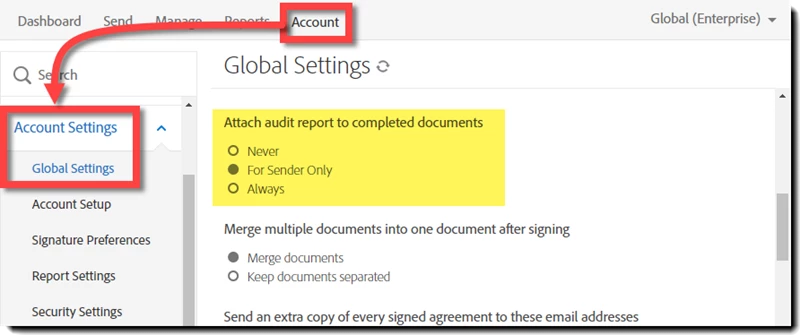
Team, Business and Enterprise levels of service can manipulate this value by:
1. Log in as an Account Admin
2. Navigate to Account > Account Settings > Global Settings > Attach audit report to completed documents
3. Select the setting you want
4. Save the setting
Already have an account? Login
Enter your E-mail address. We'll send you an e-mail with instructions to reset your password.
 AdChoices