


Answered
how to file it to send
i just filled out the unpaid wages form but now i cant copy or even send there is no enter on it

i just filled out the unpaid wages form but now i cant copy or even send there is no enter on it
Hi Maribelm,
Sorry for the delay in response.
If you are using the Fill & sign option in Adobe Sign to fill the form, you will see a "Done" tab in blue at the top right of the window.
Check the screenshot below:

Once you click on that tab, it will redirect you to a page where you get an option to send a copy or to download a copy of the form as shown below in the screenshot.
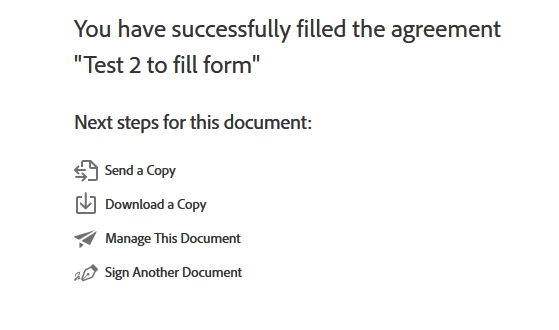
Hope that helps.
If you are using a different application to fill out the form, please let us know the application name.
How exactly are you trying to send the form?
It would be helpful if you can share the screenshots.
To share the screenshot, use the steps provided below:
- Click on the insert icon provided in the reply window as shown below:
- An Insert Image window will appear.
- Then click on Insert Image and browse the location where you have saved the screenshot file.
- Select the file and click on Open > Insert Image.
Let us know if you need any help or experience any issue.
Regards,
Meenakshi
Already have an account? Login
Enter your E-mail address. We'll send you an e-mail with instructions to reset your password.
 AdChoices