


February 7, 2017
Answered

How to set custom width for signature field

  • February 7, 2017
  • 2 replies
  • 1380 views

Hi,

We are generating pdf application forms using html and then the pdf is sent to users for their signature using Adobe Echosign API .

we tried adding in html following html code to adjust the signature field length to fit inside given Div. It didnt help out.

<table cellpadding="0" cellspacing="0" width="250" height="50" ><tr><td><em style="font-size:21pt; width:250px; display:block;">{{Sig_es_:signer1:signature}}</em></td></tr></table>
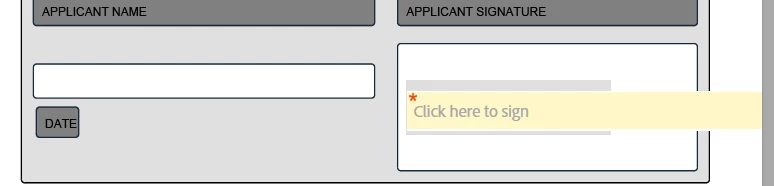
How do we set the custom width for the signature field?

Thanks in Advance for any help or solution

This topic has been closed for replies.
Correct answer

Got it. 

<style type="text/css" >

.sign_style{

                        display:block;

                        width:300px;

                        font-size:23px;                       

                      }

</style>

<input type="text" class="sign_style" name="Sig_es_:signer1:signature" />

2 replies

AadeshSingh
Community Manager
Community Manager
February 12, 2017

Hi paragr72672201​,

Great! We are glad that you were able to find the text tag and thank you for sharing it for the other user.

Regards,

Aadesh

Correct answer
February 10, 2017

Got it. 

<style type="text/css" >

.sign_style{

                        display:block;

                        width:300px;

                        font-size:23px;                       

                      }

</style>

<input type="text" class="sign_style" name="Sig_es_:signer1:signature" />