


Participant
May 5, 2015
Answered

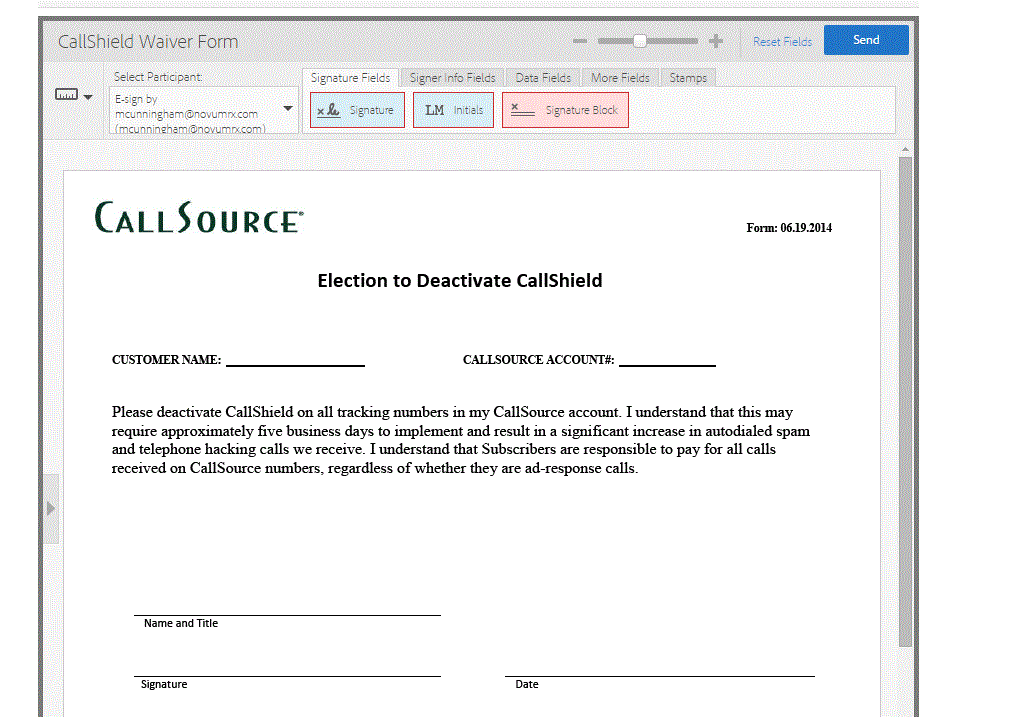
please help, im trying to add a text field on a docusign document where i can type in the information for the recipient prior to sending it, how do i do that? thank you.

  • May 5, 2015
  • 1 reply
  • 1093 views

how do you fill in the information prior to sending doc over for signature on here? please help.

Thank you.
This topic has been closed for replies.
Correct answer Rijul Raj Khurana

Hello Benschiftan,

In the preview page, you can drag and drop the text field and can set the role as Prefill and once you click Send on right hand side, it will ask you to enter details before the document is sent to signer.

Below is the link for reference:

https://helpx.adobe.com/document-cloud/help/prefill-role.html

-Rijul

1 reply

Rijul Raj KhuranaCommunity ManagerCorrect answer
Community Manager
May 5, 2015

Hello Benschiftan,

In the preview page, you can drag and drop the text field and can set the role as Prefill and once you click Send on right hand side, it will ask you to enter details before the document is sent to signer.

Below is the link for reference:

https://helpx.adobe.com/document-cloud/help/prefill-role.html

-Rijul