

Answered
How to disable ALM Connector
Not able to edit or delete Training data access connector

Not able to edit or delete Training data access connector
Under "Configure Schedule," please uncheck the box" enable training metadata export using this connection".
See screenshot below:
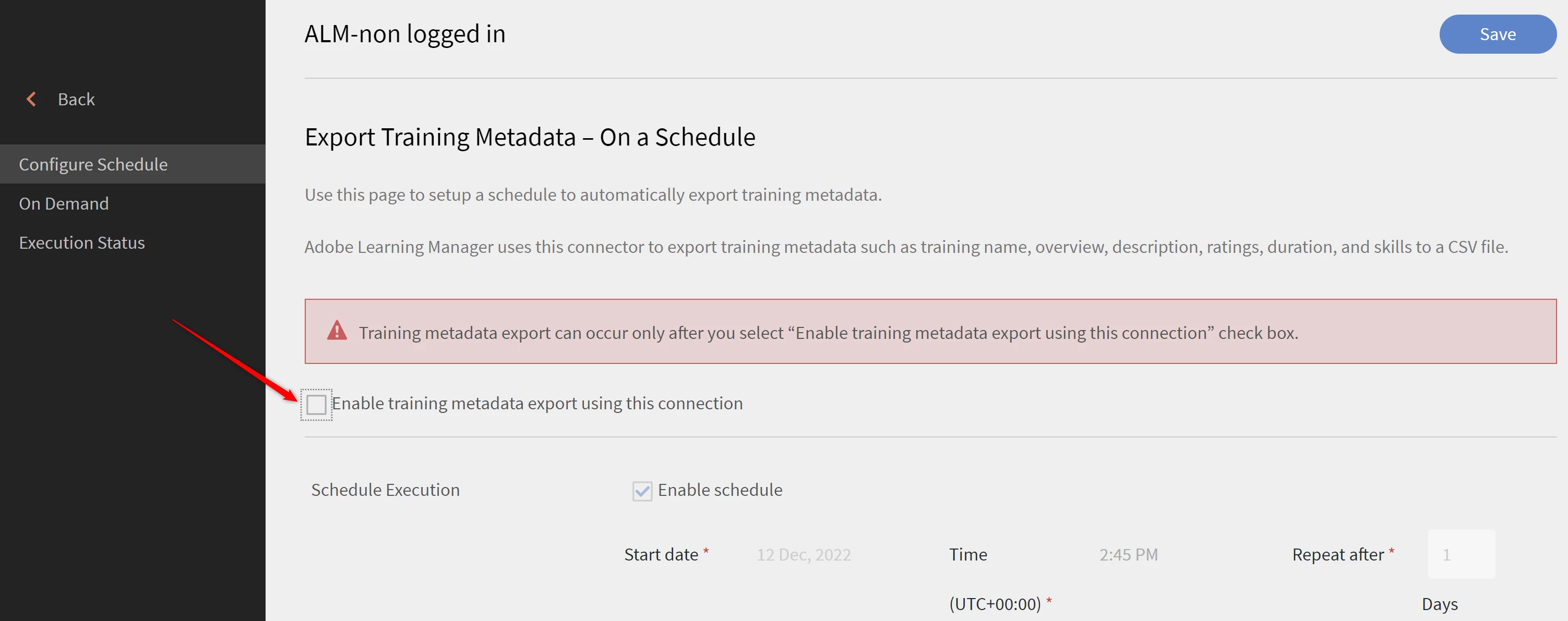
Post unchecking and saving the settings, you should be able to proceed with deleting the connector from the cross sign as in the earlier screenshot.
Hope that helps.Please reach out to learningmanagersupport@adobe.com incase of an issue.
Regards,
Madonna
Already have an account? Login
Enter your E-mail address. We'll send you an e-mail with instructions to reset your password.
 AdChoices