


Cannot take shot of document with straight lines
Hello
I am using the android version of "Adobe Scan: PDF Scanner, OCR".
I have constructed a DIY book scanner which opens the book/document in V shape and a mobile phone is attached to a stand and scans the pages with this app. an antireflexive glass is placed onto the opened book also in V shape so the weight of the glass is straightening the pages (so the scanned page is between the book itself and the glass) so its not wavy but every line straight, the whole page straight.
So this part is perfect.
What may not be perfect is the orientation of the mobile phone in the stand ( the x, y, z axis).
But! i think there is something going on with the Adobe scan app too. Look at the photos.
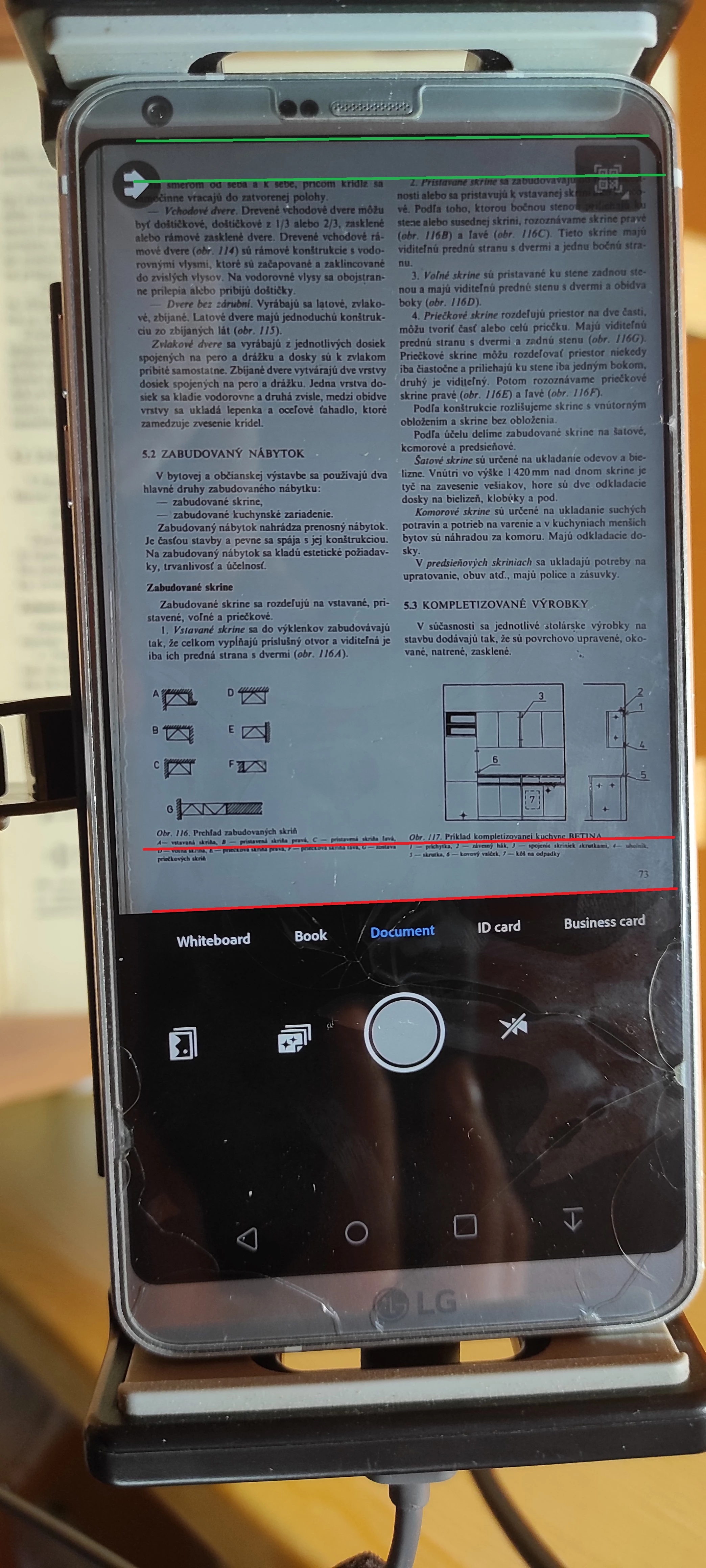
On one photo you can see how the page looks like on the phone screen before taking shot. notice the upper part with green parallel lines - the upper part is straight (okay, almost straight but acceptable). but the bottom part is not straight (unacceptable), the lines are going downwards (if you look at it closer i think the lines start going down near the half of page and worsening towards bottom.). Question here is: how can i set the camera so the whole page is straight? how is it possible that the upper part is straight but the bottom is not straight even if the paper is straightened between the book itself and a weighty glass? I cannot set it correclty - if i align the bottom straight then the top will be not straight...
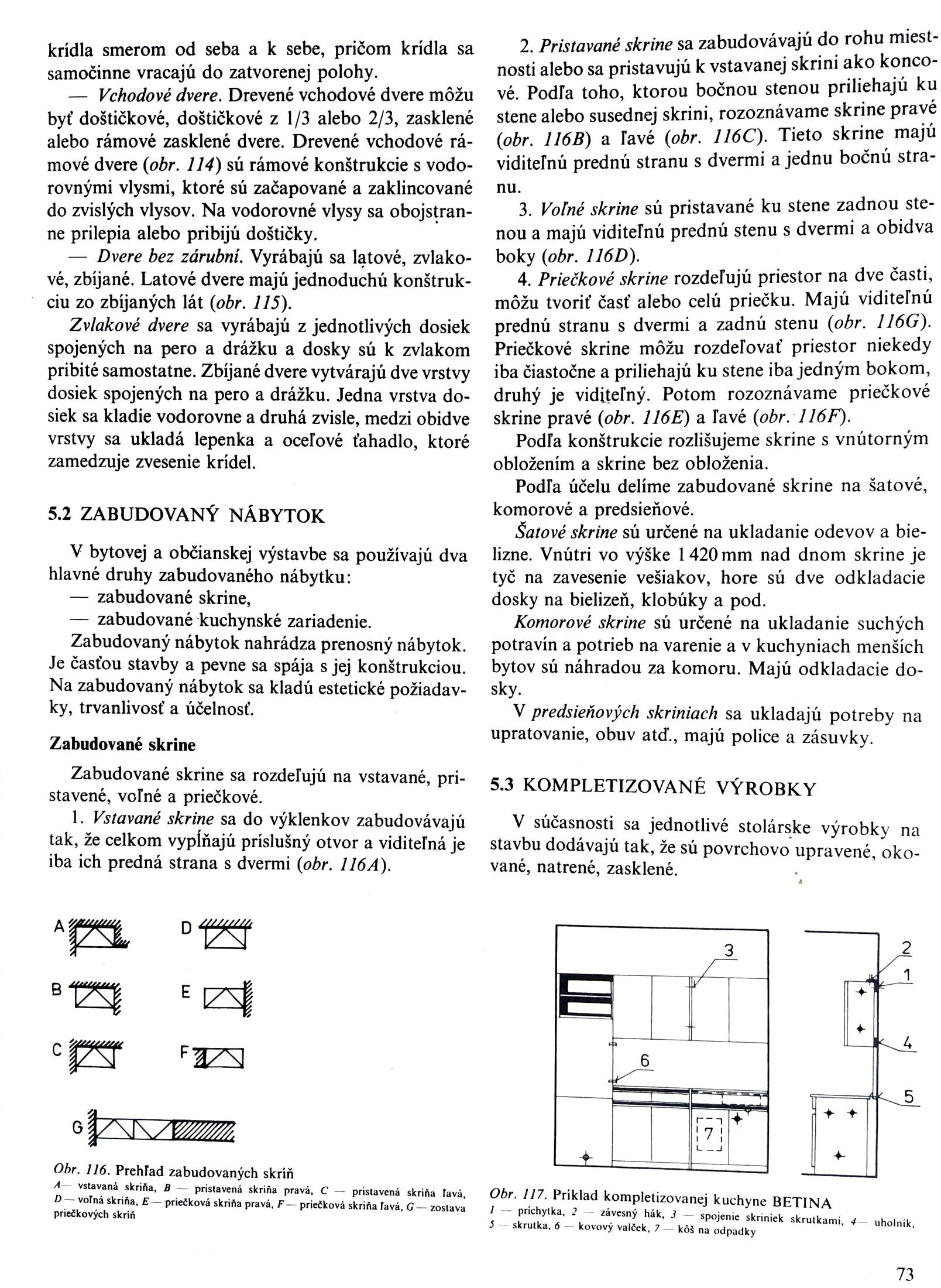
Second thing.. if you check the taken shot, the whole page is waving- every line is waving. Why? the camera screen wasnt perfect, thats true but it was not this extremely wavy as the taken result.
Is it the auto crop making this? or? I could understand why it is not straight on top and bottom because of the auto crop but how can it be wavy across the whole page?
Could anybody help me how can i take almost perfect straight documents?
Thank you a lot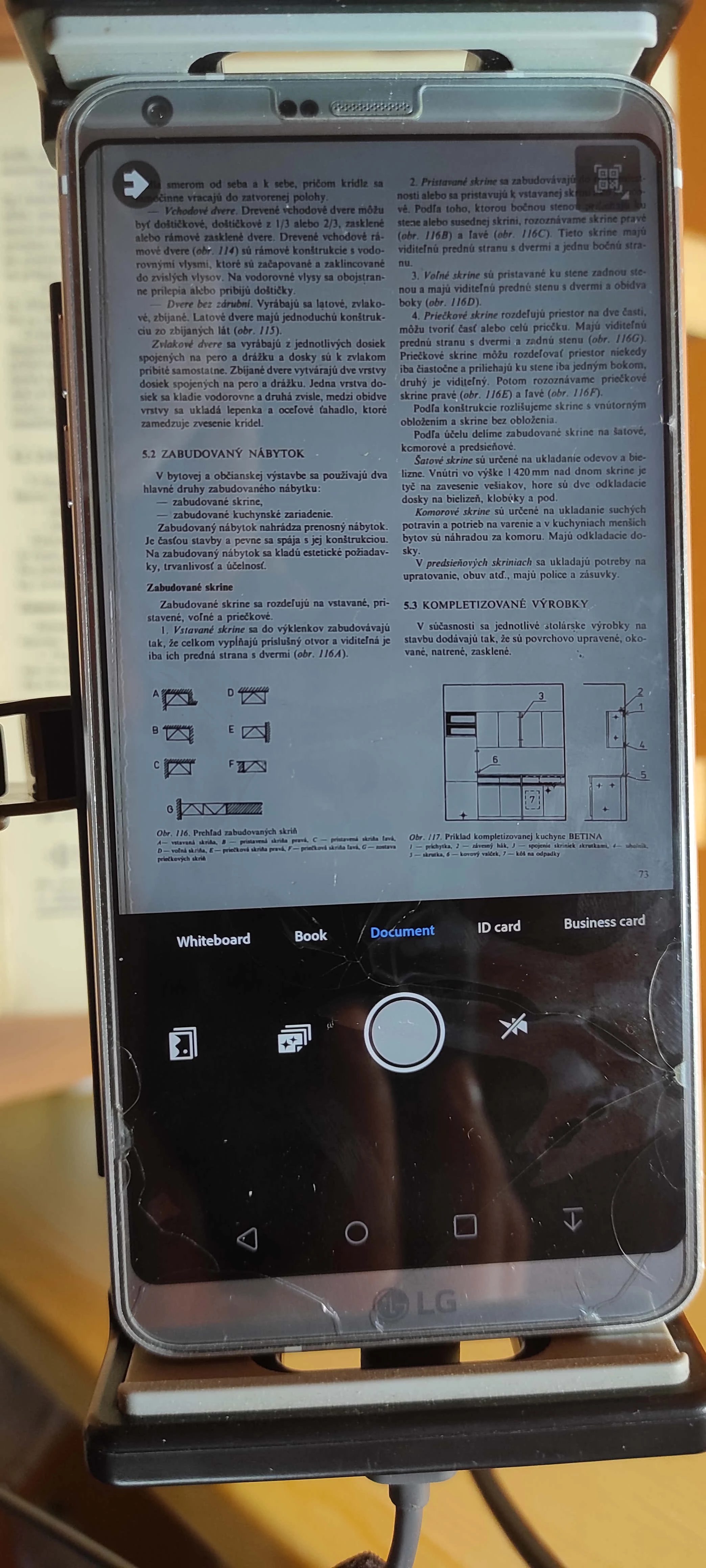
 AdChoices