

September 21, 2023
Answered

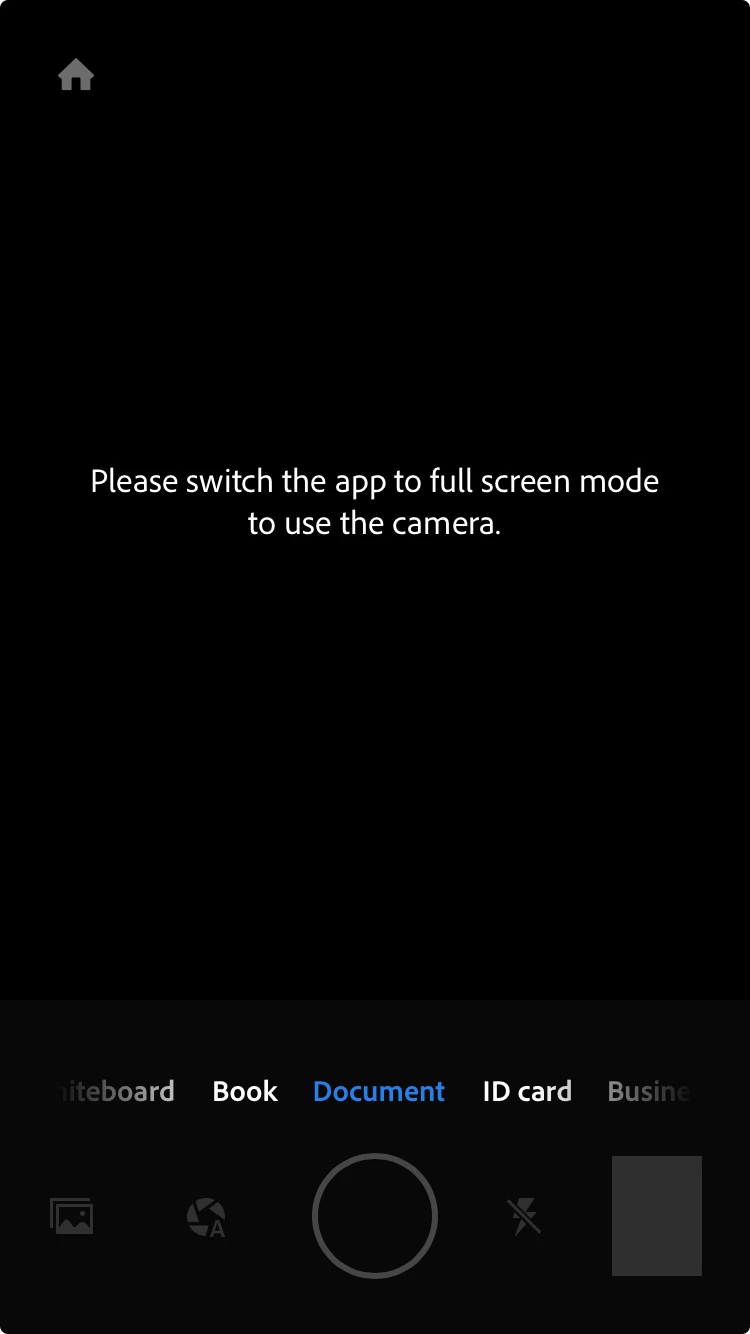
Please switch the app to full screen mode to use the camera
  • September 21, 2023
  • 3 replies
  • 24949 views

 this is an iPhone and my app can't open up my camera

Correct answer S_S

@Y32641215s0nl Thanks for sharing the screenshots.


While I forward this to the team, please try the below steps once:

Go to Settings -> Display & Brightness. Then go to the bottom to the Display Zoom. Change the View to Default.


Once done, try using the app again.


-Souvik

3 replies

S_S
Community Manager
Community Manager
September 30, 2023

Hi @32428721,


Hope you are doing well. Sorry for your experience with Adobe Scan.


I tried using the app with the latest version, and the app worked just fine.


Would you mind sharing a few more pieces of information for further investigation:

1. The app version of Adobe Scan for further investigation;

2. The phone model and iOS version;


Also, please go to the device's settings-> Adobe Scan-> Permissions-> enable permissions for the app to use the camera, background app refresh, and photos.


Look forward to hearing from you.


-Souvik

New Participant
October 1, 2023

Check attached , have uninstalled and re-installed the app as well but still the same issue 

S_S
Community Manager
S_SCommunity ManagerCorrect answer
Community Manager
October 1, 2023

@Y32641215s0nl Thanks for sharing the screenshots.


While I forward this to the team, please try the below steps once:

Go to Settings -> Display & Brightness. Then go to the bottom to the Display Zoom. Change the View to Default.


Once done, try using the app again.


-Souvik

kglad
Adobe Expert
September 21, 2023

in the future, to find the best place to post your message, use the list here, https://community.adobe.com/

p.s. i don't think the adobe website, and forums in particular, are easy to navigate, so don't spend a lot of time searching that forum list. do your best and we'll move the post if it helps you get responses.


<"moved from using the community">
kglad
Adobe Expert
September 21, 2023

what app?

September 21, 2023

Hi kglad, is Adobe Scan.