


Participant
October 26, 2024

Cannot open 3d object in photoshop beta v26.1

  • October 26, 2024
  • 14 replies
  • 2101 views

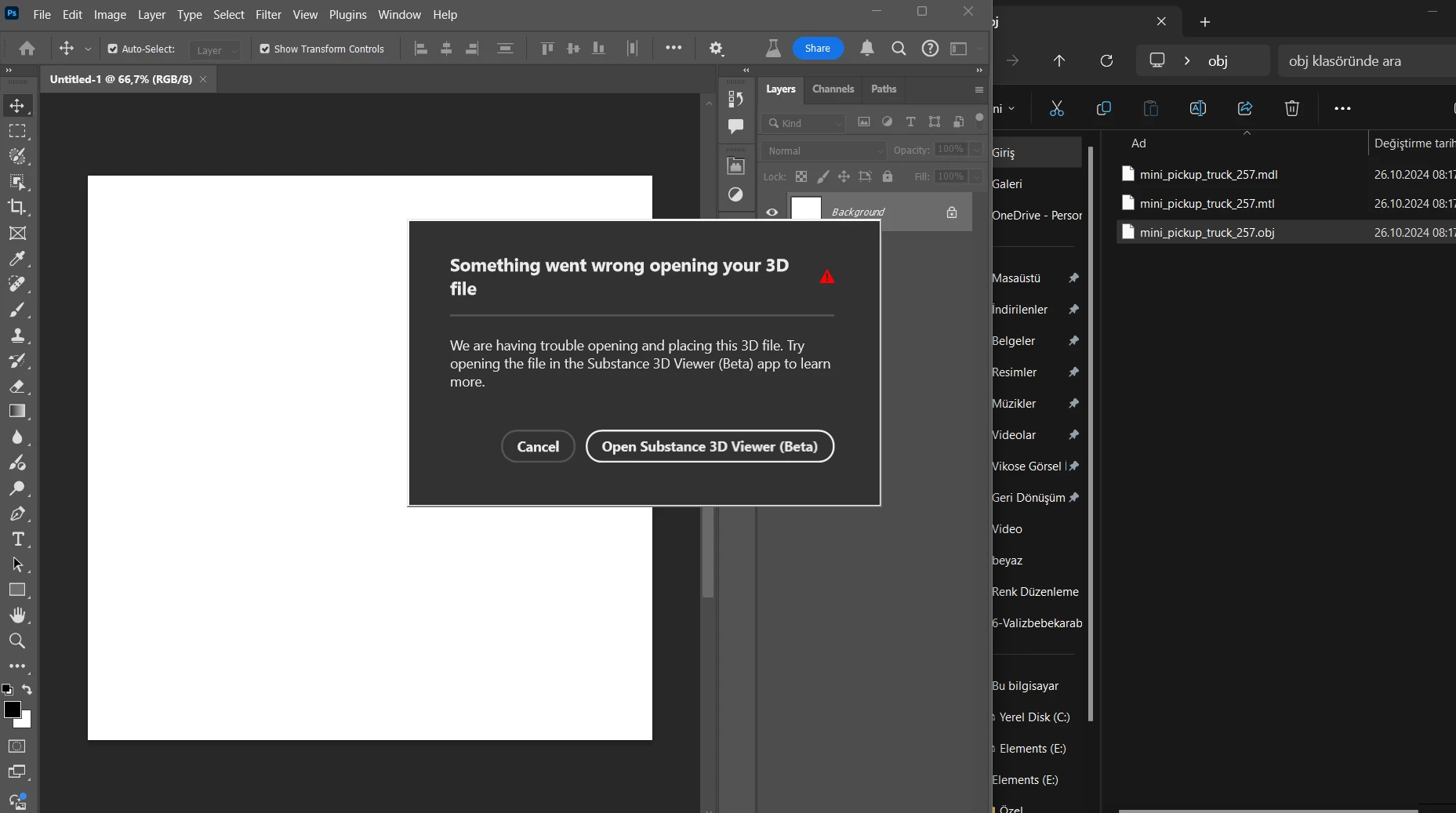
When I drop the 3d object on the photoshop screen, it gives the warning “something went wrong opening your 3d file” also i have already installed and opened Substance Viewer 3D Beta same time with photoshop beta. 
14 replies

Participant
July 30, 2025

I am having same issue. Never had this issue before used both seamlessly OFTEN. Wonder if there is an isuue with latest updates.


Participant
November 15, 2024

I am having the exact same issue, its like the 2 apps just wont register eachother. 

Community Manager
November 14, 2024

@david308780331zfp @dana277603023p48 

Can you also send your logs to too:

In total there are going to be 4 I think I saw somwhere you were on a Windows computer if that is not the case and it's a Mac let me know and I will update where you can find the logs:

Viewer:

  • Win: %AppData%\..\Local\Temp\Substance 3D Viewer (Beta)

Photoshop Plugin:

  • %TEMP%\Adobe Substance 3D Viewer (Beta) Interop\sb_viewer_plugin.log 
  • %TEMP%\Adobe Substance 3D Viewer (Beta) Interop\sb_viewer_uxp.log

The Photoshop's UXPLogs*.log:

  • %AppData%\Adobe\Adobe Photoshop (Beta)\Logs

Thanks!

Community Manager
November 6, 2024

Hi @Vikose35517352j7hq,

It looks like the log collector doesn’t package all of the logs I need to create a ticket for this issue. So instead could you go to these folders on your computer for me and attach it here to your post. In total there are going to be 4 I think I saw somwhere you were on a Windows computer if that is not the case and it's a Mac let me know and I will update where you can find the logs:

Viewer:

  • Win: %AppData%\..\Local\Temp\Substance 3D Viewer (Beta)

Photoshop Plugin:

  • %TEMP%\Adobe Substance 3D Viewer (Beta) Interop\sb_viewer_plugin.log 
  • %TEMP%\Adobe Substance 3D Viewer (Beta) Interop\sb_viewer_uxp.log

The Photoshop's UXPLogs*.log:

  • %AppData%\Adobe\Adobe Photoshop (Beta)\Logs
Participant
November 6, 2024

I don't understand what to do, can you explain in a little more detail?

Participant
November 4, 2024

I have the same problem. Error message when dragging the OBJ/GLTF file to Photoshop beta 26.1.

Substance Viewer beta 0.18.2 starts and runs okay with the same OBJ/GLTF file. (I can't see a way to send from Substance Viewer to Photoshop if the object is not directed from Photoshop)

- It was working at first. then suddenly I am getting that error.

- I have tried OBJ and GLTF

- Windows 11 (i5-12th Gen, RTX 4060)

Ares Hovhannesyan
Community Expert
Community Expert
November 4, 2024

"Log file folder.." can be founded in Help menu. 

Community Manager
November 4, 2024

Need logs from Photoshop Beta to file ticket

Participant
October 30, 2024

Hi Camille 

Thanks for the feedback, 

There are other people who have this problem like me and I think that the problem is caused by a communication and connection problem between the two programs, because as if photoshop says I can't open it, open it in this program, also there is no "to photoshop" button in substance 3d, I don't know the real reason, of course.


I got the same error the first time I tried, then I tried many times but it didn't work at all,

I tried a type of assets with .obj and .fbx extensions

I use windows 11 pro 


Community Manager
October 30, 2024

Hi @Vikose35517352j7hq, sorry that you are having issues with this. I have a couple of follow up questions:
- Have you been able to drag in a 3D model before or is this the first time you are trying? 
- What type of asset were you dragging in? (ie FBX, USD, ect.)

- What type of computer are you on? 

In the meantime I will look into this.