Participant
February 17, 2019
Answered

Error 3635, 3634, 3624 Cannot create new document in XD.

  • February 17, 2019
  • 38 replies
  • 103311 views

I have gone through these forums and have tried every recommended solution. Restarted Adobe CC, reinstalled Adobe CC, restarted computer, reinstalled XD, used the cleaning tool ETC. Nothing works. I have documents on there that I need for school and cannot access them.


These are the errors that I am getting:
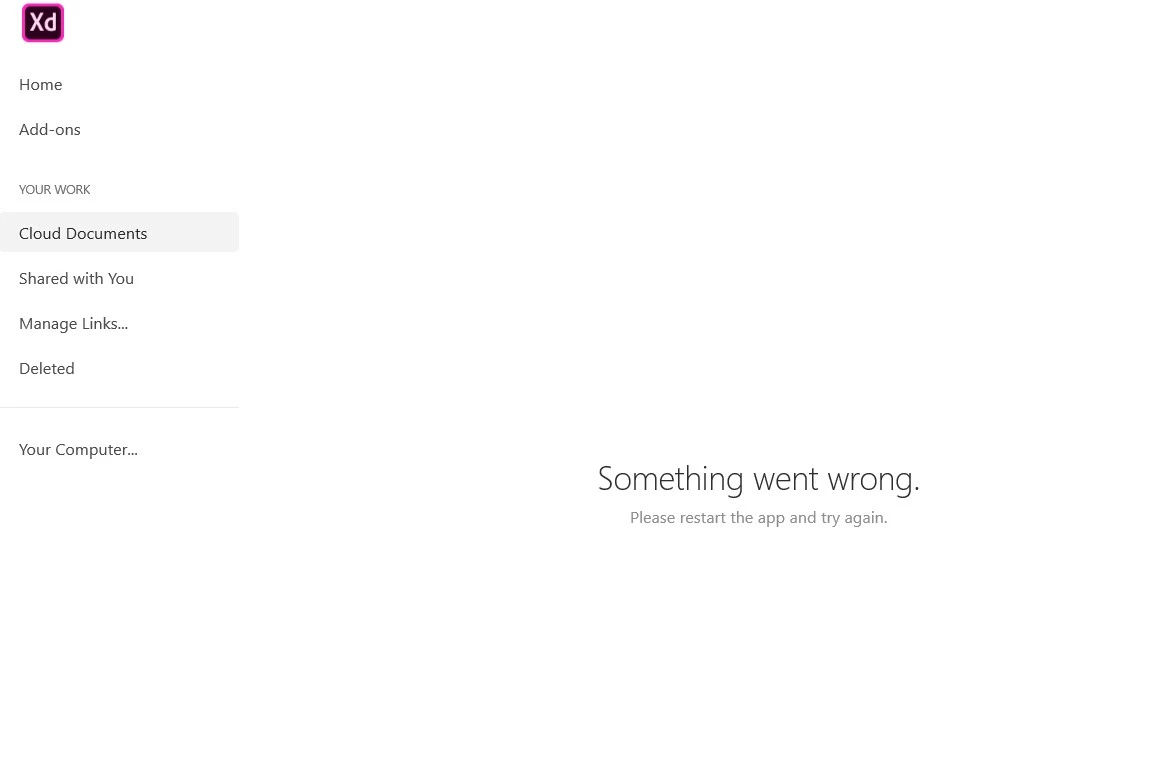
 

If anyone can provide me with a solution ASAP it would be very appreciated. I need access immediately.

Thanks


<The Title was renamed by moderator>

Correct answer Atul_Saini

Hi everyone,


Sorry to hear that you're unable to open the file and getting an "Error 3635, Cannot create a new document in XD" or other similar errors while opening or creating a cloud document. We'll try our best to help you with this. 


This list of solutions may seem long, however, I can assure you that it has helped a lot of customers with this error. 


Please start with Part one (Mac/Win) and proceed to Part two if the problem persists on the windows machine.


Part one (Mac/Win):


1. Ensure that XD is up to date using this link (https://helpx.adobe.com/in/creative-cloud/help/creative-cloud-updates.html).


2. Follow the instructions mentioned on this page step by step (https://helpx.adobe.com/xd/kb/issue-saving-xd-file-creative-cloud.html). Before proceeding to the next step. Please upload the logs to CC or Dropbox and share the link with me via PM (click on my name and hit the message button on my profile). This would help us to get to the root cause and investigate further. 


3. Please try cleaning the Creative Cloud desktop app from the cleaner tool: https://helpx.adobe.com/in/creative-cloud/kb/cc-cleaner-tool-installation-problems.html and then reinstall the Creative Cloud desktop app from here (https://helpx.adobe.com/in/download-install/kb/creative-cloud-desktop-app-download.html).


Part two: For Windows
 

1. We need to navigate to the following locations and rename the "Core Sync, OOBE, SLStore, SLCache, all AAM related folders" as "Core Sync_old" and similarly with the OOBE_old and so on.

  • C:\Program files(x86)\Adobe\Adobe Sync\
  • C:\Program files(x86)\Common\ Adobe
  • C:\ProgramData(Hidden)\Adobe\
  • C:\Users\Username\AppData(Hidden)\local\Adobe
  • C:\Users\Username\AppData(Hidden)\Roaming\Adobe

2. Reinstall the Creative Cloud desktop app from here (https://helpx.adobe.com/in/download-install/kb/creative-cloud-desktop-app-download.html).


If you still face issues, please share logs and the XD file with Harshika Verma over a private message so that we can escalate the issue to the team for further investigation.


Note: Please add your logs and XD file to a shared location such as CC or Dropbox and share the URL with me over a private message.


We will try our best to help.


Thanks,

Atul_Saini

38 replies

Participant
March 14, 2021
I have aproblem in adobe xd program. When i need to create anew file this message appears ... Sometimes is Error 3635 and sometimes this ...
I signed out from creative cloud and resign in more times and made unistall for program and reinstall but nothing happened ...
Can you help me?
Community Manager
March 15, 2021

Hello Ahmed,


Similar issue has been fixed in following thread with  the step metioned  HERE . 

Please go through it once and let me know if issue doesn't resolve.


Regards,

Anita Subedi

Participant
March 15, 2021
I already did that and the problem didn't solved
Ashikxql
Participant
March 11, 2021

italosan
Community Expert
Community Expert
March 11, 2021
Participant
November 18, 2020

error 3634 creative cloud sync is not running correctly

error 3636 can't create document

and also can't open this file on the cloud.

already reinstalled all adobe apps, restarted computer, logged in and out.

what can i do now?


{Renamed by MOD}

Rishabh_Tiwari
Community Manager
Community Manager
December 2, 2020

Hi Barak,


We're so sorry for the delay in response. Please try the suggestions shared here: https://community.adobe.com/t5/adobe-xd/error-3624/td-p/10353813?page=1


Let us know if this helps or if you need any further assistance.


Regards

Rishabh

Participant
October 12, 2020

Hi,

I am having trouble with my Adobe XD. When I try to create new document, an error appears "Can't create a new document (Error 3636)". I have tried different methods to resolve it but couldn't do it.


I need to resolve it as soon as possible, so I can continue my practice with Adobe XD.


Best Regards,

HARSHIKA_VERMA
Community Manager
Community Manager
October 12, 2020

Hi there,


Sorry to hear you are unable to create new documents in XD. Would you mind trying the step suggested in this article: https://helpx.adobe.com/xd/user-guide.html/xd/kb/fix-issues-with-xd-cloud-documents.ug.html#unable-to-create-open-cloud-docs? If that doesn't help, please check out this post: https://community.adobe.com/t5/adobe-xd/error-3635-cannot-create-new-document-in-xd/td-p/10699520/page/4?page=1


Let us know if that helps.


Thanks,

Harshika

Participant
October 13, 2020
I already have followed all the steps but nothing had been changed to
normal. I signed in my creative cloud account on another pc and installed
the XD, on that pc it’s working normal.
Participant
September 23, 2020

Hey guys, 

From what I read, its an issue with the Create Cloud App itself and not XD. And so I'm sharing here what worked for me: 

1) Open Task Manager [Ctrl+Shift+Esc] and end any and all Adobe processes.

2) Head over to Settings > Apps > Apps & Features 

3) Find the Adobe Creative Cloud app from the list of apps over there

4) Click on it and click "Uninstall"

5) It will open the native Adobe uninstaller. There it will ask you if you'd like to Uninstall or Repair

6) Click "Repair"

7) It will remove and repair all necessary files and folders. Let it run its course

😎 Just to ensure everything is effective, restart your PC once the repairing process is over

9) Now open Creative Cloud app. Update if necessary and then try to launch Adobe XD

10) It should work properly without throwing any errors of any kind unlike before


This solved two issues for me: The 3635 error "Can't create document" as well as missing "UNDO" [The undo option was literally disabled and not even Ctrl+Z worked]

Hope this helps someone.

Cheers,
Max

HARSHIKA_VERMA
Community Manager
Community Manager
September 28, 2020

Awesome. Glad to hear you are able to fix the issue and thanks for sharing the solution that worked for you. This will definitely help our customer to fix the issue.


Please feel free to reach out to us in the future for any query related to XD.


We would be happy to help.


Thanks,

Harshika

Shiksha98A5
Participant
September 14, 2020

I'm unable to open a sketch file in XD!

Rishabh_Tiwari
Community Manager
Community Manager
September 14, 2020

Hi Shikha,


Sorry to hear about the trouble. Could you please try the suggestions shared here: https://community.adobe.com/t5/adobe-xd/error-3635-cannot-create-new-document-in-xd/m-p/10699520?page=1#M17770


Let us know if this helps or if you need any further assistance.


Regards

Rishabh

Participant
August 20, 2020

Ich kann kein neues Projekt erstellen, geschweige denn in der Cloud unter Windows 10 speichern. Folgender Fehler wird jeweils angezeigt.

Hat jemand Erfahrung damit?

Danke für die Hilfe.

italosan
Community Expert
Community Expert
August 20, 2020

Hi, we're sorry you're having trouble with Adobe XD. In order to help you, we need some useful information, such as:

  • version of Adobe XD in use;
  • characteristics of your computer;
  • whether this problem occurs with one particular file or with others as well.
Participant
August 18, 2020

The application is unable to create a document or fetch data from the cloud. It's a completely dead app right now. 

I am facing this issue since a month, any kind of help is appreciated.


What I have tried:

  1. I tried reinstalling XD, but it gave the same error 3636. 
  2. I checked my Creative Cloud version, it was upto date.
  3. I uninstalled Creative Cloud, by uninstalling all other Adobe Apps and reinstalled XD. It still didn't help.


Specs:

  1. I have allotted 50GB for Adobe projects, 45 GB still unused.
  2. I am using a 24GB RAM.


Rishabh_Tiwari
Community Manager
Community Manager
August 18, 2020

Hi there,


We're so sorry to hear about the trouble. Could you please try the suggestions shared here: https://community.adobe.com/t5/adobe-xd/error-3635-cannot-create-new-document-in-xd/m-p/10699520?page=1#M17770


Let us know if this helps or if you need any further assistance.


Regards

Rishabh

Participant
August 18, 2020

Thanks, that worked very well.

Participant
August 17, 2020

I can not enter the page of adobe xd so plase give me a solution . i will wait for your important feedback.

Community Manager
August 17, 2020

Hi There,

Can you please quit XD and Signout from CCD, Please check all Coresync thread is closed from activity monitor. 

Launch CCD and wait for few secs. Launch XD and create new document.

Hope it will help.


Thanks,

Vertika Gupta

Adobe XD 

Participant
August 9, 2020
Hi friends
I would like to request your help immediately. I have several files stored on the Adobe XD cloud in the latest update of the program. I cannot access the cloud and it displays an error
. I have several necessary files that I would like to retrieve, and also when creating a new file it opens for a very short time and then displays an error 3635,
please What is the appropriate solution, knowing that I have deleted and restored every Adobe package, but nothing has changed. Thank you


italosan
Community Expert
Community Expert
August 9, 2020

Hi, I recommend you check out this thread: Error 3635, Cannot create new document in XD