lorenah3653586
Participant
October 22, 2020
Answered

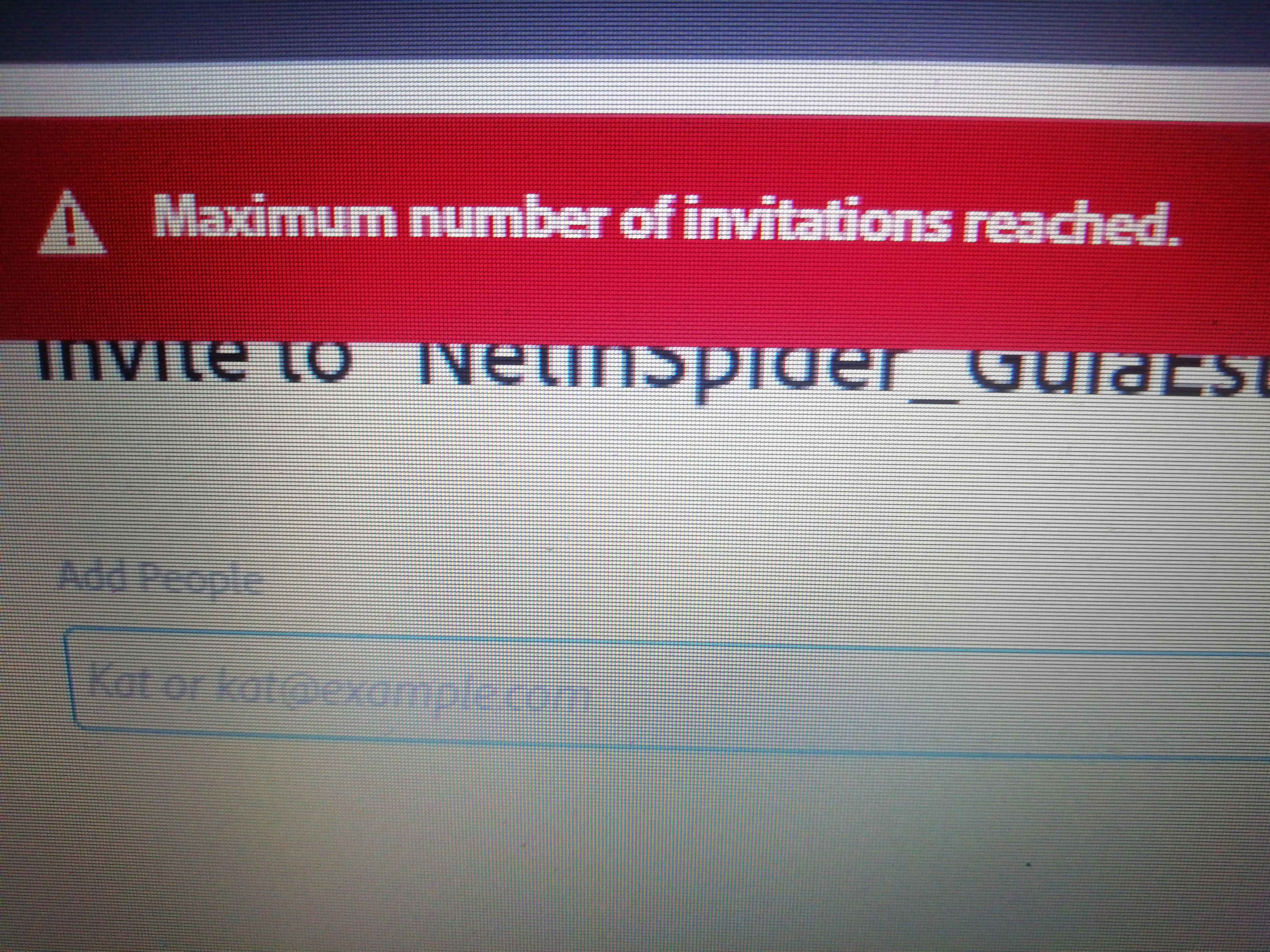
Error - Maxium number of invitations reached while sharing file in XD.

  • October 22, 2020
  • 14 replies
  • 28149 views

 I'm trying to share a file, and I get the error "maximum number of invitations reached".


How many invitations are available? I have deleted invitations from other files an it won't let me share the new file.


Can you help me?


Thanlks

This topic has been closed for replies.
Correct answer Rishabh_Tiwari

I am experiencing a problem in Adobe XD, when I try to share a document with my partner it appears: "maximum number of invitations reached". My account is for educational payment as well as that of my collaborator as well. We are trying to share the project between just the two of us.


Hi @Damitaaa ,


Sorry to hear about the trouble. Please ensure you have the latest version of XD which is 51.0.12 and in case if it's already up to date, please try the steps shared below:


  • Sign out from XD and CC Desktop app.
  • Close CoreSync and all Adobe-related services from the Task Manager/Activity Monitor.
  • Rebooted the machine.
  • Sign back in on the CC Desktop app and launch XD from there and test again.


Let us know if this helps or if you need any further assistance.


Regards

Rishabh

14 replies

sub4u12
Participant
November 13, 2020

I've been using Adobe Xd pretty much since it was released and I didn't have a single problem until it's latest update, and they are many.

But one thing that is slowing us down, me and the team, is that I am unable to share my files with the others, whenever I try to, it says "Maximum number of invitations has been reached" even though I hasn't shared the file with anyone yet and I am on a paid plan.

This problem has cost us much already and I really hope for a solution, I'm currently using another software to keep the work going but I prefer using Xd and most of my work is already there.

sub4u12
Participant
November 13, 2020

I already have and tried every mentioned way to get the problem solved but nothing seems to work.

Thibaud.be
Participating Frequently
October 29, 2020

Ever since the latest update (34) 

  • Cloud documents are out of sync with shared user.
  • Coediting seems broken (I don't see users connected on the same document)
  • I can't add new users to a documents I get the mesage'maximum number of invitations reached'
  • Every time I open xd I have a crash report although I didn't notice anything unusual when closing it.

I tried to logout/login of creative cloud, uninstall resinstall xd. without any succes.
It appears like I'm not the only one with theses issues:
https://community.adobe.com/t5/adobe-xd/invite-status-maximum-number-of-invitations-reached/m-p/11532219?page=1
https://community.adobe.com/t5/adobe-xd/adobe-xd-maxium-number-of-invitations-reached/m-p/11530124?page=1

platfotrm: windows 10

Participating Frequently
October 29, 2020

I am experiencing all of the same problems. 

elainecc
Community Manager
Community Manager
November 7, 2020

Are you still seeing this issue, @FMarais ? If so, I might need to get you connected with a Support agent in order for us to figure out what's going on. Thanks!

Participating Frequently
October 23, 2020

I saw this error on another document a few days ago where the document was shared with 6 other users. I removed one of the users and was able to add the new one. 


This morning on a new document I attempted to invite one other user but received this error. I tried enabling co-editing, updated to the latest version of XD and restarted, but cannot add anyone to the file.


I have XD pro on OSX Mohave 10.14.6

Thanks

Participating Frequently
October 23, 2020

Also, when I click the Invite button after getting this error, the pop-up changes to the attached, where I cannot change the email address, add a message or submit the invite request (button remains greyed out)

gallekyle
Community Manager
Community Manager
November 7, 2020

Hi Blake,


Thanks for reaching out. Do you know if you are on the free Starter plan for XD? You can check by going to XD -> About. If you see Starter under the logo, you are on the Starter plan. 


Rishabh_Tiwari
Community Manager
Community Manager
October 22, 2020

Hi there,


Thanks for reaching out. The number of shared links depends on the type of XD plan you have. With the stater plan, you can have only 1 shared link while with the paid membership you can have unlimited shared links. For more information, you can refer to these articles: 

https://www.adobe.com/mt/products/xd/pricing/individual.html

https://helpx.adobe.com/xd/user-guide.html/xd/kb/changes-to-xd-starter-plan.ug.html


In case if you have a paid membership, please try signing out from the Adobe Creative Cloud Desktop app and then sign in again.


Regards

Rishabh

Participating Frequently
October 29, 2020

Signed out, signed in. Uninstalled, reinstalled. Installed older versions the invite problem continues to persist. 

In addition to some of the invited accounts not being able to see it in their documents shared with me. 

Participant
November 9, 2020

Same issue here. I used free version of Adobe XD, updated today to all-in-apps subscription and still cannot share projects.


Updated to XD 34.3.12.1, Creative Cloud Sync 4.3.63.1 on a mac OS 10.15.7, using an enterprise account, and started getting the "max invitations" error.

Any ETA on a fix?