Lars Jandel
Inspiring
November 29, 2023

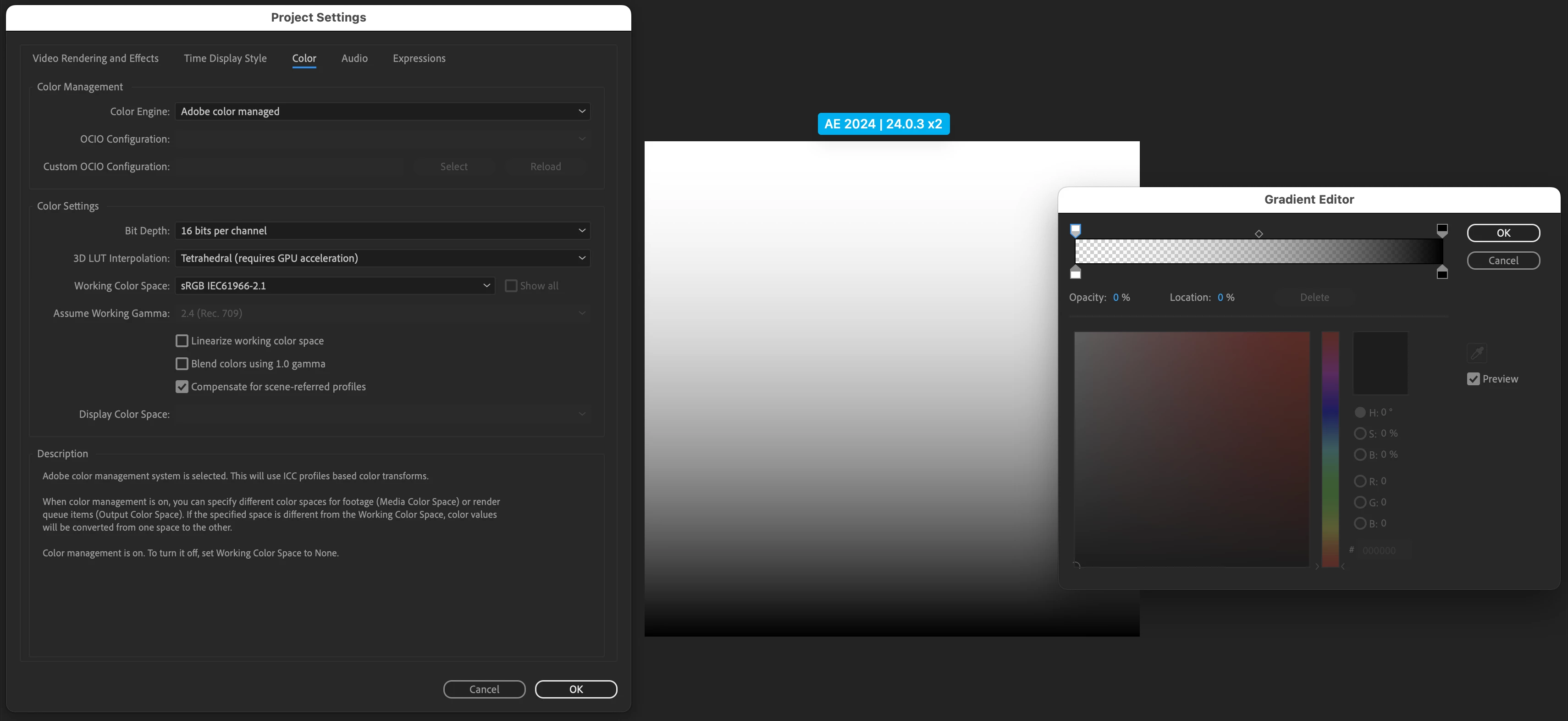
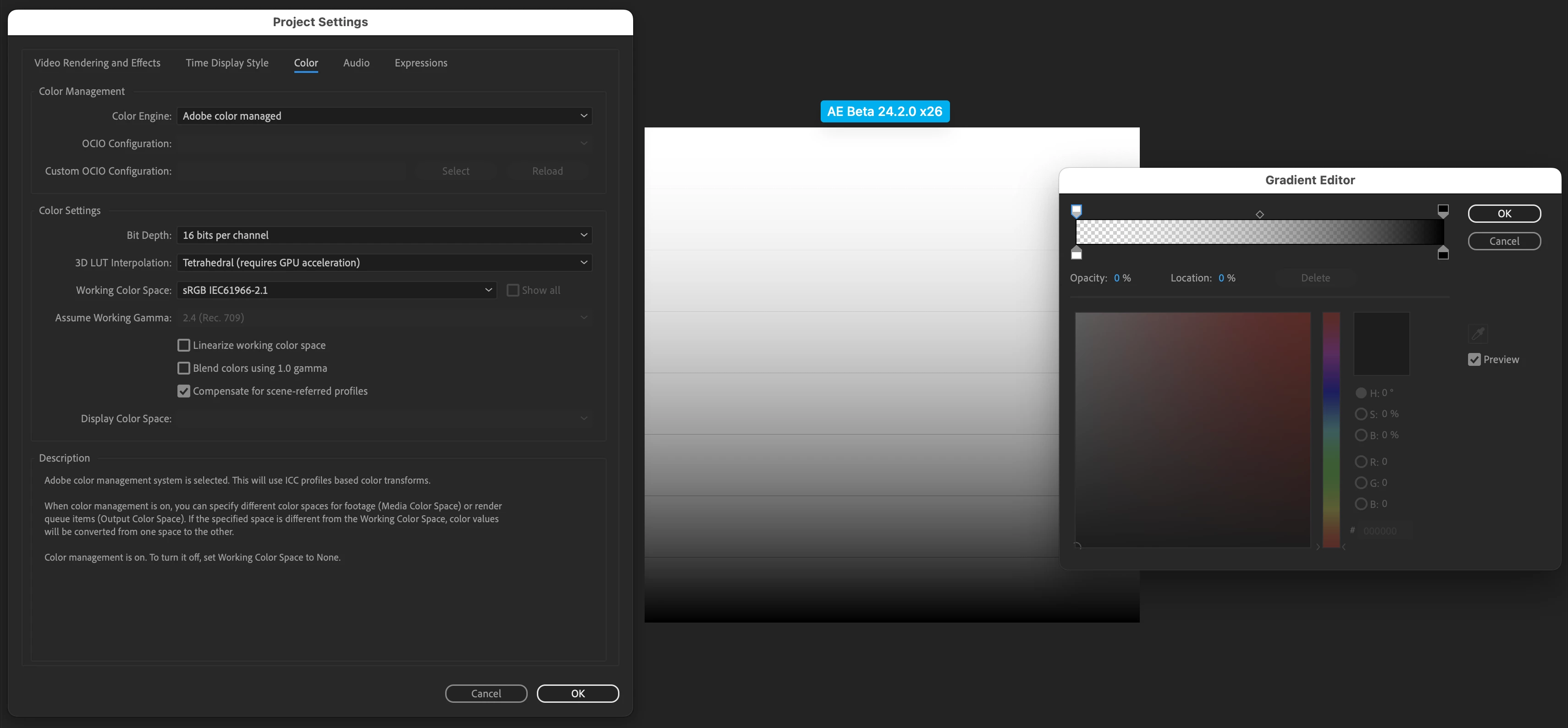
Shape layer with gradient fill and utilising the opacity stop creates lines,not talking bout banding

  • November 29, 2023
  • 3 replies
  • 618 views

AE Beta 24.2.0 x26:
When using a Shape Layer with a Gradient Fill and setting the Opacity Stop to 0, lines will show up in the gradient. I am not talking about banding, please have a look. Didn't see this behaviour before and it works fine in AE 2024.

Thanks 

(pictures inline and attached as well, plus AE project)
 

This topic has been closed for replies.

3 replies

Lars Jandel
Inspiring
December 2, 2023

Thanks for the fix @JohnColombo17100380 , checked and the gradient is looking fine again.
Now I can switch back using the Beta. 🙏

Have a nice weekend, Lars.

JohnColombo17100380
Community Manager
Community Manager
December 1, 2023

Hi @Lars Jandel,

Thanks again for reporting this issue. A fix for this is included in the latest Beta build (v24.2.0.29). Please let us know if you continue to see this banding in any future renders after updating the Beta.


Cheers,

- John, After Effects Engineering Team 

JohnColombo17100380
Community Manager
Community Manager
November 29, 2023

Thank you for reporting this issue, @Lars Jandel! We are able to reproduce it as well and will be investigating a fix for the Beta builds.


Thanks again,

- John, After Effects Engineering Team