



Sébastien Périer17107209
Community Manager
Community Manager
November 20, 2023
Answered

Per-Character Scripting Public Beta Announcement

  • November 20, 2023
  • 8 replies
  • 16603 views

Hi everyone, 

With After Effects (Beta) 24.2.0 build 17, we have added some very significant and long-awaited additions to the TextDocument DOM:

  • The properties of individual characters can now be changed independently of the others with the new CharacterRange and ParagraphRange objects. 
  • New paragraphCount attribute will return the number of paragraphs in the TextDocument. 
  • New paragraphCharacterIndexesAt method will return the paragraph bounds from a character index—useful if you have a character index and wonder what the character index bounds of the paragraph it is part of. 
  • It is now possible to faithfully round trip a mixed-property Text Layer via the TextDocument without losing individual properties. 
  • boxTextPos will now accept negative values (this was a long-standing bug.) 

You can read the updated docs here: https://ae-scripting.docsforadobe.dev/introduction/changelog.html. 


The CharacterRange and ParagraphRange will benefit from a short explanation. 

The former is returned by the characterRange() function where the parameters are character indexes, and the latter by the paragraphRange() function where the parameters are paragraph indexes. With them, you have all the same familiar character and paragraph properties that are available on the TextDocument, but now they apply to the effective character index range which was used to construct the specific range object. 

For example: 


var td = ....layer(1).property(“Source Text”).value; 
td.text; => “Hello, World!” 
var cr = td.characterRange(0,5); 
cr.text; => “Hello” 
cr.text = “After Effects”; // replace “Hello” with “After Effects” 
cr.text; => “After” 
td.text; => “After Effects, World!” 


Though these new objects share the same character and paragraph property definitions, there are still a few differences of note. 

  • A TextDocument character attribute on read returns the attribute's value for the first character in the Text layer, but on write applies it to the whole Text layer. Because of this, a TextDocument character property is never mixed. 
  • A TextDocument paragraph attribute on read and write is for all the characters in the Text layer. Because of this, a TextDocument paragraph property can be mixed. 
  • A CharacterRange and ParagraphRange object can return mixed if the range exceeds one character or paragraph, mixed is always indicated by returning undefined (except for .justification). 
  • The TextDocument fillColor and strokeColor will throw an exception on read if the corresponding applyFill and applyStroke properties are not set - the CharacterRange and ParagraphRange objects will not. 
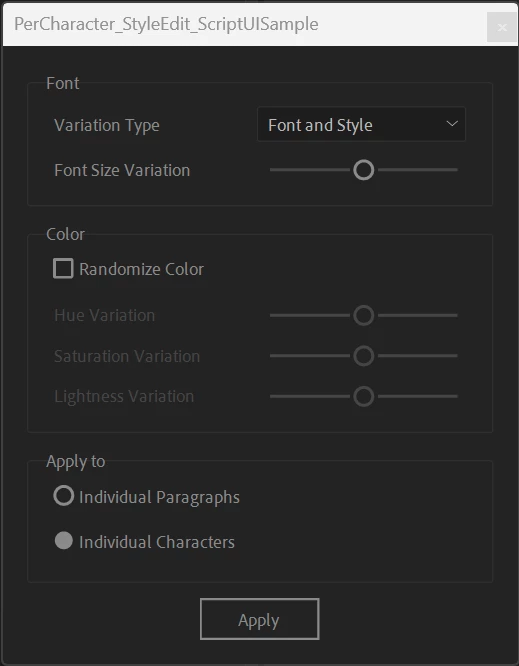


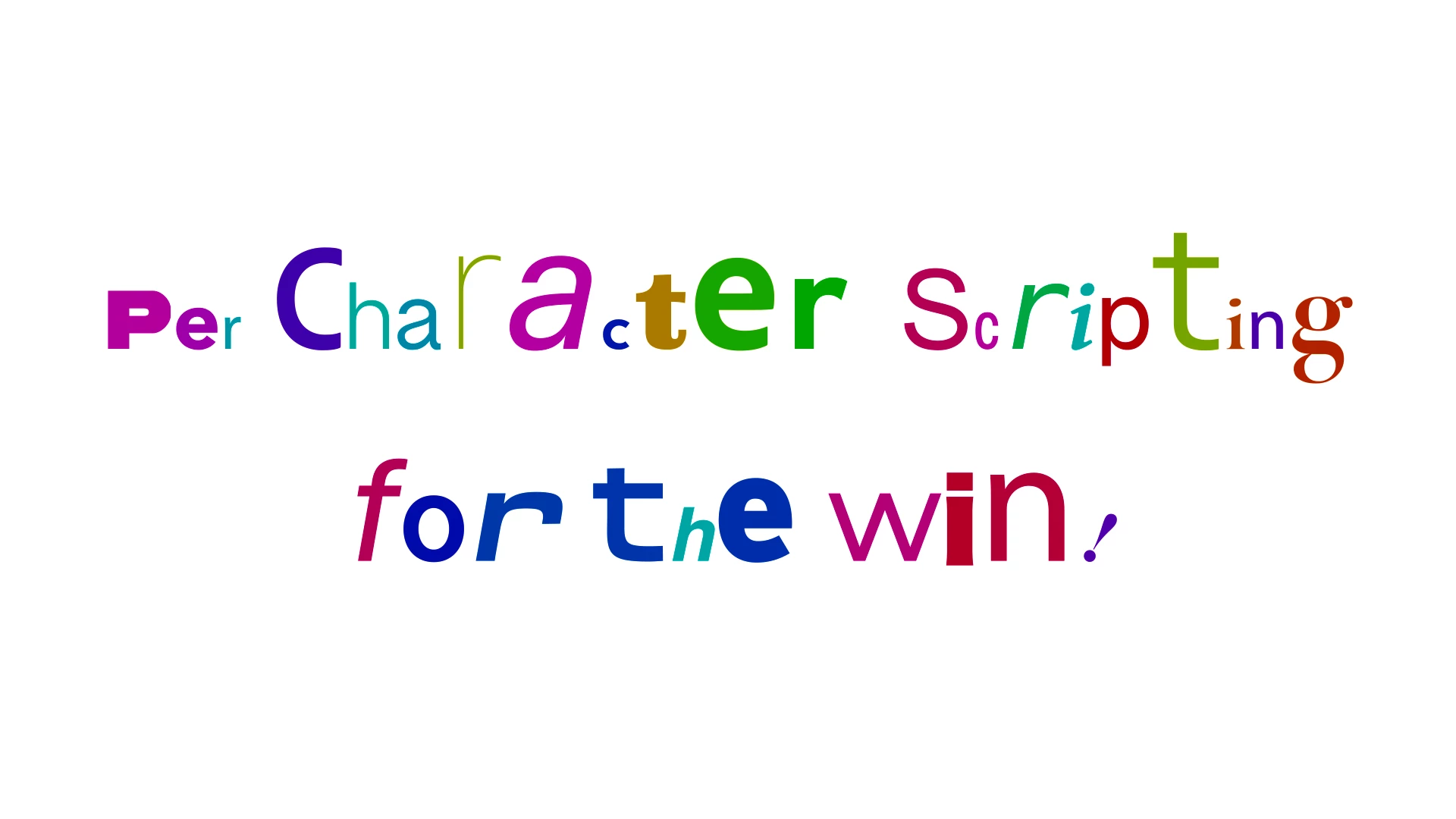
We have built a demo script exercising the new CharacterRange and ParagraphRange hooks to get you started. You can get it from our Github repository: https://github.com/AdobeDocs/after-effects/blob/main/samples/PerCharacter_StyleEdit_ScriptUISample.jsx

 
Remember, these scripting hooks are currently in Beta and are subject to change. 
 
We can't wait to see what you'll be building with these new hooks. 
 

 Douglas, John and Sebastien 

This topic has been closed for replies.
Correct answer JohnColombo17100380

Hi all,

Thank you so much for your feedback on these new per-character scripting APIs. We are happy to announce that these are available for use in the release version of After Effects 24.3. The documentation on https://ae-scripting.docsforadobe.dev/ has also been updated to reflect the wider release of the APIs.


Thanks again,

- Douglas, John,and Sebastien

8 replies

JohnColombo17100380
Community Manager
JohnColombo17100380Community ManagerCorrect answer
Community Manager
May 15, 2024

Hi all,

Thank you so much for your feedback on these new per-character scripting APIs. We are happy to announce that these are available for use in the release version of After Effects 24.3. The documentation on https://ae-scripting.docsforadobe.dev/ has also been updated to reflect the wider release of the APIs.


Thanks again,

- Douglas, John,and Sebastien

Inspiring
February 16, 2024

@Douglas_Waterfall Do you have any thoughts on how best to identify mixed styles in an existing text layer? An obvious example would be doing find/replace on a certain font or color inside a mix style text layer.


It looks like I can characterRange the whole text then say, see if font comes back undefined, then continue to drill down ever more fine grained (or characterRange each pair of characters, or just compare every single character). But of course there are any number of font attributes that can be different between each character.


Ideally it would be something like returning and array of character ranges that encompassed every difference, or we could choose between all attributes or just certain ones. I realise that is something we can potentially code, even if it's fiddly and laborious.


It appears that any time you set a character range, it will push the style settings for the first character onto all characters in that range. Not entirely surprising although I hoped it would just touch the altered attributes. That suggests the safest alternative would be to set each character one at a time, but that seems non-ideal.


Adobe Employee
February 16, 2024

@Paul Tuersley wondering if you are wishing for this API


CharacterRange.replaceText(String text)


Here we would replace the character without disturbing the styling, and if the new string is longer than the current range then the last attribute is just applied to the extra.


Perhaps you might share more information on the transformation/edit you are trying to achieve.


Douglas Waterfall

After Effects Engineering

Participating Frequently
March 19, 2024

Ha ok, so after setting the tracking with

textDocument.tracking = 50;

you need this:


textProp.setValue(textDocument);
textProp.addKey(0); // CREATE A KEYFRAME FIRST

firstCharRange.fillColor = [0, 0, 1]; // Blue color
// THEN USE SETVALUEATTIME TO CREATE ANOTHER KEY WITH THE BLUE CHARACTER
textProp.setValueAtTime(1,textDocument);


It Worked! Thank you so much!! I can finally finish my project!! You saved me hours of tedius documentation reading lol, I really apreciate this!

Adobe Employee
February 10, 2024

And we are back with a heads up on the API update and more detail.


Starting with beta build 24.3.0/25 we have made the following breaking changes.

  • We have removed all the text properties from the ParagraphRange object (ie. font, fontSize, etc).
  • We have added a new function, ParagraphRange.characterRange() which will return a CharacterRange object initialized to the (characterStart, characterEnd) from the ParagraphRange.


What this means in effect is that instead of doing this:


var td = ...value();
var pr = td.paragraphRange(0);
pr.fontSize = 4;
pr.fillColor = [1,0,0];


You should do this:


var td = ...value();
var pr = td.paragraphRange(0);
// fastest
var cr = pr.characterRange();
cr.fontSize = 4;
cr.fillColor = [1,0,0];
// slower
pr.characterRange().fontSize = 4;
pr.characterRange().fillColor = [1,0,0];


Also part of this build will be a new scripting object, ComposedLineRange... but I wll leave you to read the docs for that. 


Douglas Waterfall

After Effects Engineering

Mathias Moehl
Community Expert
February 19, 2024

Wow, ComposedLineRange is amazing!
Should finally give me a reliable way to figure out the lines of a box text 🙂

Mathias Möhl - Developer of tools like BeatEdit and Automation Blocks for Premiere Pro and After Effects
Adobe Employee
January 26, 2024

Just a quick update on the status of this, as it has been in Beta for a while and I expect a number of gentle readers are patiently waiting for this to appear in a full release.


We have elected to hold this back from the upcoming 24.2 release as we wish to make a substantial change to the API for the ParagraphRange object first.


What we are planning to do is remove all the text properties from the ParagraphRange and substitute them for a single API which will return a CharacterRange object which is initialized to the start/end character index values of the ParagraphRange.

var pr = textDocument.paragraphRange(5);
var cr = pr.characterRange(); // note, no parameters
cr.fontSize = 72;
cr.font = "Helvetica";


Our motivation for this is performance related - each time any text property of a ParagraphRange instance is accessed the start/end character index has to be computed based on the nTh paragraph reference - for single or small paragraph Text Layers this is not that important, but a Text Layer consisting of a long film credit with each contributor getting their own paragraph...not so good.


We will let you know shortly before this change shows up in a Beta release.


Douglas Waterfall

After Effects Engineering

New Participant
February 1, 2024

Is it possible for one to stay on a older beta build without updating so we can wait for the next implementation of the character scripting?

dbDavideBoscolo
Brainiac
December 26, 2023

Is there any way to know whether a character is/isn't selected?
If not, can it be added please?


dbDavideBoscolo
Brainiac
January 26, 2024

What about this guys? 

New Participant
November 27, 2023

Will this be avalaible for expressions too or just for scripting?

Having it in expressions would make my life so much easier to create and update some templates I use almost everyday.

Adobe Employee
November 27, 2023

Hi @Thomas Ladorian


This update is only "just" for scripting.


I have some questions I would like to ask you about your Expressions workflow, if you can spare the time - send me a letter via forum mail.


Douglas Waterfall

After Effects Engineering

Inspiring
November 28, 2023

Expressions access to these features would be a pretty big deal for me as well. I'm frequently have to find workarounds to accommodate designs with mixed typefaces, and I hate having to impose limitations on the designers who create these looks or on the editors who will have to navigate complicated controls and weird constraints when using the templates I build.

ariel_n
Participating Frequently
November 26, 2023

Thanks a lot guys for these!, I've been playing with them a little bit already, looking very promising!

It will definitely remove plenty of hacks and speed up things a lot!

Roland Kahlenberg
Brainiac
November 21, 2023

And these work with both Point and Paragraph Text Layers?

And is it safe to expect WordRange and LineRange in the near future?


Very Advanced After Effects Training | Adaptive & Responsive Toolkits | Intelligent Design Assets (IDAs) | MoGraph Design System DEV
Sébastien Périer17107209
Community Manager
Community Manager
November 21, 2023

Hi Roland,

yes it works with both Point and Box Text Layers. As for Word and Line ranges, I'll add your voice to the feature request 😉

Cheers,
Seb