


Blabberlicious65
Participating Frequently
September 27, 2023

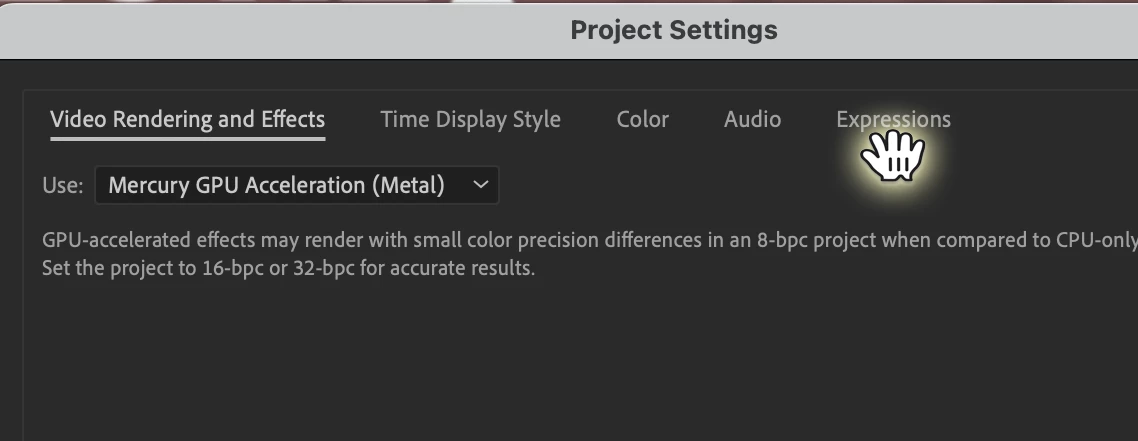
Cursor Struck on Hand Tools when Accessing Tabbed Panels/Script Panels

  • September 27, 2023
  • 5 replies
  • 674 views

Really Super Annoying. This happens in after effects and Illustator. You can brute force selection of Comp Tabs and some UIs tabs by RIght Clicking below the Tab title. But sometines it doesnt work. Even native panels, like the Project settings. You CAN'T acess the Expressions tab, becauae the HAND grab icons is stuck on. Restatrting AE sometimes fixes this, but it come back like a rash. I really dont need to be wreteling the UI, when I'm trying to concentrate on the animation.

Doesnt anyone else get this? - and know a foolproof fix to unstick the Cursor?

best wishes


Mac Sonoma Current AE
5 replies

Participant
July 3, 2025

also, restarting the program doesn't solve the issue

Participant
July 3, 2025

Currently experiencing the same issue, just as Blabberlicious65described it, it started happening after I opened Illustrator, and th eonly way for me to select tabs in AE is to right click

Blabberlicious65
Participating Frequently
October 4, 2023

M1 Max Studio Sonoma 14.0 32 Ram, Wacom and MX Mouse.

M1 Air 16 g Ram

This is happening in both AE and Illustrator. Only a restart fixes it. I dont have anytother apps watching keyboard input. Tried without wacom.

JohnColombo17100380
Community Manager
Community Manager
September 27, 2023

Hi @Blabberlicious65,

Thank you for reporting this issue. I've seen a similar behavior intermittently, but have been unable to pinpoint the cause, but I was also using macOS Sonoma at the time. What type of mouse/input device are you using?


Thanks for reporting this issue and for any further information you can provide,

- John, After Effects Engineering Team  

Community Expert
September 27, 2023

I have never seen this. What are your system specs and OS?