


MikkelBech
Participant
February 9, 2023

Problem: Font in expression editor changed in 23.2

  • February 9, 2023
  • 8 replies
  • 2626 views

Just updated to 23.2 this morning. The font in the expression editor has changed to a non-monospaced font, which makes my code so much harder to read. Can't seem to find any solution. Thrashed preference files, loaded older preference files, tried a reinstall, still stuck with this trainwreck of a font for scripting.

Any tips to what I should do, besides waiting for the next update to (hopefully) fix this?


My Specs:

MacBook M1 Pro

MacOS Ventura 13.1
 

This topic has been closed for replies.

8 replies

JohnColombo17100380
Community Manager
Community Manager
April 18, 2023

Per @nishu_kush's post, marking this issue as Fixed in 23.3.

- John, After Effects Engineering Team  

nishu_kush
Community Manager
Community Manager
April 17, 2023

Hi all,


Thanks for your patience.

This issue has been fixed in After Effects version 23.3. Update your After Effects using the Creative Cloud desktop app.


Best,

Nishu

MXBA
Participant
March 8, 2023

The workaround with Adobe Fonts worked perfectly. Thanks!

JohnColombo17100380
Community Manager
Community Manager
March 8, 2023

Hi all,

Thanks again for reporting this bug with the monospaced font in the expression editor. There is now a fix available in the latest After Effects (Beta) builds in the Creative Cloud app, which will also be included in the next release version of After Effects as long as no new issues are found.


Until the next release version is available, the current workaround will restore the monospaced typeface in AE 23.2.x: sync the typeface Source Code Pro from Adobe Fonts and the expression editor should pick it up and use it.


Thanks again for reporting this issue,

- John, After Effects Engineering Team 

JohnColombo17100380
Community Manager
Community Manager
February 10, 2023

Hi @MikkelBech,

Thank you for reporting this issue. We are aware of this and investigating it for a fix for a future version of After Effects.


There is a workaround for 23.2: if you sync the typeface Source Code Pro from Adobe Fonts, the expression editor should pick it up and use it.


Thanks again for reporting this issue,

- John, After Effects Engineering Team 

MikkelBech
Participant
February 10, 2023

Well, I'm glad you don't have that problem, Rick.

Nevertheless the problem persists. It is also mentioned by others in the general AE 23.2 thread.

MXBA
Participant
March 8, 2023

Hi there! This week, I updated After Effects from version 23.1 to 23.2.1, and I noticed that the font in the expression panel has changed. Previously, it was a monospace font that was which was easy to read. However, the new font has almost no leading, is not monospace, and is really difficult to work with. I'm having a tough time reading and editing my expressions. I contacted Adobe support, but they informed me that there is no way to change the font. Is there any solution to this issue, or should I continue using version 23.1 until the next update?

JohnColombo17100380
Community Manager
Community Manager
March 8, 2023

Hi @MXBA,

Thank you for reporting this issue. This unfortunately did break in 23.2 and 23.2.1. The monospaced typeface has been restored in the latest Beta build and so will also be fixed in the next release of After Effects. Please let us know if you do try out the Beta builds and see that the issue is not fixed for you.


In the meantime, there is also a workaround for AE 23.2.x: if you sync the Source Code Pro typeface from Adobe Fonts, the expression editor will pick up and use that monospaced typeface again.


Our apologies for this frustration. To keep the conversation on this bug from getting too scattered, I'll be merging this post with the existing report thread we have for this issue.


Thanks again,

- John, After Effects Engineering Team 

Community Expert
February 9, 2023

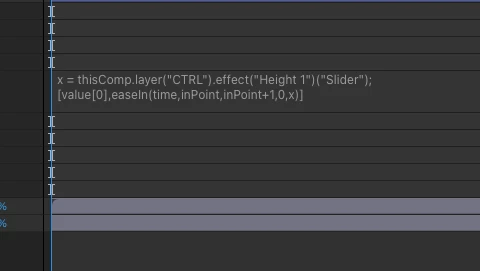
I am not seeing this on my system with any installed version of After Effects:

Have you modified any of your system's font or display settings?

m_schmid
Participating Frequently
February 9, 2023

The expression editor is broken as well. It doesn't show a monospace font anymore. Feels like coding in MS Word xD


NOTE: Title edited by the moderator

Participating Frequently
February 14, 2023

i dont know what you did to the expressions window but the fonts look aweful.... is that an arial font with way to less linespacing. its annoying to look at. maybe give the change to change it or just use some themes from vscode ? 

Rameez_Khan
Legend
February 20, 2023

Hi @Stepphun


I checked this with the After Effects team, and they are working on a fix. Meanwhile, it will work around the issue if you can sync Source Code Pro (the monospaced typeface usually used by the editor) via Adobe Fonts.


Thanks,

Rameez