


Sebastián Inostroza
Participating Frequently
May 23, 2024
Question

Actualicé Trapcode Particular pero ahora me está dando error en After Effects (no aparecen efectos)

  • May 23, 2024
  • 3 replies
  • 1720 views

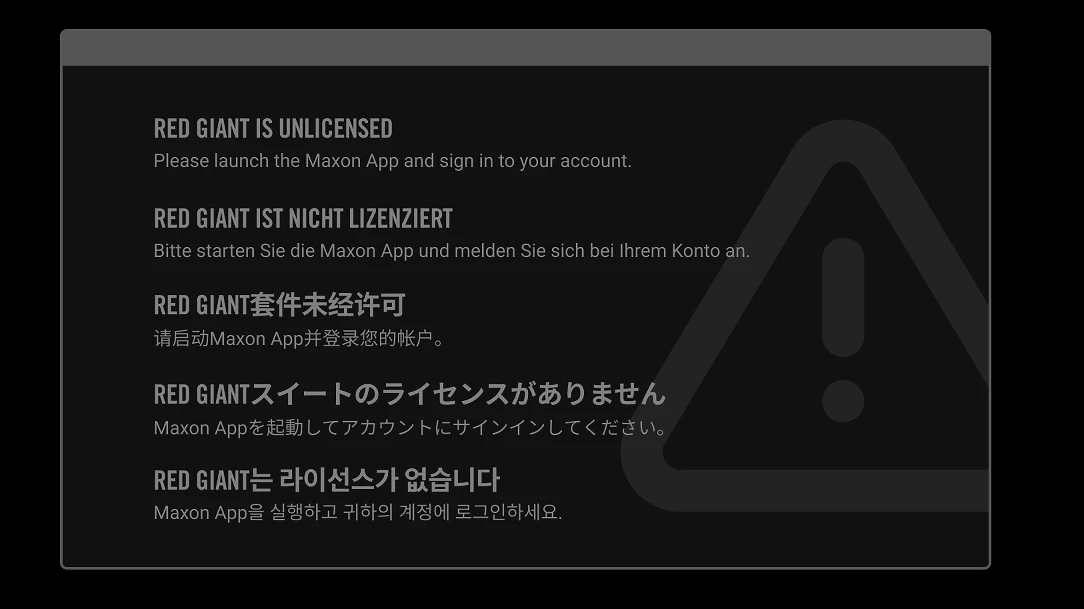
Actualicé Trapcode Particular desde su versión 15.0 a 2024.2.0 ya que en After Effects (desde su versión 2022 aproximadamente en adelante, actualmente con la versión 2024) aparecían unas 'x' rojas tapando los efectos de Particular, pidiendo actualización para corregir el error, pero ahora que porfin actualizo Trapcode en Maxon, me está dando error en After Effects (no aparecen efectos, y en su lugar, un error de la Maxon App con mi cuenta)
 

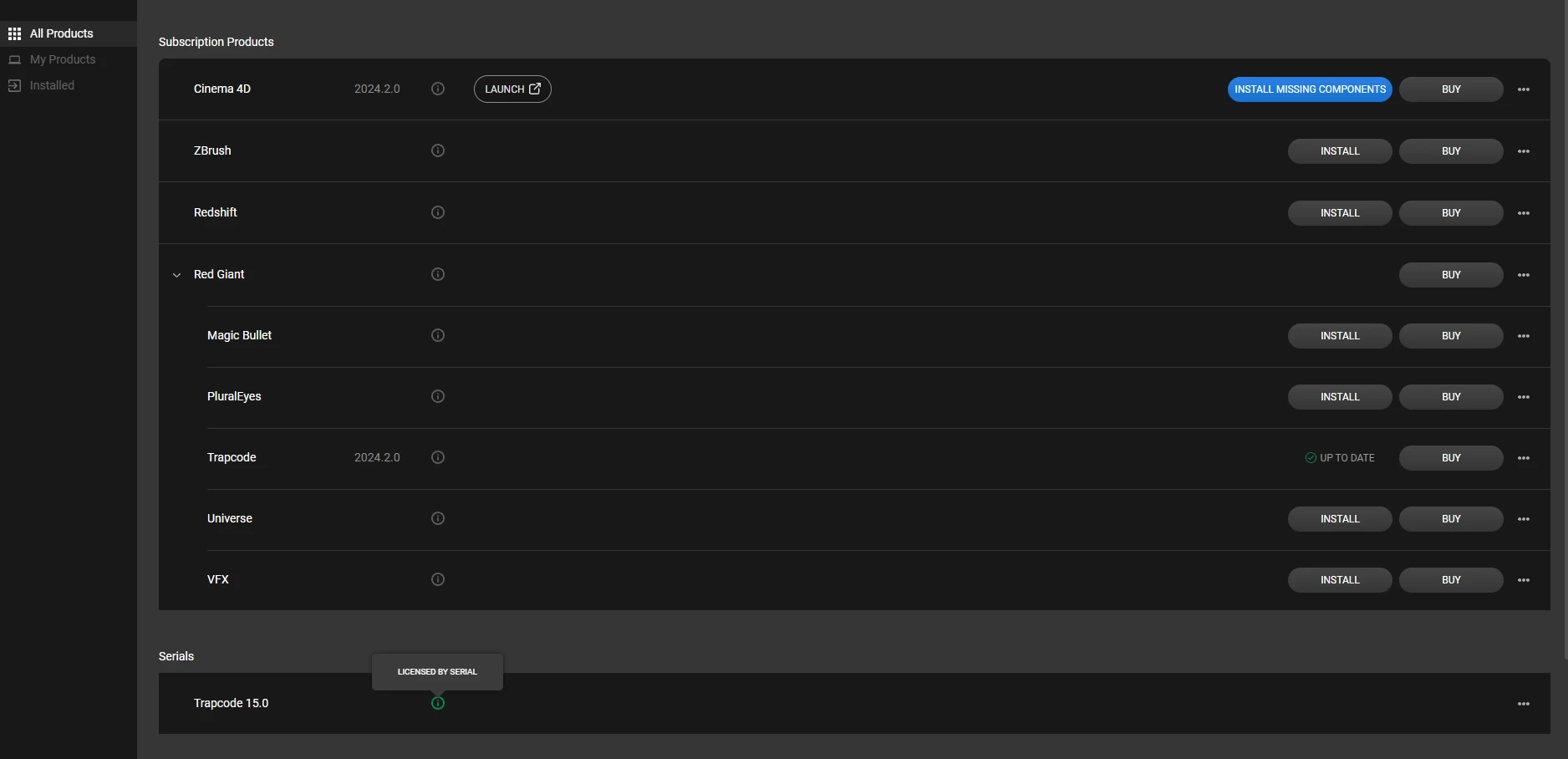
Como pueden ver, si voy a la App de Maxon. aparece abajo que mi serial Trapcode 15.0 está ok, instalada y funcionando, pero si bien Trapcode (en medio de la imagen) está en su última versión 2024.2.0 actualizada 'up to date' no funciona.
Cabe destacar que este Update fue GRATIS desde la Maxon App.

Espero respuesta urgente.
Saludos y gracias por adelantado.


This topic has been closed for replies.

3 replies

Szalam
Community Expert
Community Expert
May 24, 2024

The issue here is that your license for Trapcode 15 is not a license to use the latest version. If you want to use the most recent version of Particular with all of the new features, you will need an active Red Giant subscription or Maxon One subscription.


If you want to use your legacy Trapcode 15 version, the directions here will help you get it to license correctly without the red x: https://support.maxon.net/hc/en-us/articles/11537182300444-How-do-I-use-my-old-Red-Giant-serial-numbers-to-register-older-products

OussK
Community Expert
Community Expert
May 24, 2024

As Paul indicated, the problem may be related to licensing. Make sure your plugin is properly licensed to avoid any issues. If the problem persists, it is advisable to reach out to Maxon for assistance.

Community Manager
May 23, 2024

This is clearly a problem with Maxon's licensing, not After Effects.

You will need to contact Maxon support to resolve this issue.