


AE & Media Encoder not working properly (M1 Mac)
Hi!
As you read in the title, I have a problem when rendering from After Effects through Media Encoder on a Mac M1 (more specs down below). I have seen
a couple of threads about the topic with different answers, but none of them seem to work for me.
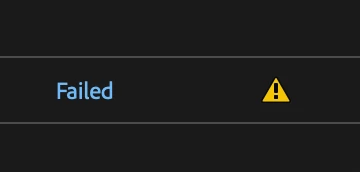
First of all, when I press File > Export > Add to Media Encoder Queue..., it doesn't appear in the Media Encoder queue. In order to have my file in the queue, I need to add it to the AE native Render Queue and then press Queue in AME. By doing this, it does appear on the Media Encoder queue. Then, as soon as I press render, I get the ⚠️ icon and when I press on it to see the error, it says "Could not read from the source. Please, check if it has moved or been deleted". I'm attaching the Renderer I'm using as well.

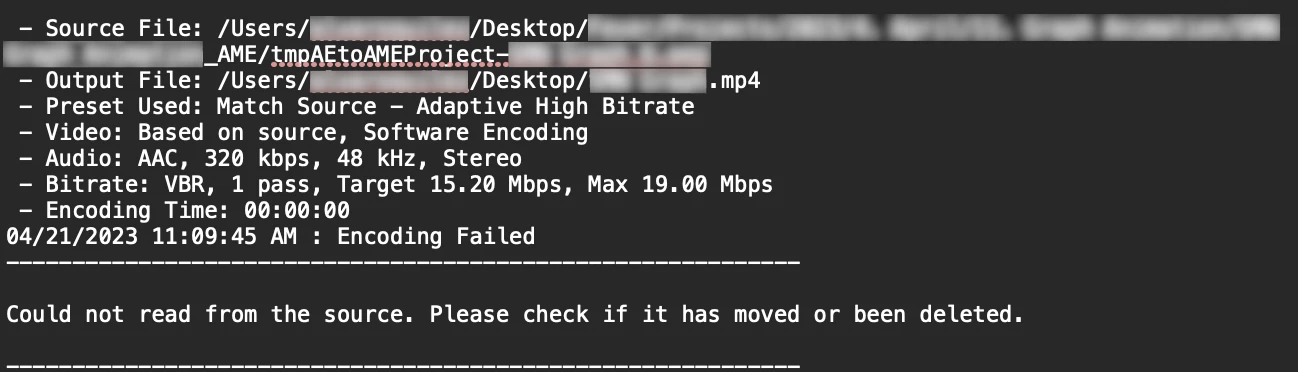
I have the latest After Effects and Media Encoder (23.3). These are my Mac specs:
- Apple M1 Pro, MacOS Ventura 13.2.1
- 32GB RAM
If anything else is needed, feel free to ask! Thank you 🙌
 AdChoices