


markmelnik
Inspiring
November 11, 2019
Answered

AE render error: the layer exceeds maximum size

  • November 11, 2019
  • 2 replies
  • 17754 views

Hi, can someone help me to solve render problem in AE 2020? Need to render project as png sequence, but have a problem with this popup error window:
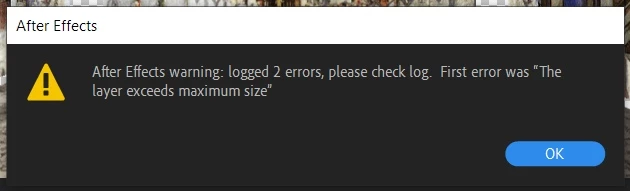
 

PS: I can't render not only in PNG sequence, but even as a normal video(

Correct answer markmelnik

Which effects??


How much RAM does your system have and how much of this has been assigned to AE, in AE's Prefs Dialog?


Well, I can say that I solved this problem by turn off the RepeTile effect. I don't know why, but it worked for me.

I have Intel i7 7700HQ + 16GB RAM, 15 of it for AE

2 replies

Participant
May 11, 2021

turning off RepeTiles worked for me

Roland Kahlenberg
Legend
November 11, 2019

What are the sizes of your Composition(s) and Layers and have you applied any effects (which effects)?

Very Advanced After Effects Training | Adaptive & Responsive Toolkits | Intelligent Design Assets (IDAs) | MoGraph Design System DEV
markmelnik
Inspiring
November 11, 2019

I have 3840х2166 comp for 3d mapping with lots of layers and effects.

markmelnik
markmelnikAuthorCorrect answer
Inspiring
November 11, 2019

Which effects??


How much RAM does your system have and how much of this has been assigned to AE, in AE's Prefs Dialog?


Well, I can say that I solved this problem by turn off the RepeTile effect. I don't know why, but it worked for me.

I have Intel i7 7700HQ + 16GB RAM, 15 of it for AE