


Inspiring
May 20, 2025
Answered

Ae will not open

  • May 20, 2025
  • 5 replies
  • 2838 views

I urgently need to us After effects 2025 but it will not open.


My device meets the requirments to use After effects and all of the other adobe apps I have work fine e.g illustrator,photoshop,Premier pro but one day after effects stopped working. This was nearly 2 months ago


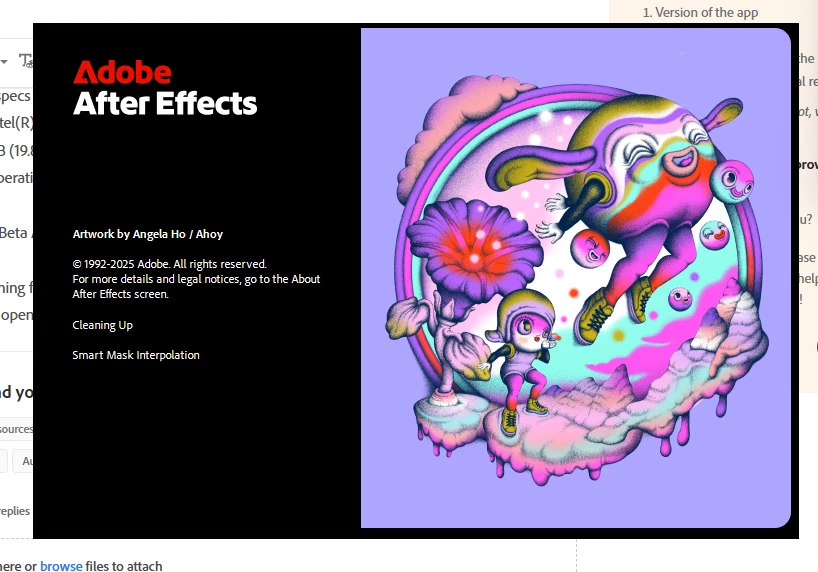
The splash screen will load then disapper or The splash screen will glitch and not allow me to close it meaning I have to use task manager to close it - photo of the second outcome attached. 
 

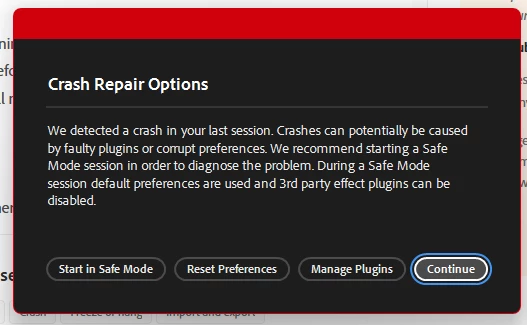
It gives me options to start in safe mode or reset prefernces but none of these options work and I do not have any plugins installed 


I have repeatedly uninstalled and reinstalled and even updated to the latest version v25.2.2 However even switching to older versions does not work.


Here are my system specs - 

Processor 11th Gen Intel(R) Core(TM) i7-1165G7 @ 2.80GHz 2.80 GHz
Installed RAM 20.0 GB (19.8 GB usable)
System type 64-bit operating system, x64-based processor


I have even tried the Beta AE but it still will not work


I have tried both opening from the icon, opening via project files and opening through creative clous. I never had a problem opening after effects before and had used it many times. Creative cloud says it works on this device. I have even tried unsyncing all my extra fonts.


I do not have trend micro anti virus installed


There are no crah reports other than the general one which is attached however this is not helpful as I have not changed the apps prefrences or installed any plugins
 

Does anyone have any suggestions on How to fix this I urgently need to use AE?

Correct answer h_0621

The issue has been solved here is how - 

First I moved the Opencolorio.dll file out of my After effects file. 

Then

I went to thislocation on my device 

 C:\Program Files\Adobe\Common\Plug-ins\7.0\MediaCore

and removed the Keen Tools plugin from my computer.

So far After Effects seems to be running smoothly 

5 replies

h_0621AuthorCorrect answer
Inspiring
June 23, 2025

The issue has been solved here is how - 

First I moved the Opencolorio.dll file out of my After effects file. 

Then

I went to thislocation on my device 

 C:\Program Files\Adobe\Common\Plug-ins\7.0\MediaCore

and removed the Keen Tools plugin from my computer.

So far After Effects seems to be running smoothly 

Peru Bob
Community Expert
Community Expert
May 22, 2025
h_0621Author
Inspiring
May 23, 2025

Will this remove all of my adobe apps as i have 3 others installed  that work and i'm a bit afraid if I unistall them something simular might happen

Peru Bob
Community Expert
Community Expert
May 23, 2025

You can choose what is removed.

nishu_kush
Community Manager
Community Manager
May 21, 2025

I'd recommend removing the third-party fonts as well. Go to the Windows Font folder and move out all the third-party fonts to a different folder to keep a backup. You do not have to choose the fonts one by one, you can select all of them and move. The default fonts will stay in the folder and only the third-party fonts will move. Once done, try launching After Effects.

Let us know how it goes.


Thanks,
Nishu

h_0621Author
Inspiring
May 21, 2025

Thank you I just tried this however it still keeps on crashing

h_0621Author
Inspiring
June 10, 2025

Hi there,


Thanks for sharing the files. We're trying our best, but unfortunately, it didn't provide a reliable clue about the issue. If possible, can you share a dump file from your machine?

1. Launch After Effects and wait for it to freeze/hang.

2. Open Task Manager and find After Effects' process.

3. Expand and right-click > Create Dump File.

Share that file and hopefully we can find the root cause.


Thanks,
Nishu


It keeps on dissapering before I can click it

Inspiring
May 21, 2025

I know there's a good chance you've tried this, but did you click on the Reset Preferences when the Crash Repair Options come up? I had a very strange thing happened to me a while back which was not the same as your problem but still could not work it out.
I did everything you mentioned and then a light bulb went on in my head and I tried >Reset Preferences - the problem was fixed.
In your case, it might not reload immediately, but then try starting a second time. Fingers crossed and good luck. 🙂 
Annette

h_0621Author
Inspiring
May 21, 2025

Thanks so much for your help. Unfortunately, I have tried that, and it did not work

ToolfarmJP
Community Expert
Community Expert
May 21, 2025

Would you do two options?


1. You update your graphic card driver.

2. You unload unnecessary fonts.


h_0621Author
Inspiring
May 21, 2025
  • Thanks for your response I have already tried unsyncing my fonts and I have recently updated my graphics card driver.