




After Effects 24.4 is now available for download!
After Effects 24.4 is now live
Hello Artists,
After Effects 24.4 is a bundle of new features. From performance improvements to making your workflow faster and more efficient. All of it is now just a click away. Dive into the latest update today, go to the Creative Cloud desktop app, and click Update next to After Effects.
Happy creating!
Here's what's New

Take advantage of pre-existing propagated frames during the Freeze process for efficient and accurate rotoscoping workflows.
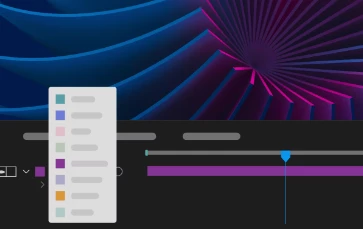
Label Color Menu Swatches
Easily identify the color you'd like to set for your project items, keyframes, layers, or composition marker labels.
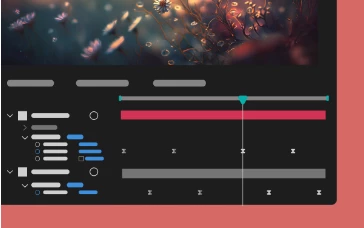
Multi-layer keyframe copy-paste
Copy and paste keyframe selections that span multiple layers so that you can easily duplicate complicated animations at different points in the timeline.
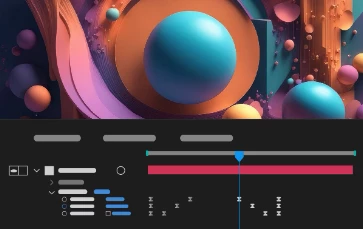
Reverse paste keyframes
Speed up animation by copying existing keyframes spanning multiple layers and reverse pasting them to create captivating animations.
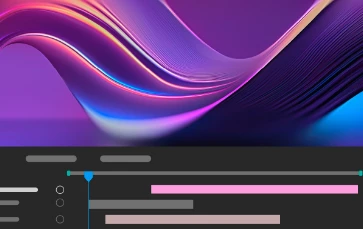
Navigation to the earliest In and latest Out points
Move your CTI to the earliest In point and the latest Out point when multiple layers are selected using keyboard shortcuts I and O.
Features in Beta
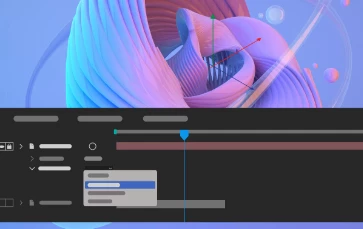
Embedded 3D Model Animations
Access embedded animations in the imported GLB or GLTF models and select one of them to play back in your composition.
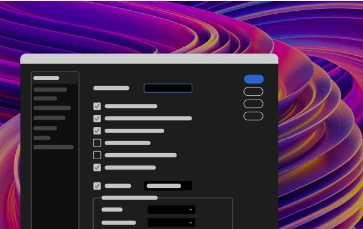
New After Effects Spectrum User Interface
Experience the new modern look across the entire app, themed and styled using Adobe Spectrum design.
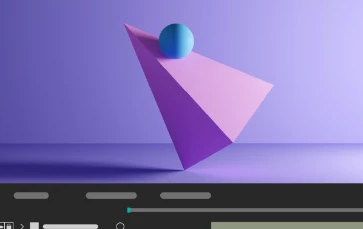
Shadow Catcher
Create realistic composites using a 3D shadow catcher layer to capture shadows cast by overlying 3D models.
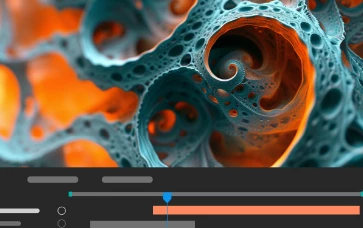
Get depth data from an Advanced 3D Scene
Extract depth data and use the map to create more realistic composites by simulating real-world camera settings for 3D renders.
What's Fixed
- Incomplete Warp Stabilizer tracking data no longer causes UI slowdowns and caching issues.
- The composition panel no longer flickers when the Draft 3D option is enabled.
- Changing the view mode to Draft 3D and enabling the Extended Viewer now renders layers correctly.
- After Effects no longer shows “Unknown Error” when opening an AVI codec configuration window.
- Slow model import can now be canceled.
- Fixed an issue that caused After Effects to crash when using Adobe Dynamic Link to work with Premiere Pro sequence.
- Multiple installations of the Microsoft ONNX Runtime should no longer cause After Effects to crash on startup.
How to update After Effects to 24.4
Open the Creative Cloud desktop application and click the Updates tab on the top left. Find After Effects in the list and click Update.

I don't see the update in my Creative Cloud desktop application. What should I do?
Click Help > Check for Updates from the Creative Cloud desktop application to refresh it.
 AdChoices