nishu_kush
Community Manager
Community Manager
April 2, 2025
Pregunta

After Effects 25.2 is now available to download!

  • April 2, 2025
  • 16 respuestas
  • 18047 visualizaciones

Welcome to After Effects 25.2


The Adobe After Effects 25.2 April release is now available for download, bringing a host of quality of life features and a comprehensive list of bug fixes to enhance your overall experience. This latest update includes significant improvements to streamline your workflow, ensuring better stability and performance.


New in 25.2


Here are the new features coming with version 25.2
 

High Performance Preview Playback

Experience smoother and significantly longer preview durations without any limitation of RAM size allocated to After Effects.
 

HDR preview support

Preview and monitor your work in HDR for high dynamic range motion design and visual effects.
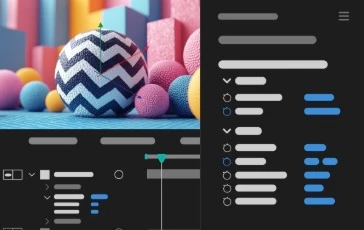
 

3D model animation controls in the

Properties panel

Easily modify the lighting and shadow effects on a 3D model layer and select embedded animations through the Properties panel.
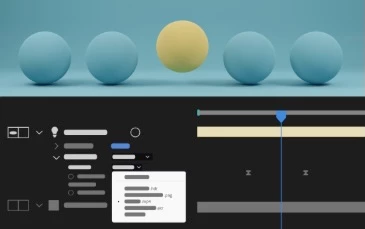
 

Animated Environment Lights

Illuminate your Advanced 3D compositions by choosing a composition, video, or image layer as an Environment light source.
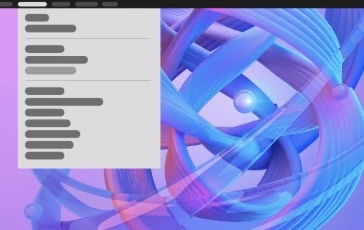
Helper commands for common 3D workflows

Use new commands to simplify common 3D workflows with single-click actions, such as linking a camera to a light, applying 2D effects to 3D objects, and visualizing the Environment Light's source.
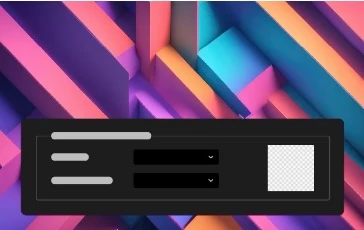
Customize Transparency Grids

Use a new set of options in Grids & Guides preferences to change the size and colors of the transparency grids displayed behind the composition contents.
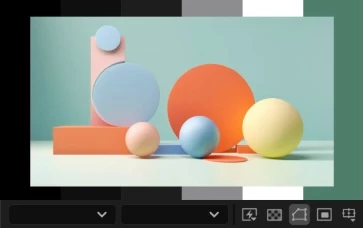
Customize panel background colors

Personalize the empty fallow area around your composition by selecting a background color from five grey brightness levels or choosing a custom color.
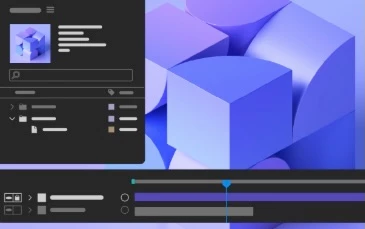
Maintain your workspace when opening projects

Keep your current workspace layout consistent when opening projects saved with different workspaces in After Effects.
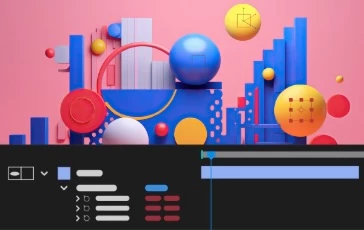
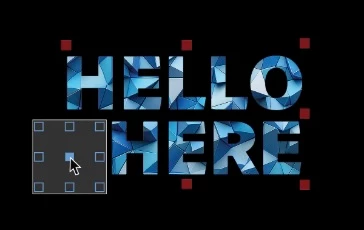
New and improved Null creation commands

Effortlessly create Null controllers for positional properties such as the gradient points of Shapes, Puppet Pins, and effect points, simplifying your workflow and enhancing efficiency.


Fixed issues in 25.2


The After Effects product team has diligently worked on the 25.2 April release, which brings a comprehensive list of bug fixes to enhance the overall user experience.

Click here to check out the list of bugs that were fixed.
16 respuestas

Known Participant
April 4, 2025

Yikes! This is Bad! When I open a project on my MacBook M3 Max running Sequoia with 96 Gigs of ram I get windows not refreshing, sending files to Media Encoder don't send, and opening windows like Project Settings cannot be canceled and stay on screen. If I am able to make a slight change to a project and I hit save, it gets to 99% saved and then freezes. It did save at one point and now I cannot roll back because it's not compatable.


I don't even know what to do at this point. I guess I'll try and rebuild my project in 2024. 

David.Arbor
Community Manager
Community Manager
April 8, 2025

Hi @jerryw48492253 ,


Sorry to hear you're having issues. Can you try to start AE in Safe Mode from the Preferences > General tab? This will start with a temporary set of fresh preferences. If this solves your problem, then trashing your preferences might fix the issues.


Thanks,
- David, After Effects Engineering Team

Known Participant
April 9, 2025

Hi David, 


Resetting prefs seems to work (partially). The windows now update correctly, I can save projects, and renders will launch into the 25.2 version of Media Encoder. Unfortunatly several plugins are now unregistered and I suppose I need to re-register them.


I do get an alert every time I launch the app about not finding an entry point for Camera Raw.plugin (see screenshot). I do not see this file inside the Adobe After Effects 2025. How do i fix this?

Participating Frequently
April 4, 2025

Hi team,


I just updated to v25.2 and now my deep glow effect is missing. The plugin has been saved in the plugins folder. I tried removing and putting it back as suggested by yt tutorials but its still giving me the same message that my eefect is missing. Please help. Thanks!

motionben
Known Participant
April 4, 2025


Hi Brave,
Possibly check the version of DeepGlow you have installed. I just skimmed the bug fixes list and noticed this:

  • Deep Glow versions prior to v1.6.3 have been blocked to prevent crashes in After Effects.


Worth checking to see if your plugin is newer than version 1.6.3. If it's an older version you may try installing an updated version of the plugin by re-downloading the latest version from the plugin developer. Good luck!


Dilnok
Participant
April 3, 2025

Add hotkeys to align panel, please.

Known Participant
April 3, 2025

Should've known better than to download this on release. It's a mess guys, as always. Playback just stops for no good reason, even when fully loaded into RAM. The software hangs when opening preference panels. It also hangs while attempting playback. Render times in ME take 2 x longer than they did on the same project yesterday... Great job...

arthurb13470043
Known Participant
April 3, 2025

Hello, Adobe team. After updating my AE to the latest version 25.2, my Red Giant plugins corrupted (screenshot 1).

I reinstall all Red Giant package to the latest versions (Red Giant 2025.4.0), and now I get an error with TrapcodeOBJ.plugin (screenshot 2). In previous AE version (25.1) I didn't get any of these errors.

I'm on MacOS 15.3.1.

What should I do next to solve this error?

David.Arbor
Community Manager
Community Manager
April 8, 2025

Hi @arthurb13470043 , 


Please take a look at this thread to see how to handle the Red Giant issue.


Thanks,
- David, After Effects Engineering Team


jackthegiantkiller
Inspiring
April 2, 2025

Honestly impressed with the list of extensive fixes, I've been hanging back using 2024 due to various issues so I'm looking forward to testing!

jackthegiantkiller
Inspiring
May 8, 2025

Of course spoke too soon, there are a few issues, the disk cache is fairly erratic at times. Why does a section of my composition that is nothing but simply vector shape layers pre-comped absoiutely choked inexplicably, taking 10x longer than a section with 4k footage. Then later it will suddenly fill up the cache bar and be fine and I can scrub through it. 


Also something really frustrating keeps happening with the timeline search bar, where it just randomly keeps jumping to it when I'm trying to select a layer or change some text and then suddenly all my layers are gone because it has filtered everything out. I have to constantly go up and clear this search out.

David.Arbor
Community Manager
Community Manager
May 8, 2025

Hey @jackthegiantkiller ,


Can you say more about the disk cache? Are you talking about the new High Performance Preview Playback feature? It dramatically changes the way caching works; but without seeing a screen recording or really a breakdown of what the vectors are doing, it's hard to say. Are these 3D layers with or without extrusions? If they are a 3D layer (even without extrusions), are you using the Classic 3D or Advanced 3D renderer?


Regarding the Timeline search bar, the keyboard shortcut for that is Ctrl/Cmd+F, is it possible you're accidentally hitting that whe hitting another shortcut like Ctrl/Cmd+T to activate the text layer, "D" to duplicate a layer, "G" to group shapes, or "X" or "C" to cut or copy? When everything gets filtered out, what does the Timeline search bar show? That could give an indication of what happened right before the layers disappeared.


Thanks,
- David, After Effects Engineering Team