I have reset and analyzed it again, but no luck. I don't really know what a camera solution is (still new to AE and filmmaking) and yes, it is a camera pan. here is my clip (unfortunately I can't attach it to the reply section this time because for some reason it wont let me):
There are a few problems with your shot. The first one is the swish pan at the start of the shot. There is insufficient detail in that part of the shot to get useful tracking information. I've marked the unusable section.
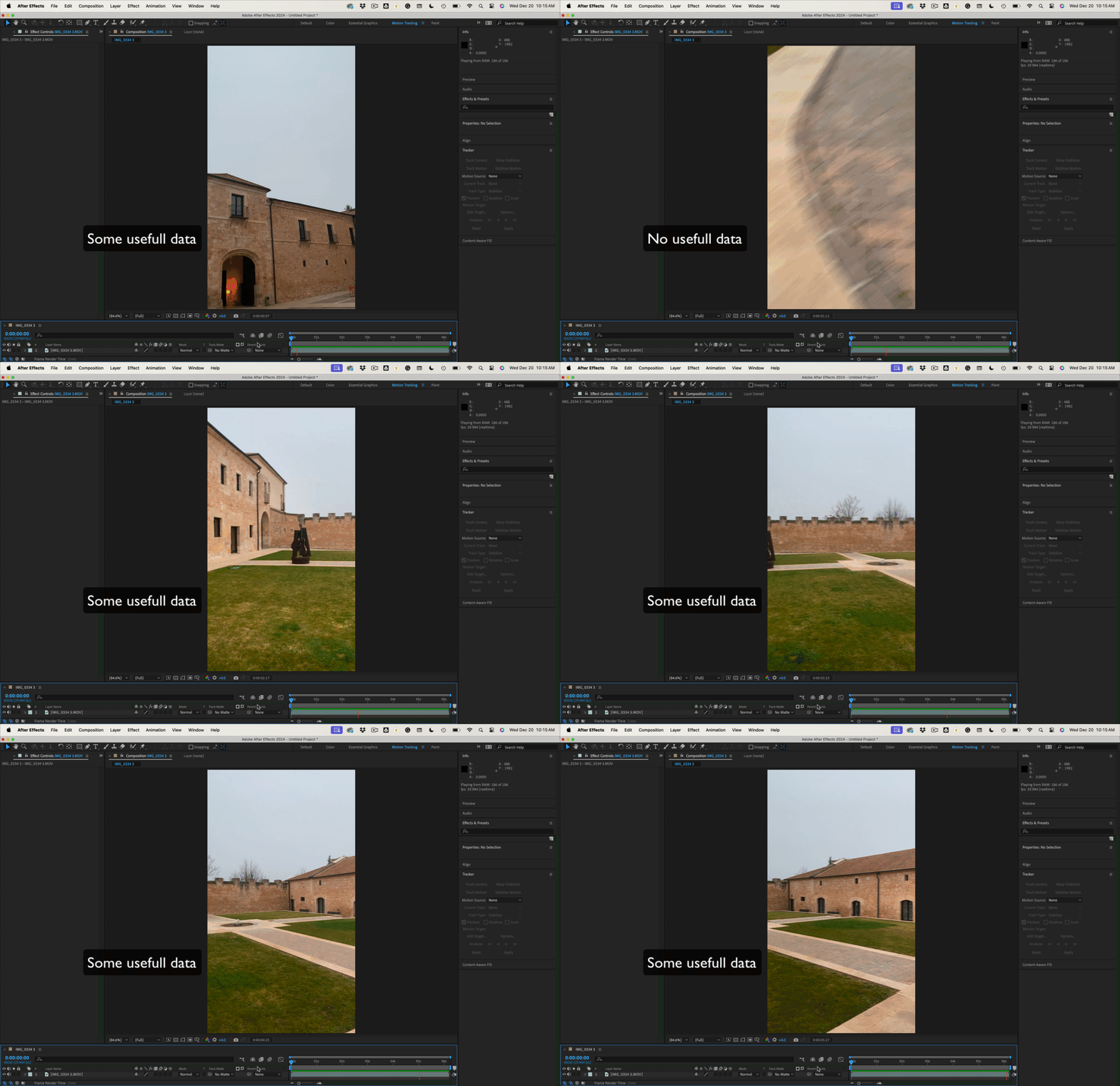
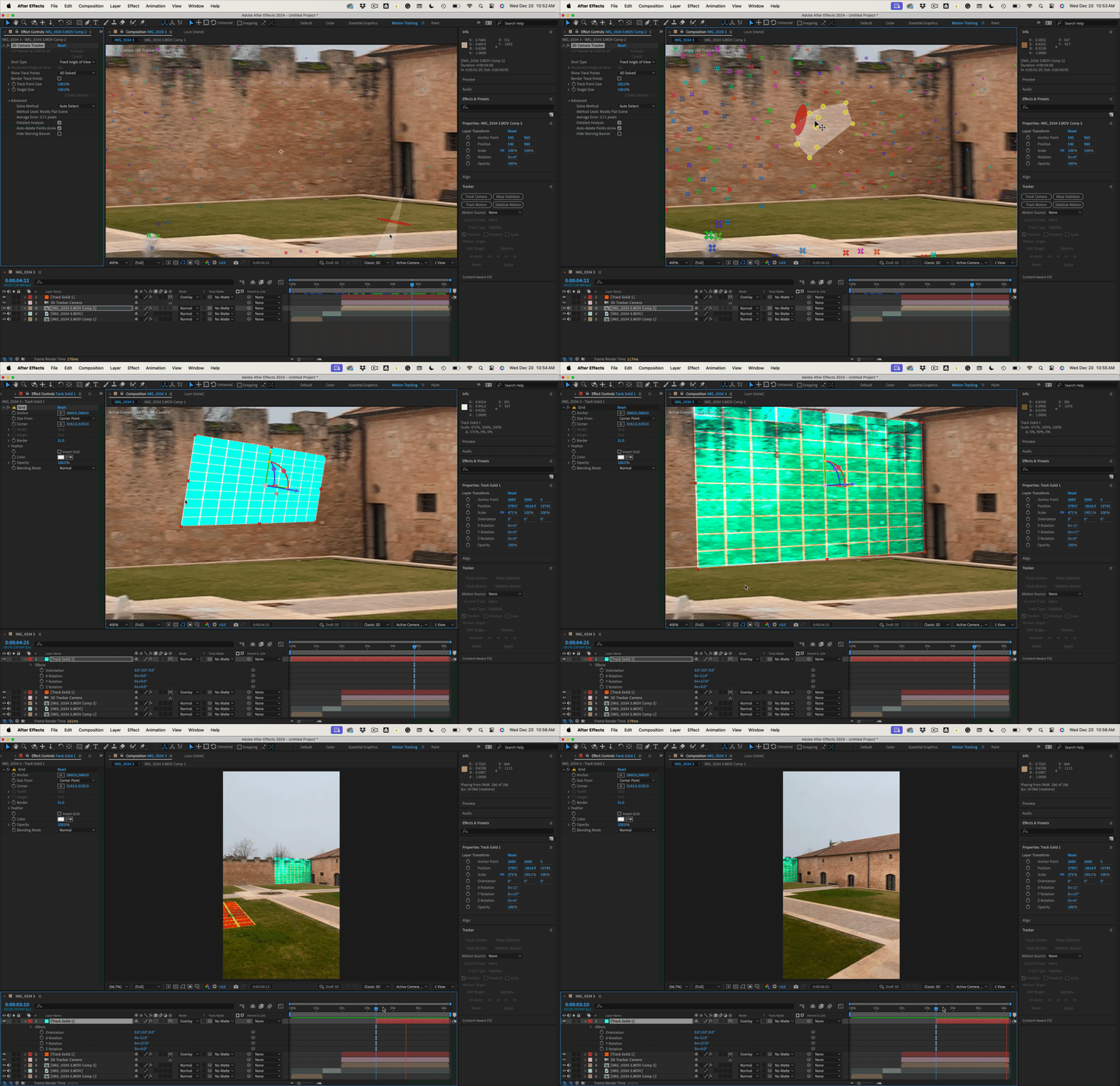
If you run Camera Tracker (notice I am in the Motion Tracking Workspace), you will get a camera solve fail. Turning on detailed analysis will get you a solution for part of the shot.
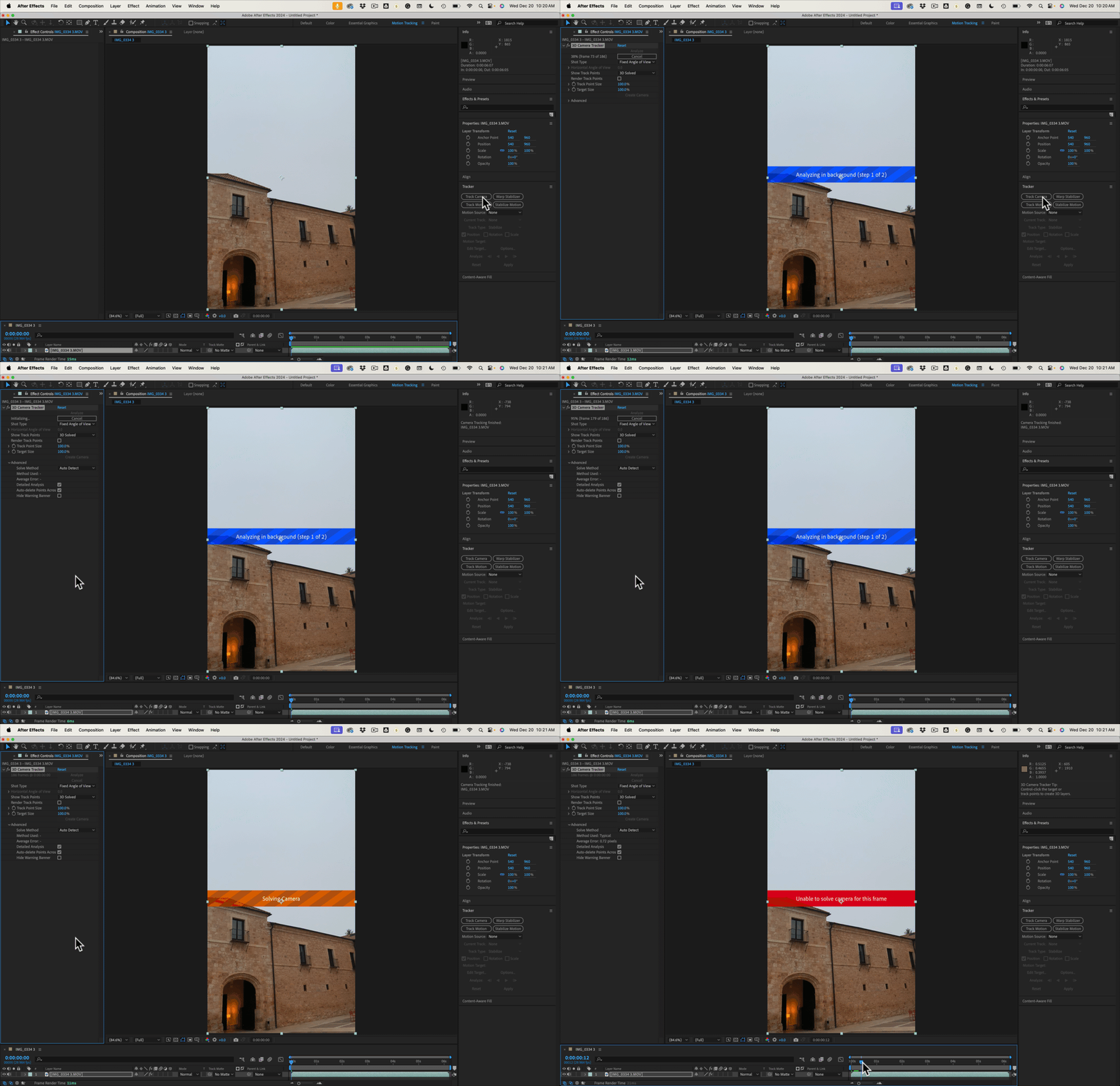
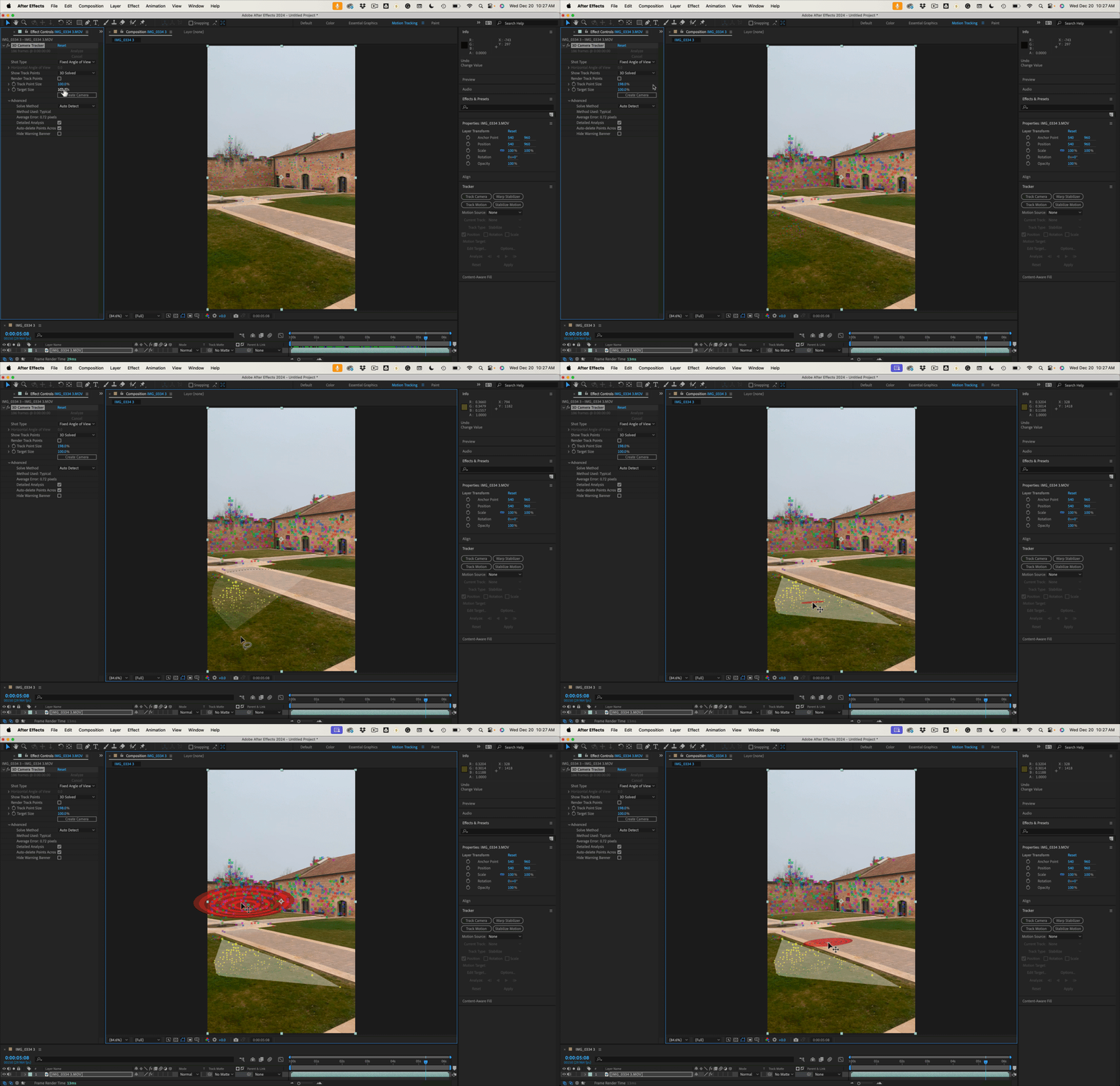
If you scrub through the timeline until you get some tracking markers showing up, you'll see problems with the solution. The tracking markers that are farther away from the camera are bigger than the ones that are close to the camera. Dragging a selection around the markers and then moving the target around shows the wrong perspective changes.
When doing Camera Tracking, it is always a good idea to split up the shot so you only track the frames where you want to add some 3D elements to the scene. You can split the layer using Shift + Ctrl/Cmnd + d. I usually pre-compose the cuts, moving all attributes and trimming to layer length. Here, I tried splitting the shot into three sections.
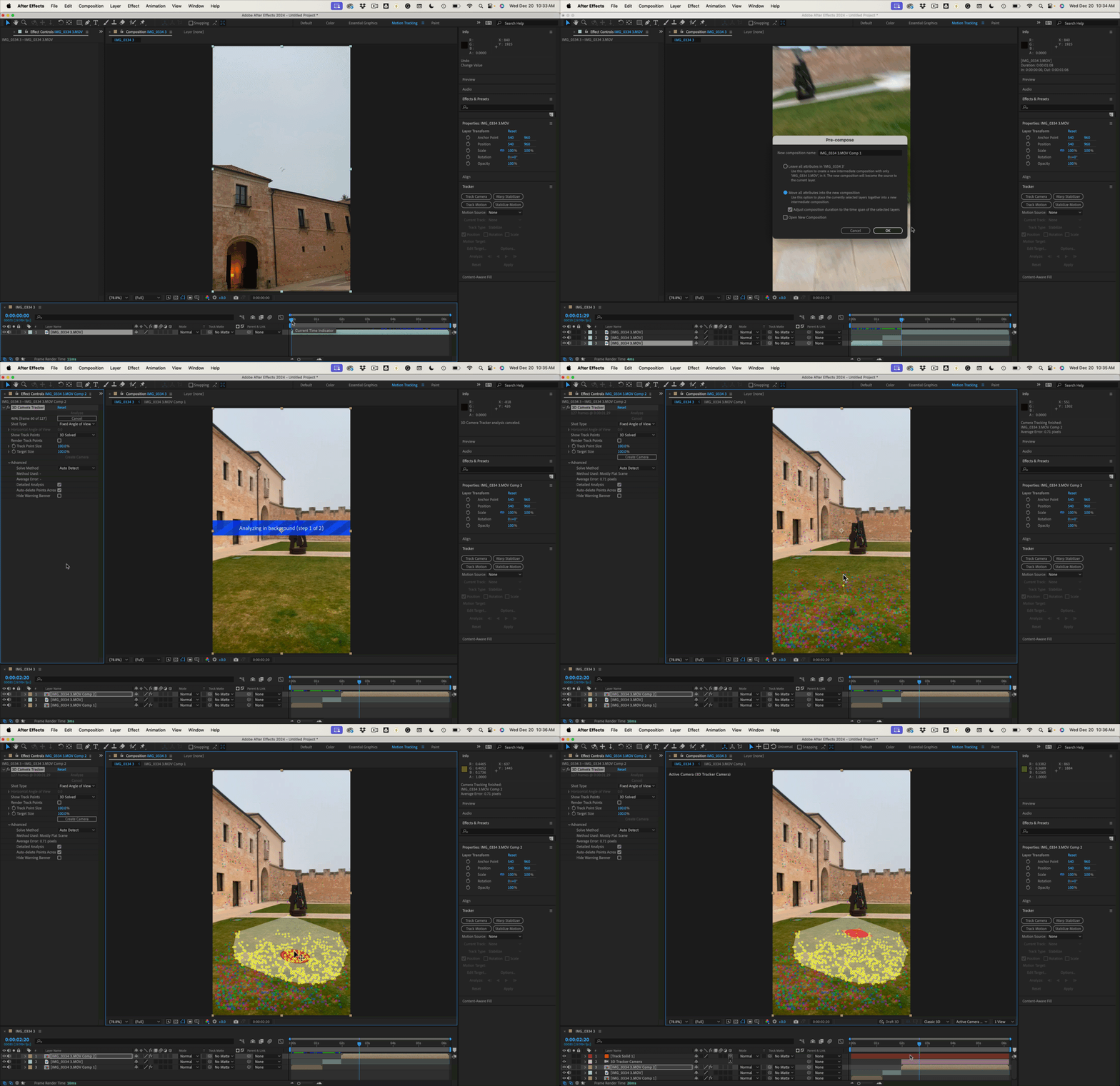
There were some problems with the first part of the shot. I didn't bother with the swish-pan. The last part of the shot showed the proper perspective on the Tracking Markers, and selecting a bunch of them on the ground allowed me to set an origin and ground plane fairly accurately and then add a solid that tracks fairly accurately.
It is nearly impossible to select three or more tracking markers on the back wall and end up with the right perspective. That problem can be solved by carefully selecting a single point, adding a small solid, then increasing the size and adjusting rotation until the solid appears to stick to the wall.
Look for my new AE tutorial series coming soon to YouTube. My Quick Tips Playlist. I will be going over many aspects of compositing, tracking, and automating After Effects projects that professionals at major production companies are using..
Your footage is a perfect example of a shot that is not easy to track and has some unsolvable problems in part of the shot. This modified workflow will allow you to at least end up with a starting point.



 AdChoices