


Participant
December 29, 2020
Question

After Effects and auto trace makes my logo white

  • December 29, 2020
  • 1 reply
  • 2076 views

I used After Effects now for the first time and I wanted to animate a logo. I read and saw in a video, that I should use auto trace for "recognizing" the logo itself, to animate the edges. But if I do this, my logo goes white and I also can´t change the mode, cause "Vegas" won´t work that well after it 😞
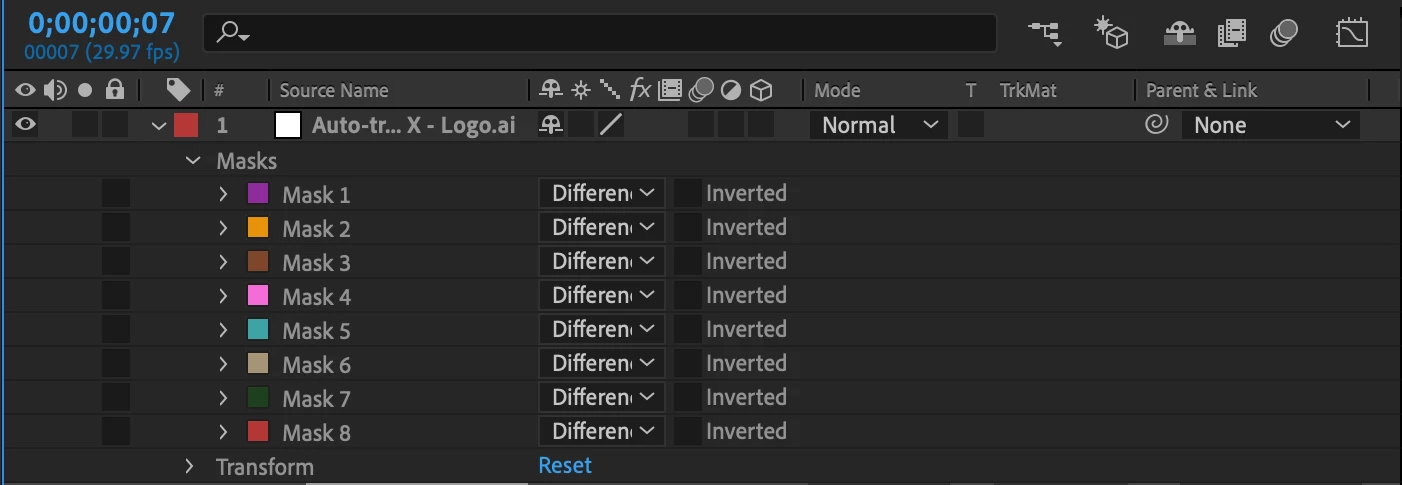
So what can I do?

This topic has been closed for replies.

1 reply

Roland Kahlenberg
Legend
December 29, 2020

Autotrace may inadvertently create more masks than is required. You will have to look at each mask, on its own, to be able to decide if you actually need it. You'll have to set the Mask Mode for all other masks to None while you check on each mask.
HTH

Very Advanced After Effects Training | Adaptive & Responsive Toolkits | Intelligent Design Assets (IDAs) | MoGraph Design System DEV
Donovan_Author
Participant
December 29, 2020

If I put the mask to None, the "Vegas" effect (red light) disappears, but after it, everything is like it should be. If I leave it on (the mask), we can see the red light, but the letter turns white if the auto trace is coming up -> example "T" and "HE"...

OussK
Community Expert
Community Expert
December 30, 2020

the cropped screenshots didn't help that much, try to post full screen explain what you do exactly and what effect you apply for each layer, and show us the logo before and after the trace.