


Participant
November 29, 2023
Question

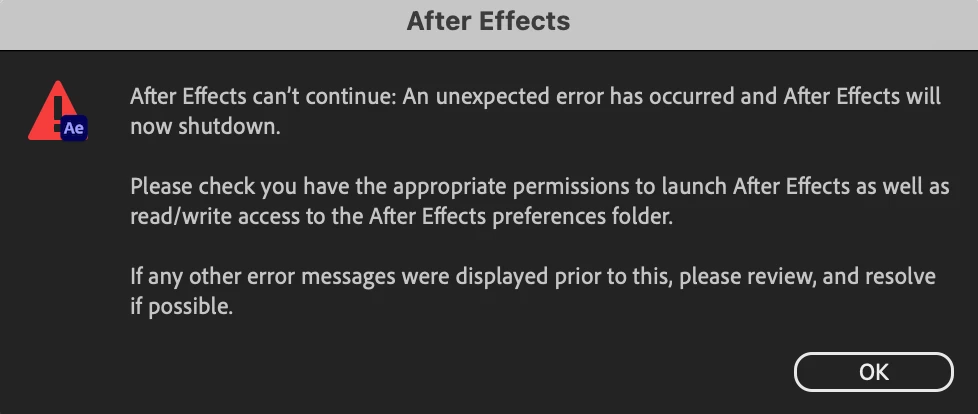
After Effects can't continue: An unexpected error has occurred and After Effects will now shutdown.

  • November 29, 2023
  • 4 replies
  • 1222 views

I have restarted my laptop. I have uninstalled and reinstalled. I keep on receiving the same message. It is not an issue with permissions as I am the only user on my computer. I also know AE is included in my Adobe Plan. Please help!
This topic has been closed for replies.

4 replies

nishu_kush
Community Manager
Community Manager
April 11, 2024

Hope the suggestion above helped.

Feel free to reach out. Moving this thread from Bugs to Discussions for now.


Thanks,

Nishu

Community Manager
November 29, 2023

If you're able to, can you install the AE Beta, available in the CCD app, and see if the issue continues. We have just put out build 24.2x27 which contains a fix for what we think this issue is (you're not the first to hit it).


Otherwise if you can't install the Beta, please go into your \Users\{username}\Library\Preferences folder and delete the com.Adobe.After Effects.plist and com.Adobe.After Effects.24.0.plist file and start AE up again.


Participant
November 29, 2023

Yes, I am. When will the next release be?

Adobe Employee
November 29, 2023

Are you on MacOS 14.x?

If so, please see the "Known issues with After Effects 23.6 and 24.0 on macOS Sonoma" section here:


https://helpx.adobe.com/after-effects/kb/known-issues-after-effects.html


Also, this should be fully resolved in our forthcoming release.