


Participant
March 6, 2012
Question

After Effects changes aspect ratio

  • March 6, 2012
  • 2 replies
  • 29129 views

Not so long ago i have found that when i put some footage inside after effects comp it canges the aspect ratio(i think it always makes it 4:3 ot 1:1).

Here's an example:

This is how AE makes the image:
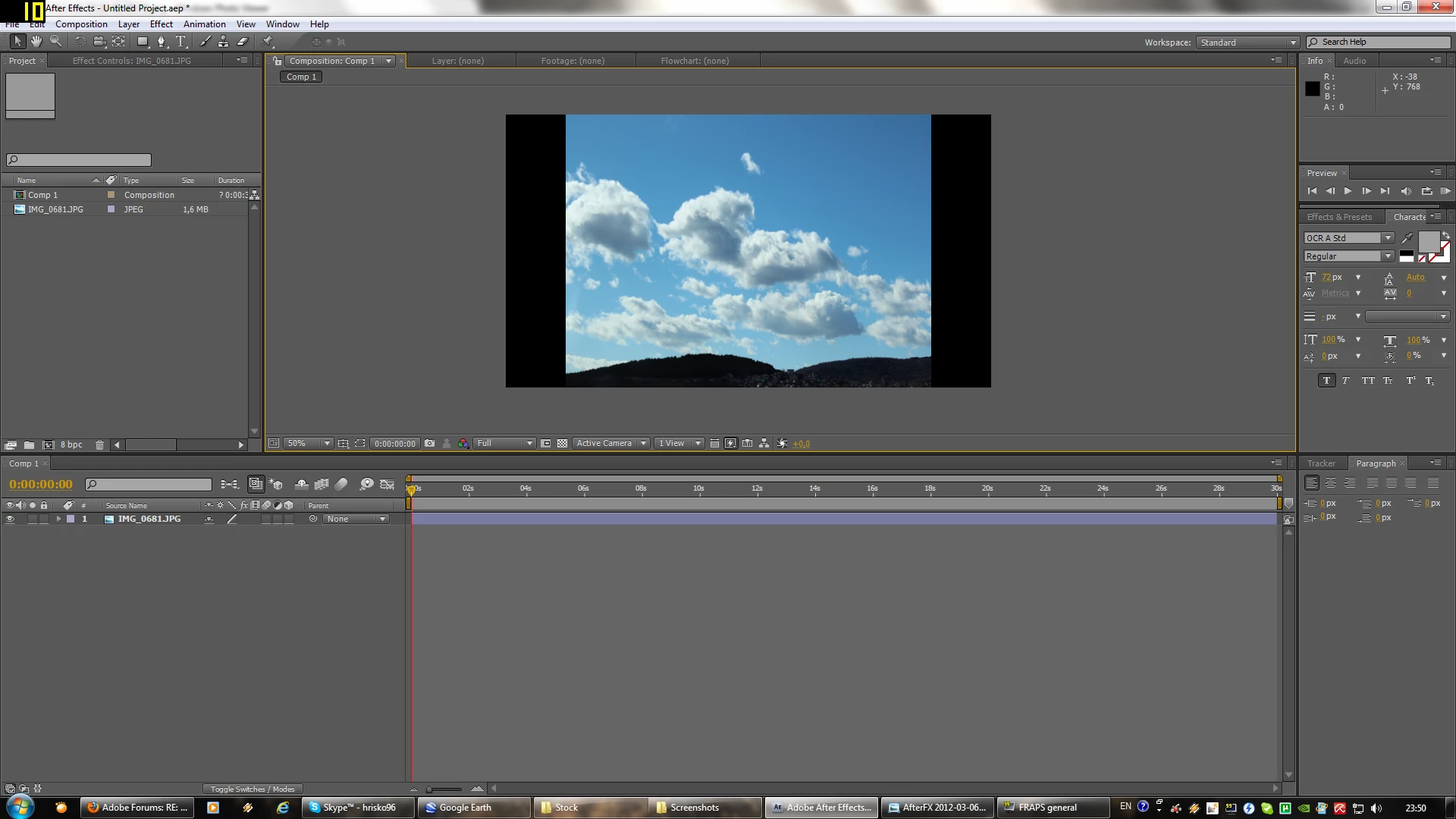
This is how it should be:

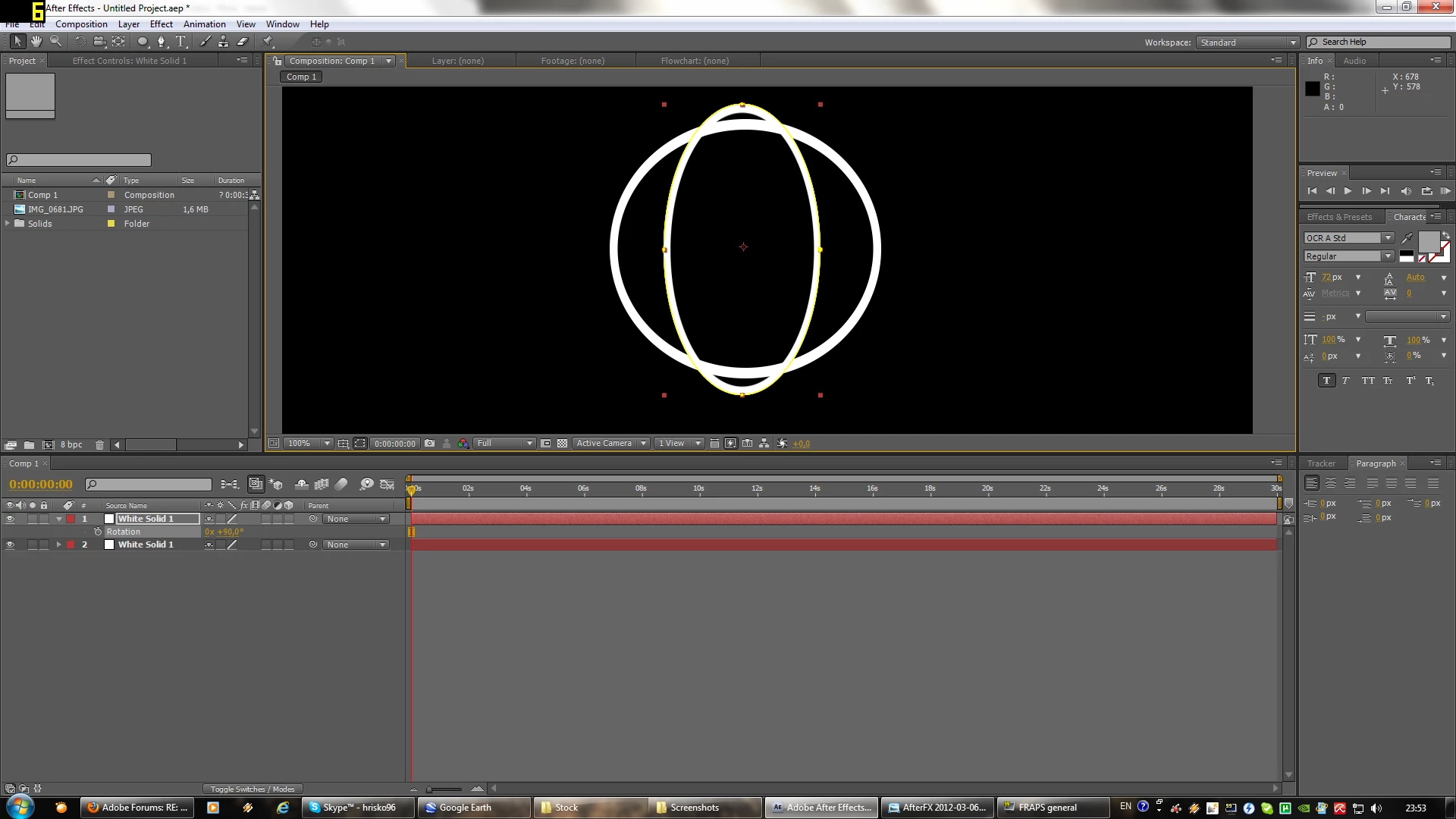
It's even more obvious when I'm rotating something:

Here are two circles:
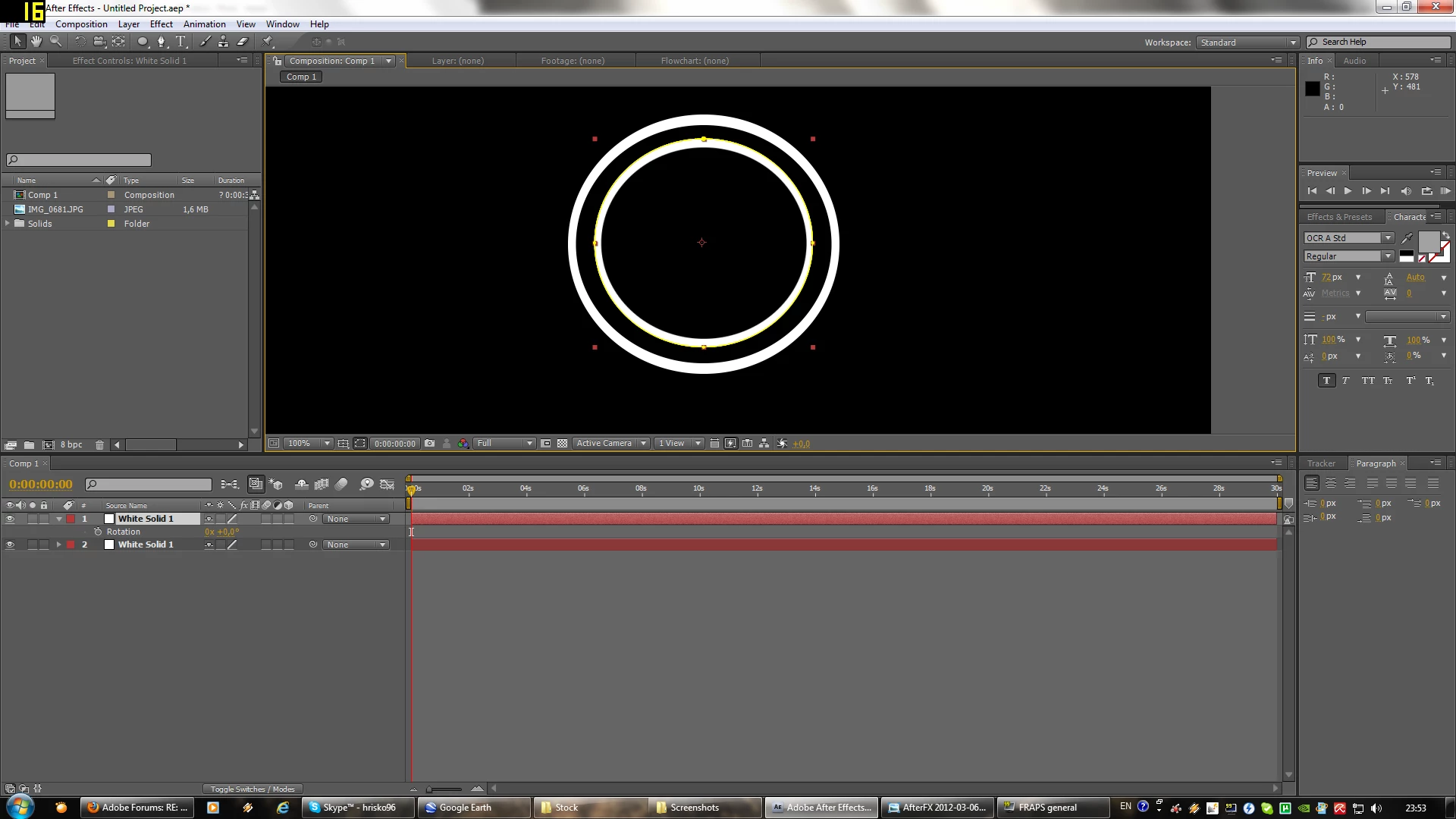
That happens when i rotate one of them by 90 degrees:
I would be very thankful if someone is able to help me.

    This topic has been closed for replies.

    2 replies

    h_hristovAuthor
    Participant
    March 7, 2012

    Thank you very much. I found your tips very helpful. After I changed the pixel aspect ratio it worked perfectly.

    Andrew Yoole
    Inspiring
    March 7, 2012

    After Effects attempts to work out the pixel aspect ratio of your footage, but it doesn't always get it right.  Use the File Interpretation window to change the pixel aspect ratio of your footage to the correct settings.

    Community Expert
    March 7, 2012

    I would guess that you've not used a standard preset for your composition and that the jpeg that you've imported is the same frame size as a standard non square pixel aspect ratio format like NTSC, PAL or any one of the several non square HD variants.

    After Effects mixes and matches all footage with all pixel aspect ratios as long as the footage is interpreted correctly.

    Your circles are probably in a non square pixel comp with pixel aspect ration correction (for viewing) turned on, but the solid you created in this non square comp is also non square PAR. In that case the circle would not be round because the pixel aspect ratio is not square so when you rotate the image 90º the error not only is visible, it's exaggerated. Try removing the circle effect, changing the solid to square pixels, then making your circles again. If you turn off PAR preview correction the circles will be egg shaped, but when you rotate them they will stay egg shaped and you won't see any wobble.

    I hope that this is clear. If it's not read this old old tutorial I wrote even before we had HD. The numbers for frame sizes and the PAR numbers have changed slightly, but the theory is correct.

    For me and my workflow, I always work in Square Pixels