


Inspiring
December 22, 2019
Question

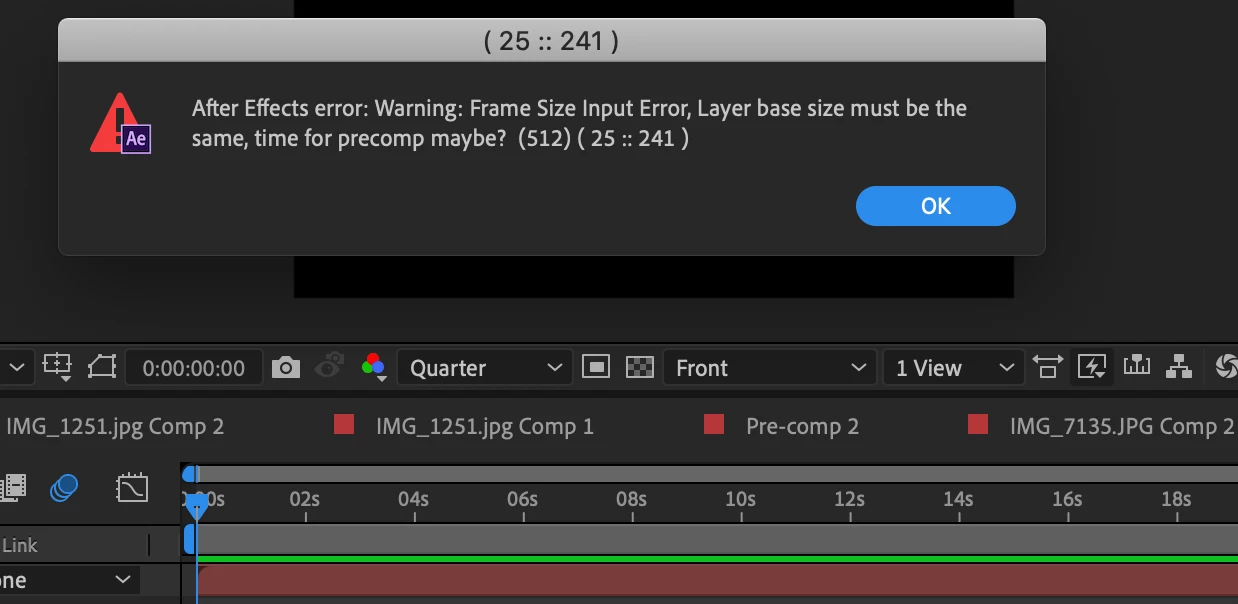
after effects error: (512) ( 25 :: 241 )
  • December 22, 2019
  • 6 replies
  • 24926 views

Lately I've been having a lot of problems with after effects, ive been using it since august with no problems. Everything went smoothly and I never had any major problems until as of recently. On one of my latest projects I was unable to export on of my projects. I repeatedly sent it to media encoder and it would start encoding and then it would just fail, then it stop sending my projects to media encoder all together. I brought it up with an adobe employee who had informed me that my computer dosent fit the qualifications for after effects which puzzles me because it has been working for me for these past few months. Now when I'm working on a project after effects isn't previewing. I tried pressing play on the preview pannel but still nothing. While working this error keeps poping up but I have no ifea what it means and I'm having an extremely difficult time with after effects right now and I really need to work on my projects and edit. Is there any solution to my problem? I am using the sapphire pluggin for this project, thank you.

This topic has been closed for replies.

6 replies

New Participant
December 21, 2023

Hello, is there any way to fix this error while keeping the RSMB plug-in or removing and adding another plug-in similar to RSMB? 😞

seulwn
Participating Frequently
December 11, 2022

if you have any rsmb on adjustment layers remove it and check the amount of motion tile you have if you're using warp

New Participant
January 2, 2022


guys im having this issue when i wanna export the project it says this 😞 i tried exporting in media encoder but the rendering stops 

New Participant
August 25, 2022

Disable RSMB, or if you have any adjustment layers with effects on then try disabling that.
One of the effects could be causing the issue, In my case after searching for 9 hours it was the RSMB Pro Effect thaat I have on my adjustment layer.

New Participant
April 23, 2020

Hi, did you ever find a solution to fix this I'm completely stumped.

New Participant
May 1, 2020

deactivate all adjustment layers.

New Participant
August 25, 2021

hello!, i have a question, what do I do if want the rsmb to be in the video?. Like I need it to be be in the video, if it is not in it, it would be incomplete. So have you got a solution for it?.

Thanks

nishu_kush
Community Manager
Community Manager
December 23, 2019

Hi there,


Thanks for reaching out. As @Mylenium asked, we would need more information so that we can troubleshoot the export issue with After Effects.

  • What are your system specifications (RAM, GPU, CPU, OS)?
  • Are you getting this issue with a particular project or all of them?
  • Does After Effects work if you remove the plugin?
  • Are you using a secondary monitor? If yes, remove it and check the issue.

Let us know. We're here to help.


Thanks,

Nishu

New Participant
April 23, 2020

Hi, 


Im having the exact same issue as Ninja dude. I have a GTX 1050, i7-7700 CPU, 16GB RAM. I only have the issue in one project, I get the message when I open the project then when I go to preview it, it allows me to do it once for about 3-4 seconds then stops and won't allow me to preview it for even a single frame. I can drag the preview indicator to preview it but that's without sound of course. Last thing - when I do preview the single frame the indicator on it does play the audio on that specific frame & when I switch off the 'eye' in the preview panel it renders the audio fine so I don't think it's audio related.

New Participant
April 23, 2020

Just found the fix! I had RSMB in an adjustment layer which is literally the whole cause to why I couldn't preview, not entirely sure why though, can someone perhaps give me a reason why, thanks.

Mylenium
Brainiac
December 22, 2019

Impossible to know. Beyond "It's some kind of Mac" nobody can know anything. You have not provided any info about the actual hardware, no details about the compositions, render settings, preview settings and whatever else may be relevant. The usual steps apply: Check your hardware acceleration settings, flush the cashes, verify the integrity of your harddrives. anything beyond that will require much more information.


Mylenium