



Vic M
New Participant
May 11, 2021
Answered

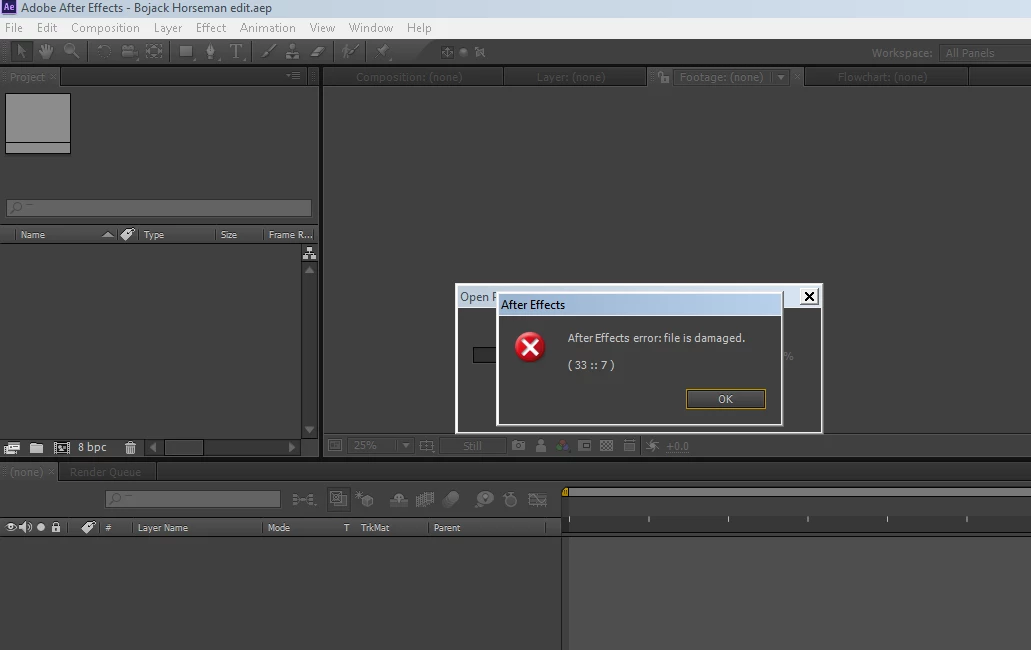
After effects error : file is damaged ( 33:7 )

  • May 11, 2021
  • 2 replies
  • 6304 views

This morning i was editing something i've been working on for weeks. Then, just as a i saved it (i didn't turn on auto save until after, i didn't know i had to manually turn it on) my computer crashed.

When i try to open it up, it gave me this error. So now, i have no back up logs of my edit other than a few screenshots i took that i got rid of during my editing because i didn't need them anymore, and i can't import it into a new project because it says the same thing. Plus when i do everything is out of place. I'm back at square one. I have to remake it, which i really don't want to do.


Is my weeks work just gone now? I can't open it up at all?
This topic has been closed for replies.
Correct answer Kyle Hamrick

If you don't have auto-saves and aren't able to get it to import into a new project, you're likely out of luck, unfortunately. We've all been there at some point, and hopefully it's a lesson learned - for any file on a computer, if you only have one copy of it, it may as well not exist. 

Use auto-saves. Back up your work, in whatever way is accessible for you. 

Better luck in the future!

2 replies

Kyle Hamrick
Kyle HamrickCorrect answer
Adobe Expert
May 12, 2021

If you don't have auto-saves and aren't able to get it to import into a new project, you're likely out of luck, unfortunately. We've all been there at some point, and hopefully it's a lesson learned - for any file on a computer, if you only have one copy of it, it may as well not exist. 

Use auto-saves. Back up your work, in whatever way is accessible for you. 

Better luck in the future!

Vic M
Vic MAuthor
New Participant
May 12, 2021

I'm so used to SV since this has never happened in that program, but i'm very new to AE so this definitely is a lesson learned...i think i'll wait to start using AE again once i get a stronger computer, and i'll make sure to remember next time to manually enable auto save to prevent this from happening. 


Thank you and the rest of you for the answers! 

New Participant
June 14, 2021

Today is my lesson learning day. I suspect something here. When I tried to open my project, the error popped up saying that my preferences can't be used as usual so the older version of After Effects preferences will be used... This replaced the color and the settings I set in my preferences tab. By then, I knew something was coming right away and I try opening my project which I've been working for a week now. And guess what? this error popped up. I'm so depressed now. I was very happy with the thing which I saw last night and I can't open it again. And the other person who I saw was saying that the cloud saving of AE files to other platforms like Gcloud, dropbox, etc., messes up the data in it and I've been doing that for months now. My autosave is on for 20min and the last save is showing as 2 days ago. I don't know what to do. So, I'm writing this to you... I know what you're going through and I'm pretty sure that you'll never stop creating because of these small problems😉


But man! these small problems hurt so much man....................................................................................😶

OussK
Adobe Expert
May 11, 2021

Try to import the file you have in a new project and if it didn't work mostly there is no solution unless you save your project on some cloud system where you can restore the previous version  

Vic M
Vic MAuthor
New Participant
May 11, 2021

I don't have cloud storage either...So my weeks work is just gone now? Just from my computer crashing? Out of all the times this has happened even Sony Vegas never did this.


nishu_kush
Community Manager
Community Manager
May 11, 2021

Hi Vic M,


Sorry for your issue.

Have you tested the project files in Auto Save folder? Auto Save project helped me once when I got into the same situation as you.

Hope it helps.


Thanks,

Nishu