


Known Participant
April 1, 2016
Question

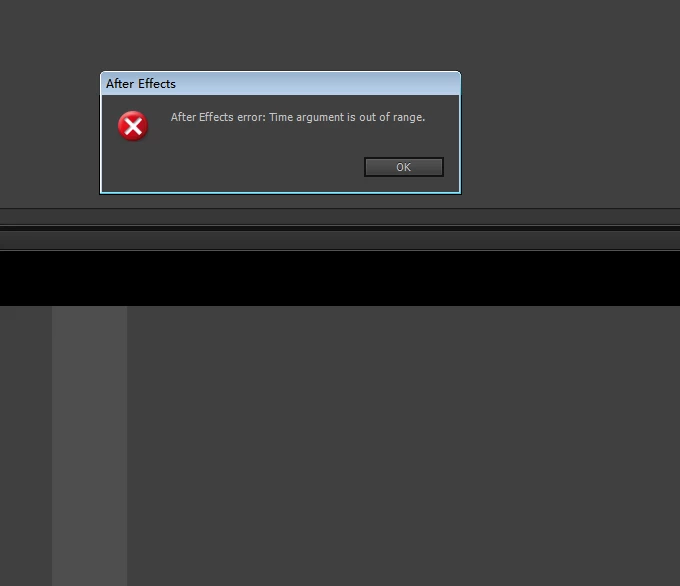
After Effects error: Time argument is out of range.
  • April 1, 2016
  • 1 reply
  • 3128 views

hi,all:

      i've written a keyframer plugin.the AE often prompt a dialog(which shows "After Effects error: Time argument is out of range.") when the plugin deletes some keyframes and inserts lots of keyframe.i checked out the time argument and found the time is valid.on what condition the AE will promt the dialog?

     thanks advance

This topic has been closed for replies.

1 reply

Known Participant
April 1, 2016

the dialog wo'nt show if i just insert keyframes(do'nt delete keyframes before insert lots of keyframes).who can help me?

Community Expert
April 1, 2016

try deleting the keyframes in reverse order.

not only is it much faster, it could also prevent an issue where the key

index is out of range because the list shortens as you delete. meaning, key

10 will become key 7 after deleting 3 keys.

i know it's not directly related to the message that you're seeing, but

perhaps it's messes something up that later manifests as what problem

you're getting.

Community Expert
April 1, 2016

i tried to delete the keyframes in reverse order and the dialog also shows.i read the sdk and didn't find the way to delete keyframes in batch mode.whereas can insert keyframes in batch mode.

and i find that if i insert keyframes not in batch mode,the dialog shows more frequently.


here's a thread about keyframe deletion.

https://forums.adobe.com/message/7694328#7694328

françois leroy has suggested a couple of methods for removing all keyframes

from a layer instead of deleting each one individually.

perhaps that will solve the issue you're seeing. (though it doesn't explain

why the problem is occurring.

say, if you only delete the keyframes but don't create new ones, does the

error message still show?