


Participating Frequently
July 28, 2018
Answered

After Effects Rectangle Roundness

  • July 28, 2018
  • 1 reply
  • 7937 views

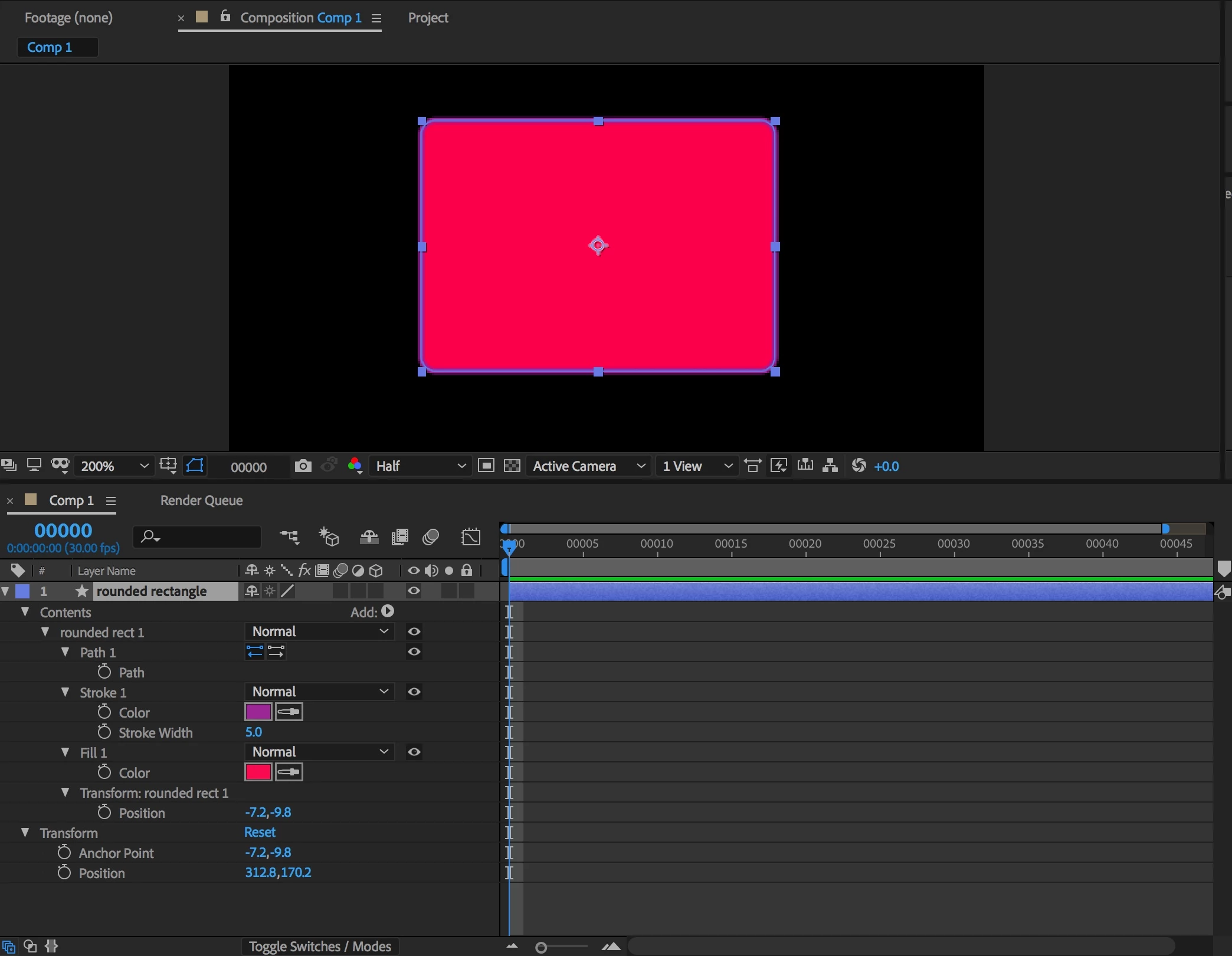
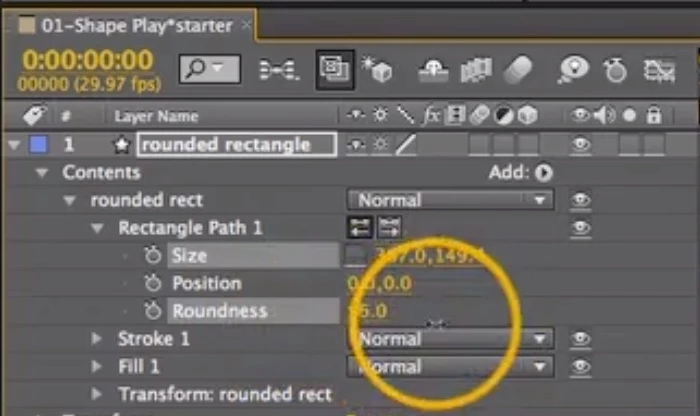
I created a round corner rectangle. But, there is no "roundness" parameter either in the timeline or in the layer menu to modify the roundness (as many of the 2017 tutorials show. Is the only option manual bezier handles or click up/down arrow?? I already self-discovered the size and position have been buried in the Layer/Transform menu (another item not properly described in the latest documentation.)

AE CC2018
AE CC older
This topic has been closed for replies.
Correct answer Rick Gerard

You created a path instead of a parametric rectangle. That can happen when you hold down the Alt/Option key and it is normal and expected behavior.

If you just select the rectangle tool (q) and click and drag you should have all the options. If you hold down the Alt/Option key you get a vector path. Rectangle 1 was created by simply clicking and dragging and Rectangle 2 was created holding down the modifier key. I jusst drew the rectangles then hit the U key twice to reveal all modified properties:

1 reply

Rick GerardCommunity ExpertCorrect answer
Community Expert
July 28, 2018

You created a path instead of a parametric rectangle. That can happen when you hold down the Alt/Option key and it is normal and expected behavior.

If you just select the rectangle tool (q) and click and drag you should have all the options. If you hold down the Alt/Option key you get a vector path. Rectangle 1 was created by simply clicking and dragging and Rectangle 2 was created holding down the modifier key. I jusst drew the rectangles then hit the U key twice to reveal all modified properties:

Participating Frequently
July 28, 2018

Rick! You are absolutely correct! (I read everything and watched several tutes I could find in the doc and never saw this Opt. click explained.) Thanks.

Roei Tzoref
Legend
July 28, 2018

that can also happen if you got bezier path checked on with the shape tool active: