



Answered
After effects shape layer not displaying color on preview
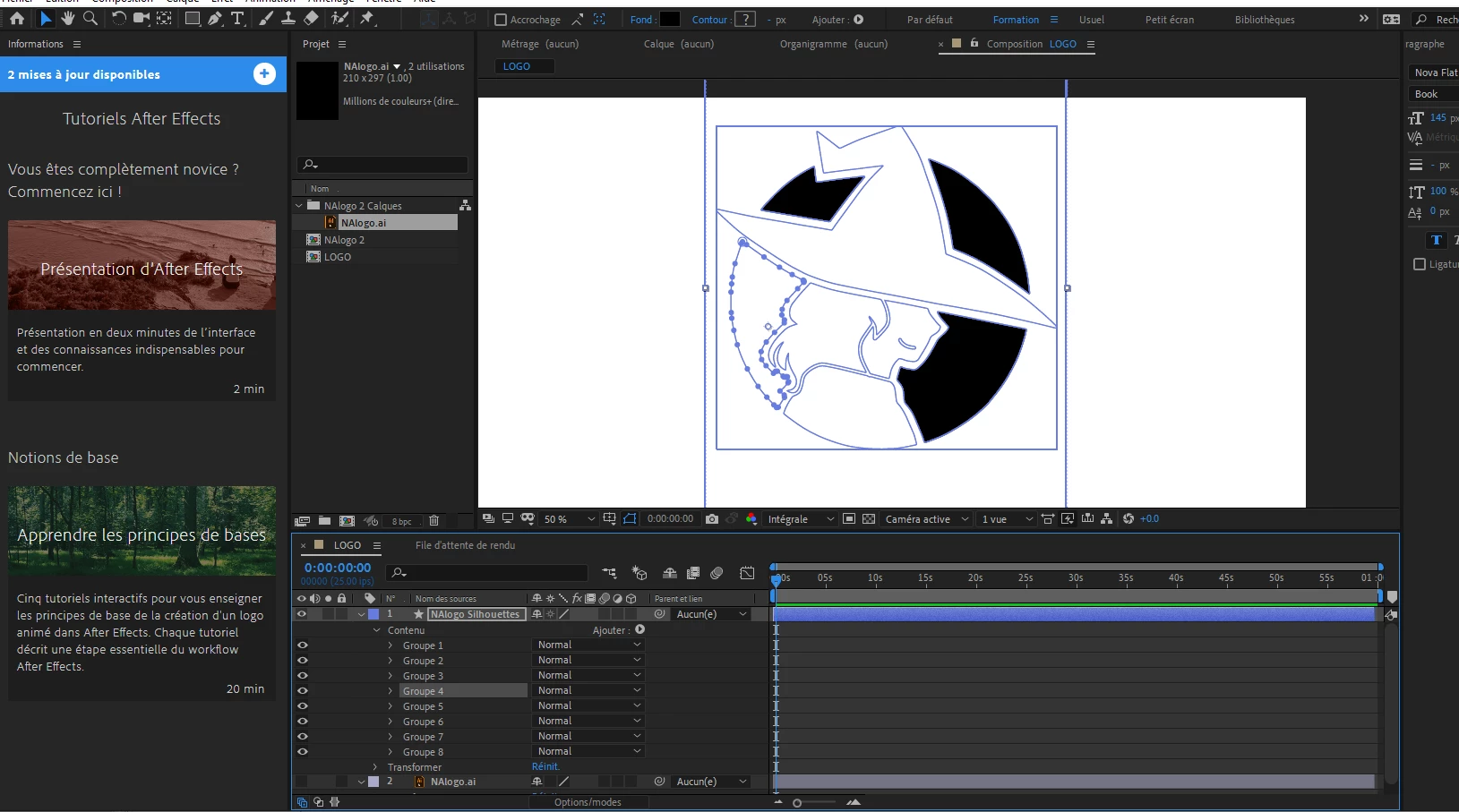
Sorry for the french interface, I'm trying to animate a logo so my first step was to import my AI vector layer and then convert it to a shape layer. However, while my AI layer shows all the shapes filled in with black, my shape layer doesnt.
When selecting individual shapes in the group, the background is registered as black as you can see (Fond).
But only three of the shapes actually show up as black on my preview screen.
Is this a visual issue due to hardware maybe? As in, maybe my CPU is too old to render the preview?
Or is it a potential issue with my AI vector layer?
I've tried changing the shape layer's colors and they're unresponsive on the different shapes. Am I misunderstanding how this works entirely?
 AdChoices