Known Participant
November 30, 2017
Answered

Animation presets not saving expression names

  • November 30, 2017
  • 1 reply
  • 1946 views

Hi,

I ran into this problem where my animation presets that contain expressions load with errors because the expression control layers are loading with default names, not the custom names I have assigned to them.

It appears the custom names are not being saved in the animation preset thus breaking all the expressions.

Is this a known bug? Any work arounds? I rely on a shape layer library built on these presets.

Thanks for your time.

Glenn

(AE 2018, iMac (27-inch, Late 2012), MacOs Sierra 10.12.6)
    This topic has been closed for replies.
    Correct answer Rick Gerard

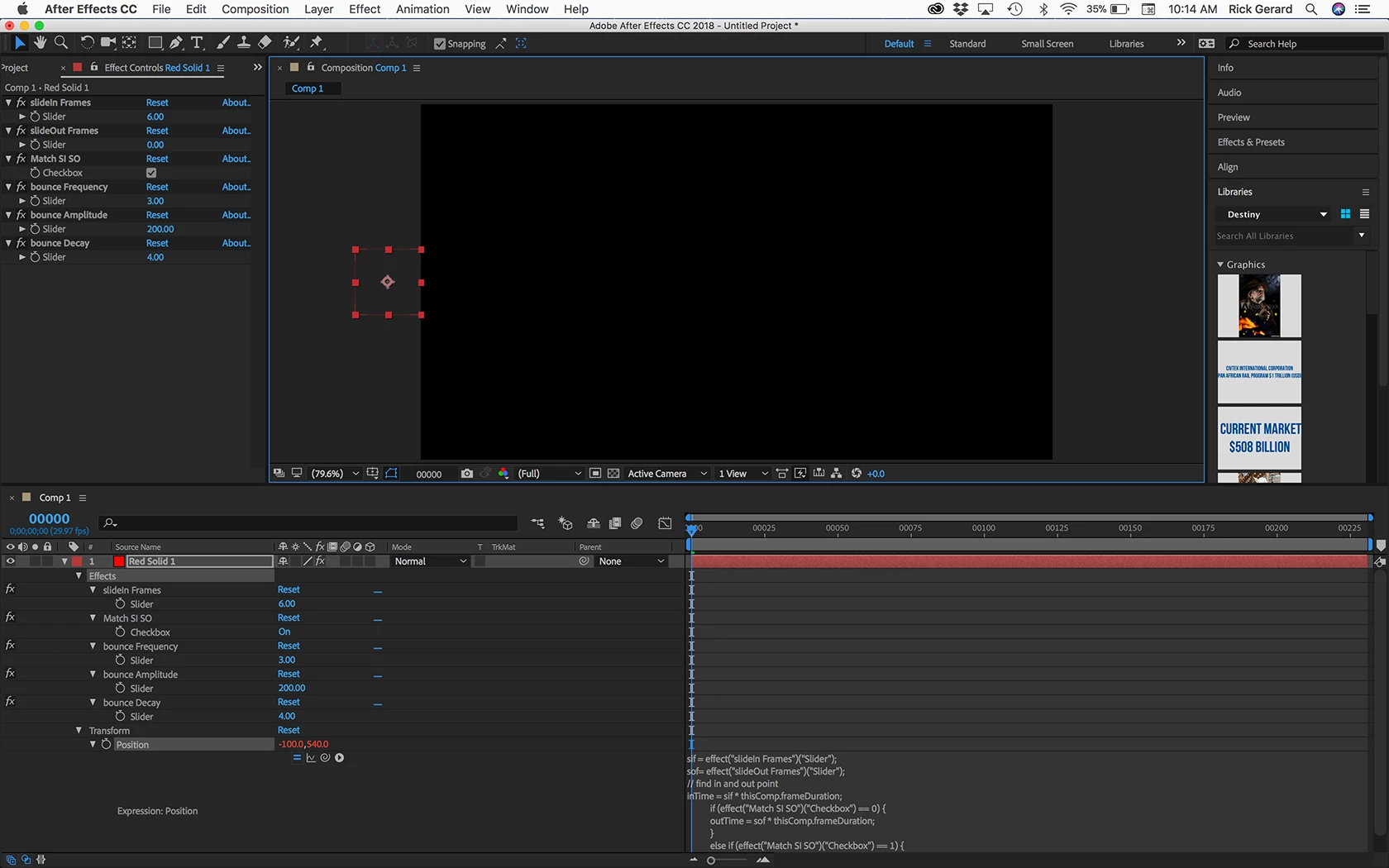
    You have to make sure that you select the root of all the properties that you want to include in the animation preset. This does not work.

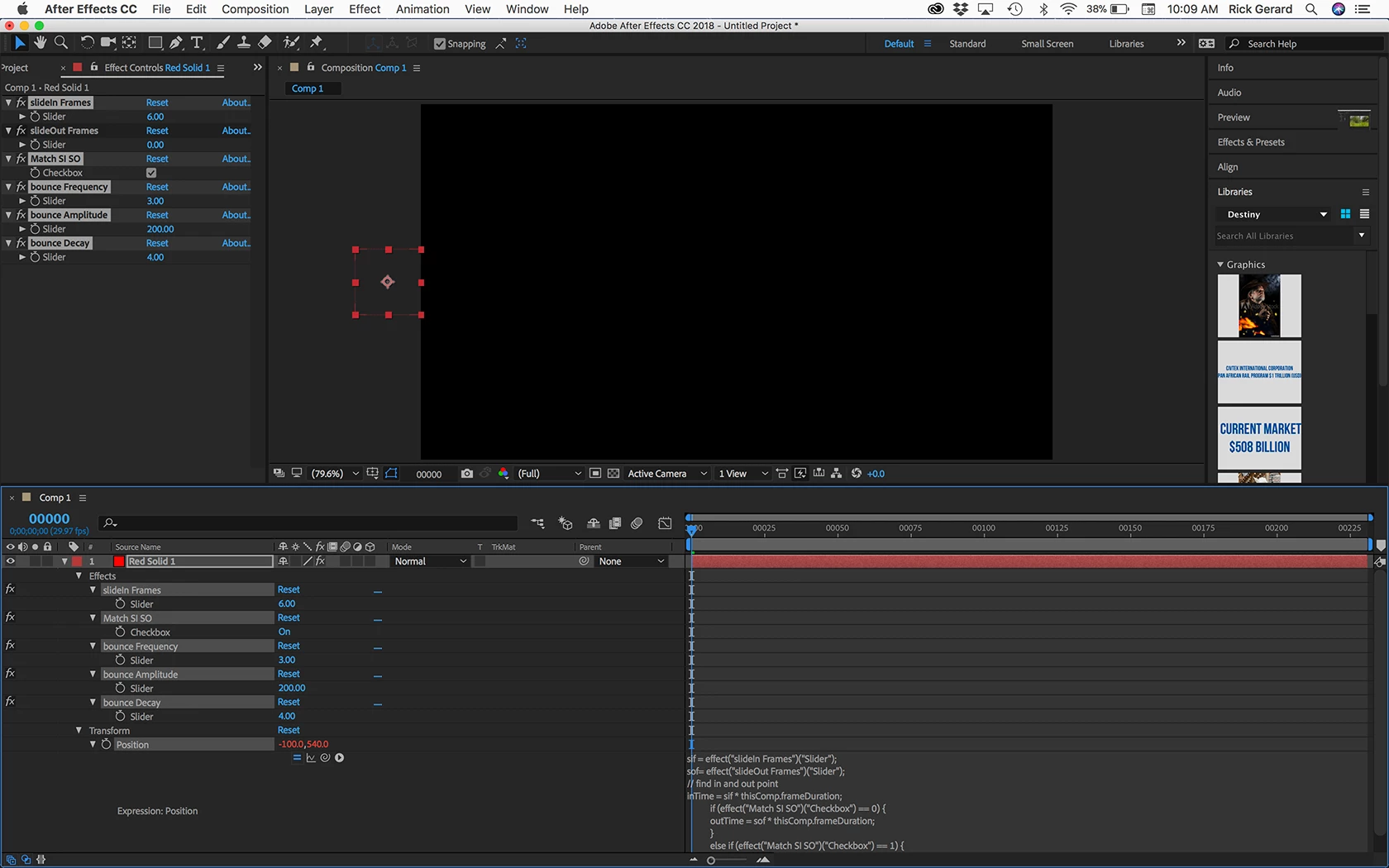
    This does:

    1 reply

    Rick GerardCorrect answer
    Adobe Expert
    November 30, 2017

    You have to make sure that you select the root of all the properties that you want to include in the animation preset. This does not work.

    This does:

    G_WAuthor
    Known Participant
    November 30, 2017

    Thanks for your reply Rick. I still get broken expressions with default names. What version are you on?

    G_WAuthor
    Known Participant
    November 30, 2017

    You didn't look closely enough at my screenshots. Do Not select all of the elements, just select the root. Animation presets have always worked this way.

    In your case just highlight Ellipse Path 1 properties you want to include and Effects. If you select all of the sliders and the color control none of the new names will be added to the preset and your expressions will break. This is normal and expected behavior.


    Ok cool. I understand now. I got it to work.

    So selecting only "Effects" as the root will preserve custom effect names but selecting each individual effect will break expression names.

    Im just trying to leave a paper trail for anyone that makes the same mistake that I have.

    Thanks for your help.