

lesliek1
Known Participant
June 29, 2023
Question

Applying a stroke around track matte

  • June 29, 2023
  • 4 replies
  • 498 views

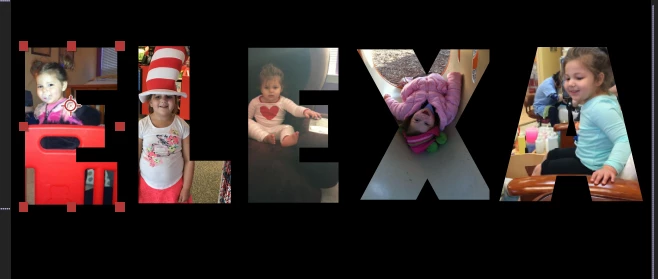
I'm using fonts as a track matte and trying to apply a stroke and I can't get it won't work. I've tried all I can think of and spent WAY too much time already on line. Can anyone help? It should be easy!



    This topic has been closed for replies.

    4 replies

    Kyle Hamrick
    Community Expert
    Community Expert
    June 30, 2023

    Duplicating the text layer would also be an easy solution here. 

    Community Expert
    June 30, 2023

    To get a stroke without a mask or shape layer path, you can go to the menu and choose Layer/Layer Styles/Stroke. There are not as many options, but when you rely on a Track Matte, that is the simplest solution.

    lesliek1
    lesliek1Author
    Known Participant
    June 30, 2023

    Perfect! Thank you so much!

    kglad
    Community Expert
    Community Expert
    June 29, 2023

    in the future, to find the best place to post your message, use the list here, https://community.adobe.com/


    p.s. i don't think the adobe website, and forums in particular, are easy to navigate, so don't spend a lot of time searching that forum list. do your best and we'll move the post if it helps you get responses.


    <moved from using the community>

    kglad
    Community Expert
    Community Expert
    June 29, 2023

    what adobe app?

    lesliek1
    lesliek1Author
    Known Participant
    June 29, 2023

    Sorry, After Effects