


Participant
December 16, 2021
Question

asked to create unknown property of type

  • December 16, 2021
  • 1 reply
  • 3262 views

I'm struggling with open my project file because of the after effect error. I get this error message when I try to open my project file.


After Effects error: asked to create unknown property of type

"adbe layer source alternate (1d16)"

screenshot:
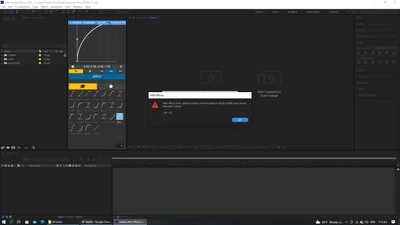


I couldn't find an answer to my problem, so I decided to post about it.


At first, I thought it was because of my computer specs, but that doesn't appear to be the case; instead, it appears to be a problem with the scripts, as you may be aware, and I have no idea how to fix it.


I'm in desperate need of assistance.

This topic has been closed for replies.

1 reply

Mrtn Ritter
Participating Frequently
December 18, 2021

Remove the scripts until you find the trouble maker and check if you are on the latest version, or if your current version of AE is still supported by the script.


*Martin

Participant
December 18, 2021

Yes, I will try that, but first I need to figure out how to remove the scripts. Hopefully, this will not harm anything, but I'm not sure.

Martin, your assistance has been greatly appreciated.

Mrtn Ritter
Participating Frequently
December 18, 2021

Open AE and check what panels/scripts are open and running.

Then go to the script folder,

macOS:
/Applications/Adobe After Effects (version)/Scripts/ScriptUI Panels

Windows:
C:\Program Files\Adobe\Adobe After Effects (version)\Support Files\Scripts\ScriptUI Panels

and remove the scripts in there, which are loaded by AE on start.

Insert them one by one again and always test AE.


*Martin