


Exit
  • Global community
    • Language:
      • Deutsch
      • English
      • Español
      • Français
      • Português
  • 日本語コミュニティ
  • 한국 커뮤니티
0

Auto-resizing text box(shape layer) to two text layers - help

New Here ,
May 02, 2024 May 02, 2024

Hi AE wizards!

I am trying to create a simple lowerthird .morgrt with the top text layer and bottom text layer in one text box. So when people use the template to change the text, the text box will resize accoring the whichever text line is longer. Text is left aligned and the height of the box is fixed so only the width needs to adjust to the right. Font size is also not adjustable.

Example-lowerthird.PNG


I am familiar with the below expressions for a single text layer. I am wondering if it is possible to manipulate this to adjust to two layers instead?


Shape layer expressions:

Size property:
s = thisComp.layer("Firstname Last Name");
w=s.sourceRectAtTime().width;
h=s.sourceRectAtTime().height;
[w,h]


Position property:
s=thisComp.layer("Firstname Last Name")
w=s.sourceRectAtTime().width/2;
h=s.sourceRectAtTime().height/2;
l=s.sourceRectAtTime().left;
t=s.sourceRectAtTime().top;
[w+l,h+t]


Here is what I have experimented with two layers but I keep getting an error in the expressions on the position property. Also the box fits the two lines of text but with no leading between lines.
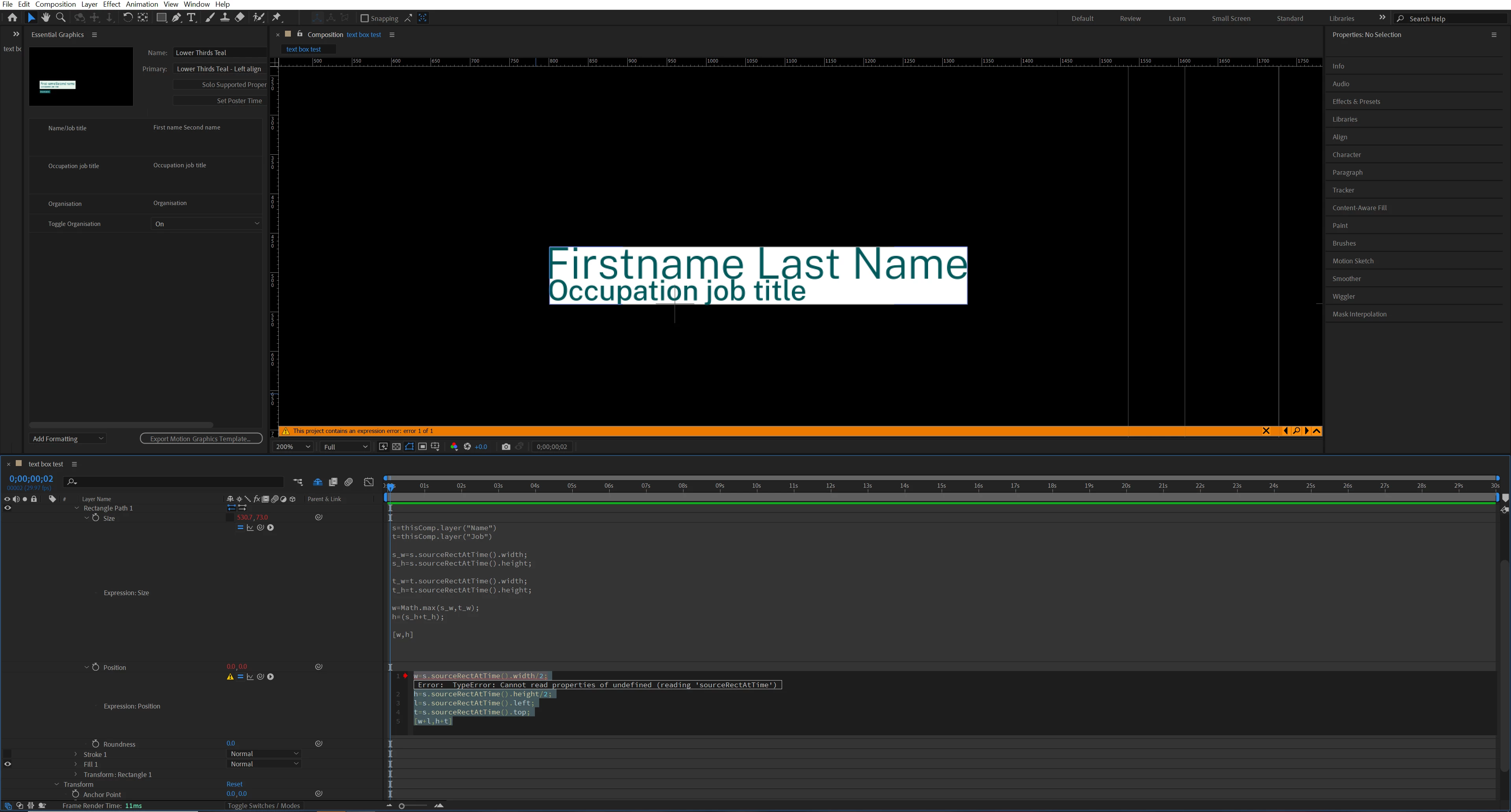
two-layer-test.PNG


Here is the code in the above screen shot


Size property:
s=thisComp.layer("Name");
t=thisComp.layer("Job");

s_w=s.sourceRectAtTime().width;
s_h=s.sourceRectAtTime().height;

t_w=t.sourceRectAtTime().width;
t_h=t.sourceRectAtTime().height;

w=Math.max (s_w, t_w);
h = (s_h+t_h);

[w,h]


Position property:
w=s.sourceRectAtTime().width/2;
h=s.sourceRectAtTime().height/2;
l=s.sourceRectAtTime().left;
t=s.sourceRectAtTime().top;
[w+l,h+t]


I am a real novice at expressions! Any help would be much appreciated.

TOPICS
Error or problem , Expressions , How to , Resources
1.4K
Translate
Report
Community guidelines
Be kind and respectful, give credit to the original source of content, and search for duplicates before posting. Learn more
community guidelines
Community Expert ,
May 02, 2024 May 02, 2024

In your position expression, you haven't defined what s is (like you did in the size expression). Also, I think your position expression will need to account for whichever line is the longest, as your modified size expression does.

Translate
Report
Community guidelines
Be kind and respectful, give credit to the original source of content, and search for duplicates before posting. Learn more
community guidelines
New Here ,
May 02, 2024 May 02, 2024

Thank you! Updated the position expression and the error is gone! Huge help. New expression below.


s=thisComp.layer("Name");
t=thisComp.layer("Job");
l=s.sourceRectAtTime().left;
t=s.sourceRectAtTime().top;

s_w=s.sourceRectAtTime().width/2;
s_h=s.sourceRectAtTime().height/2;

t_w=s.sourceRectAtTime().width/2;
t_h=s.sourceRectAtTime().height/2;

s_l=s.sourceRectAtTime().left;
s_t=s.sourceRectAtTime().top;

t_l=s.sourceRectAtTime().left;
t_t=s.sourceRectAtTime().top;

w=Math.max (s_w, t_w);
h = (s_h+t_h);

[w+l,h+t]

Translate
Report
Community guidelines
Be kind and respectful, give credit to the original source of content, and search for duplicates before posting. Learn more
community guidelines
New Here ,
Sep 01, 2025 Sep 01, 2025
LATEST

I have done everything like you did, and it is almost perfect. My problem is that the second text layer, (job) expand both ways when i add text. I want the textbox to change with the text (to the right) and not (center). Both my text-layers is paragraphed Left aligned

Translate
Report
Community guidelines
Be kind and respectful, give credit to the original source of content, and search for duplicates before posting. Learn more
community guidelines