


Automation Blocks: How can I write a in and out animation for every selected Layer?
Hi!
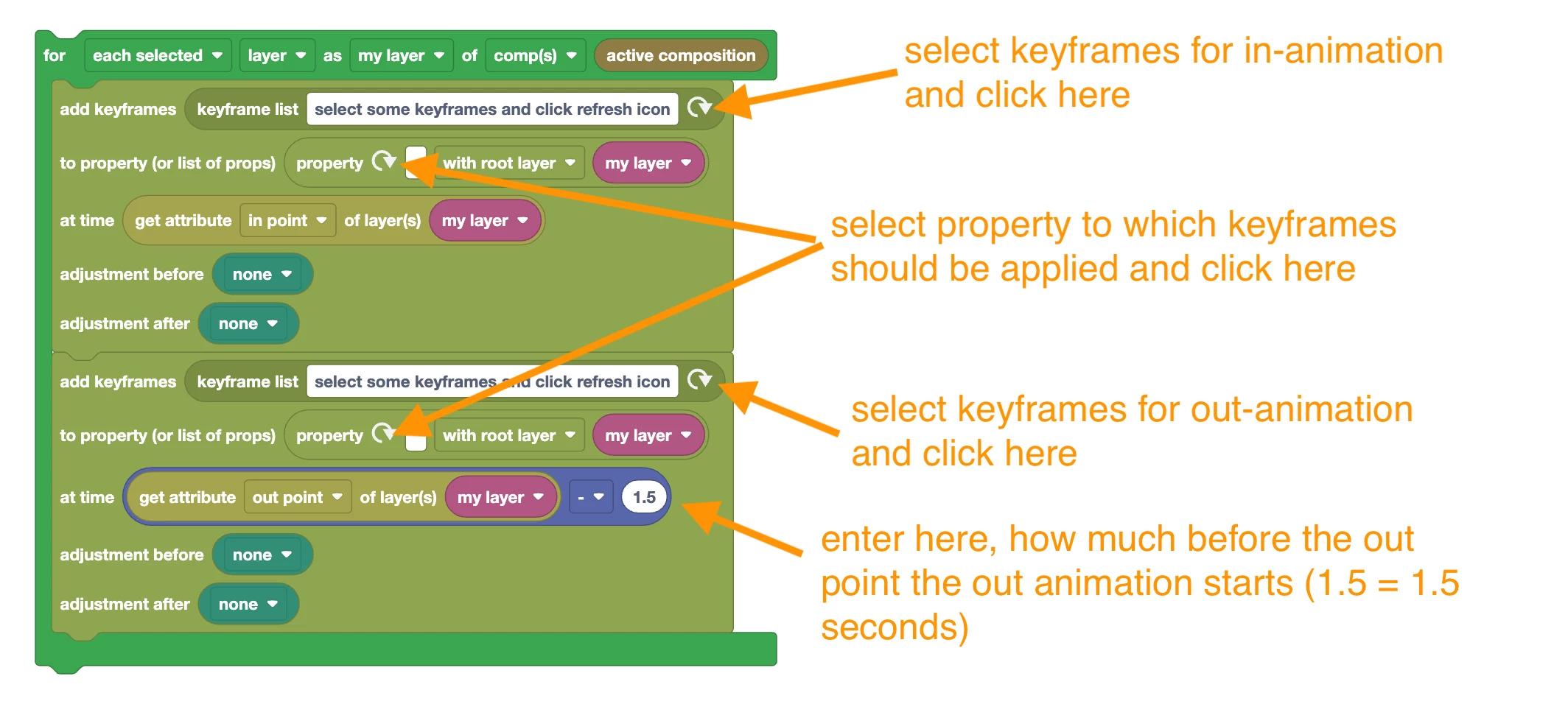
I'm doing a crazy thing where I animate gaming video subtitles from Premiere Pro into After Effects to give it more quality. I'd love to have in the library a way to this:
- Go to in point
- Add a "0" value scale keyframe
- Go forward 5 frames
- Add a "100" value scale Keyframe
- Go to out point
- Add a "0" value scale keyframe
- Go backwards 5 frames
- Add a "100" value scale keyframe
And then continue to the next layers.
Also, It'd be really useful an "Un-precompose" action too, where the elements of precomposition come out of the precomp and places in time in your main comp
I used to do this actions with another automation application, but now I'd love to rely more on Automation Blocks for these tasks
If these work, I might have some more ideas in mind for these same kind of videos which are actually very requested.
Thank you very much in advance!
 AdChoices