



Automation Blocks - Render Import & Replace Usage
I'm trying to create a multipart render solution to render my high res images and import and replace them to quickly render QTs but I'm getting an interesting issues.
Issue #1
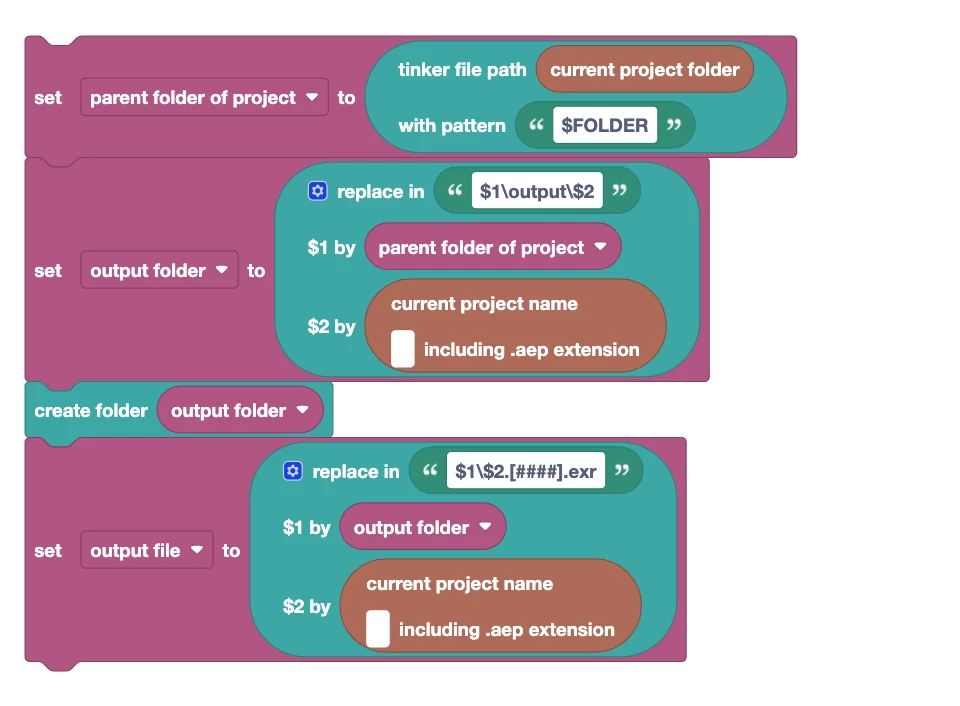
I'm trying to use the navigation methodology inside the "Output To" dialog to create relative paths to the project file.
[projectFolder]\..\output\[projectName].[fileExtension]
[projectFolder]\..\output\[projectName]\[projectName].[####].[fileExtension]
However When I enter these value in my output to path in Automation blocks I get the following
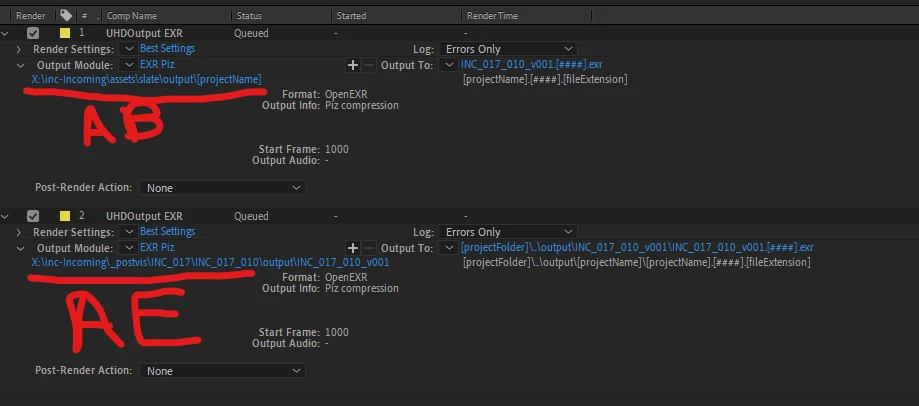
top is Automation Blocks, bottom is After Effects after selecting a Output To menu item
Automation blocks doesn't seem to resolve the token. I'm probably using the wrong field for this, but I thought I'd throw it to the experts.
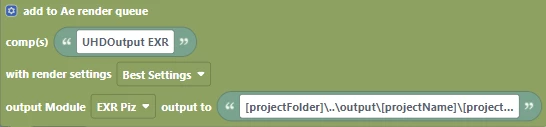
I've tried using a straight "text" field, as well as the default "file" field. Neither seemed to work.
Issue #2
When trying to set up a Both option, Import & Replace Post-Render Action doesn't seem to work. (Please ignore the output to paths here as it's probably related to Issue #1)
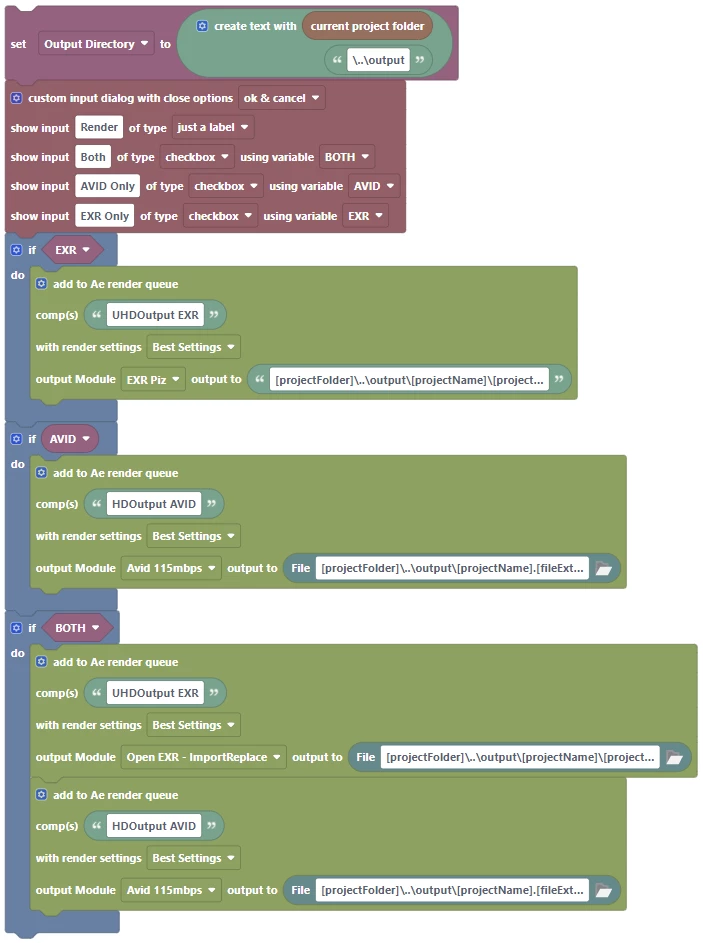
I look forward to hearing anything back as I believe that tool could be really helpful for others as well.
 AdChoices