

MahaB82A
Legend
September 12, 2022
Question

Bounding Box

  • September 12, 2022
  • 1 reply
  • 983 views

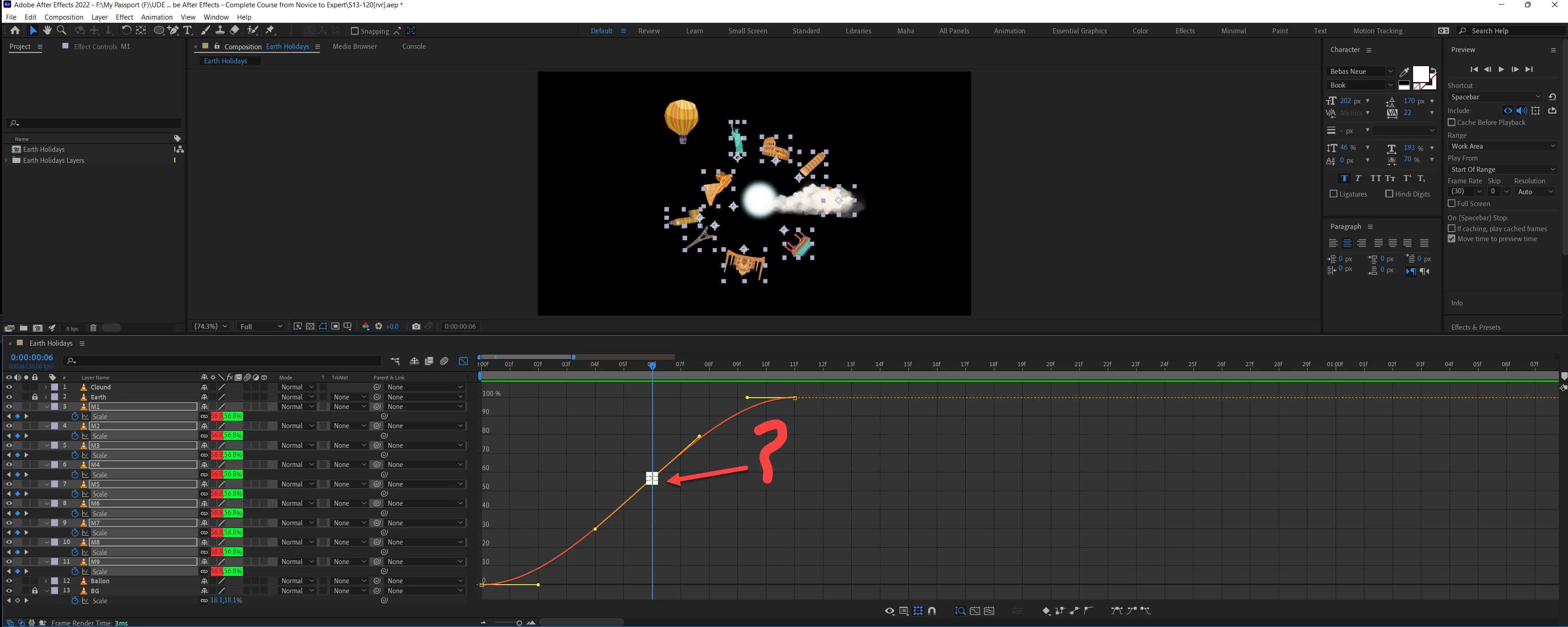
Keyframe is selected at this point, collection of white boxes are coming insted of yellow box. What is the reason for this?



This topic has been closed for replies.

1 reply

Community Expert
September 13, 2022

You have the same animation on several layers, and keyframes for multiple layers are selected. Select one property and the area selection icon will go away.

MahaB82A
MahaB82AAuthor
Legend
September 13, 2022

What you say is correct but in that tutorial only yellow box comes.

Community Expert
September 13, 2022

When all the keyframe are selected two yellow tiney boxes are created in the tutorial but in my work a bounding box is appear. What is reason for that? Video is attached.


When you drag a selection around a bunch of keyframes in the Graph Editor, you get a bounding box that you can use to transform all keyframes. Just experiment with the controls to see what happens. Even paid tutorials leave many things out, and it is often impossible to follow the exact movements recorded on the screen because you can't see edits, don't know what shortcut keys were pressed, or what is going on in the presenter's mind.


You need to spend some time with the User Guide and get to know the UI.