Participant
April 15, 2022
Question

C4D materials not appearing in my AE file

  • April 15, 2022
  • 4 replies
  • 2425 views

Hi there,

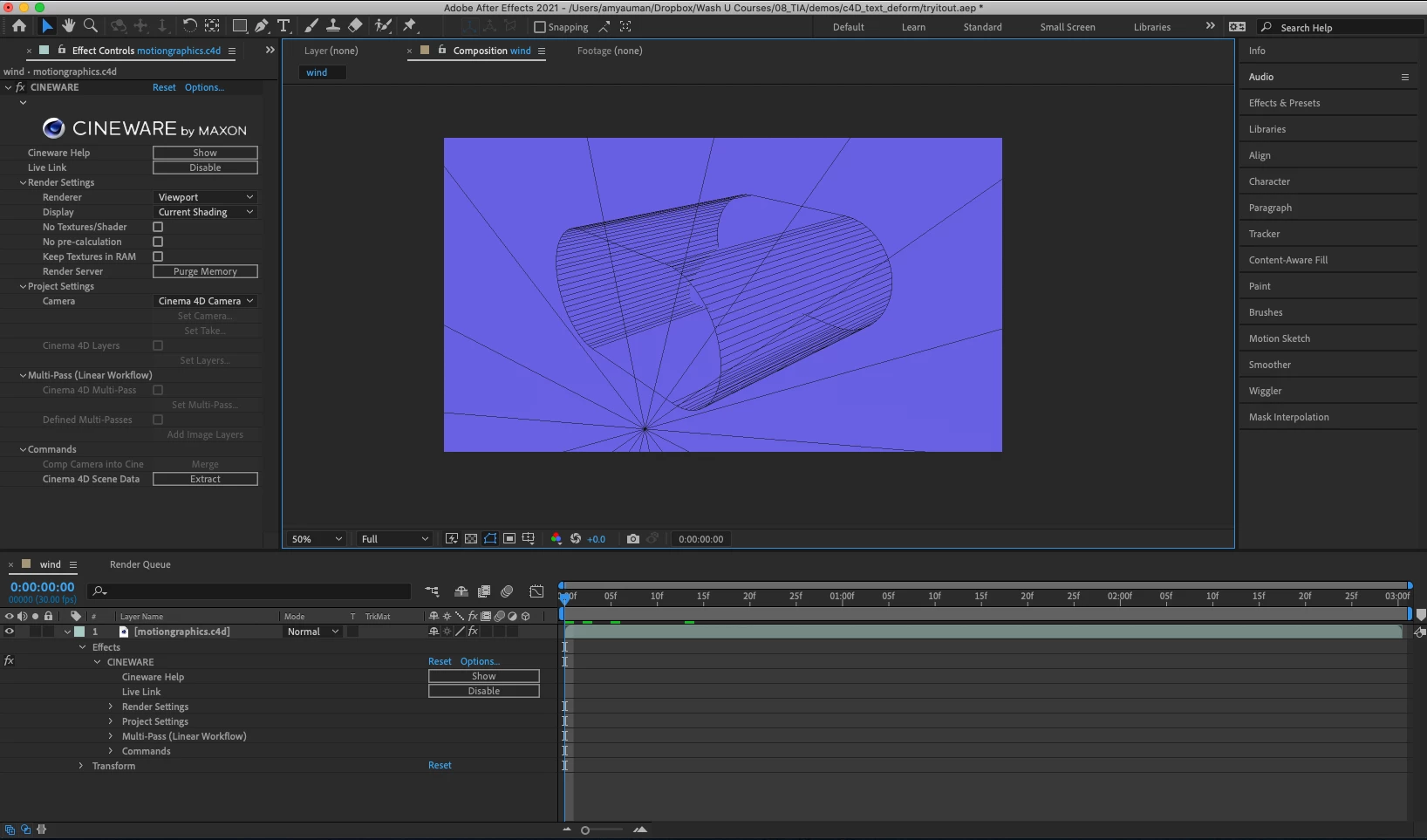
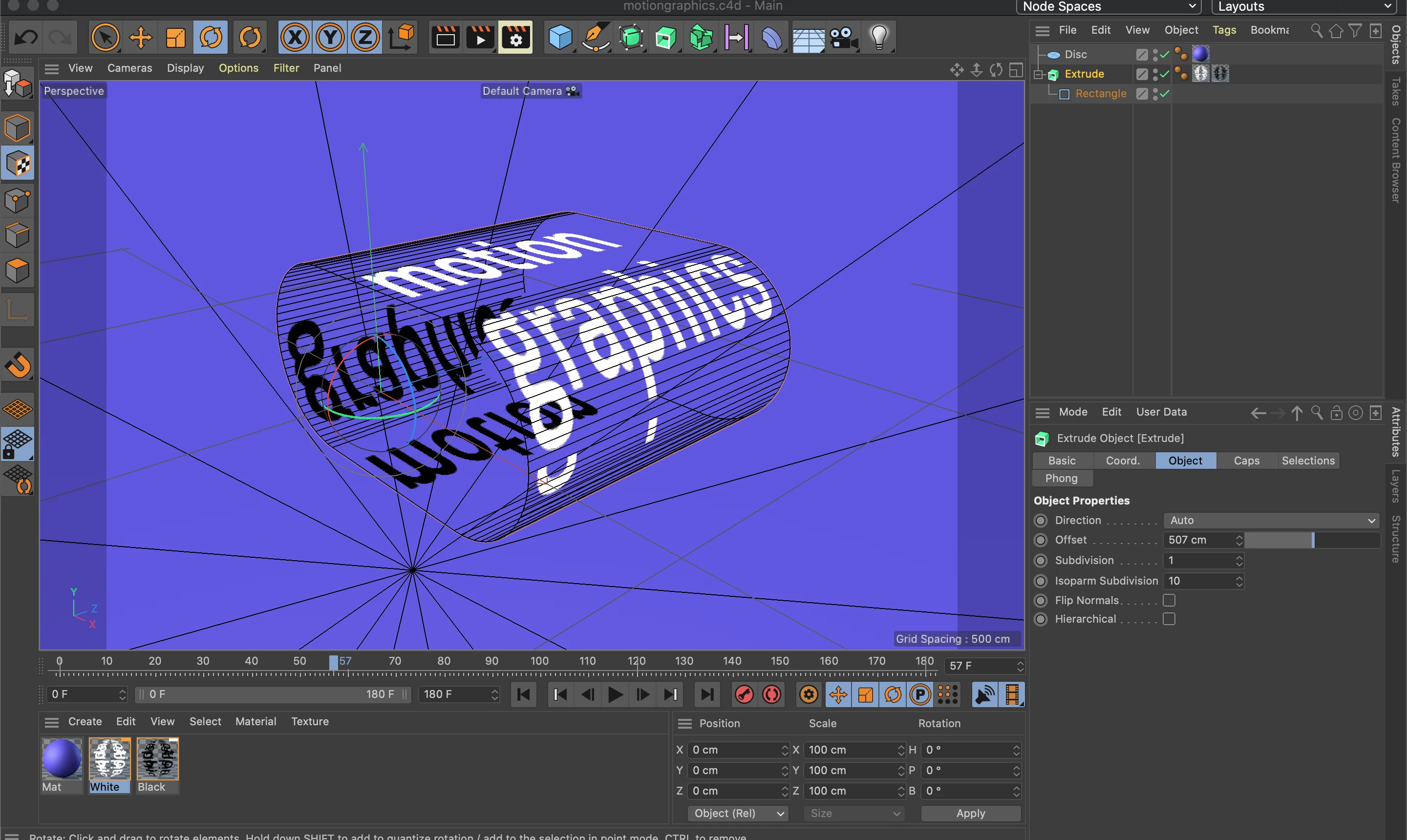
For some reason, when I'm using C4D Lite with After Effects, my materials aren't appearing in my AE file. I've checked that live link is enabled. It also isn't showing up when I render out from AE. Any idea how to fix this problem? Screen shots below.
This topic has been closed for replies.

4 replies

sunilp15811358
Participant
June 4, 2024

use pbr material

Participant
April 7, 2023

This sounds like a bug. I think that the CINEWARE renderer is somehow not getting the right path to the texture.

In C4D, File > Save Project with Assets. This will copy the texture out of the .lib4d bundle and save it alongside a new C4D file in a tex folder. Bring the new C4D file into Ae and CINEWARE should see the texture fine.

Participant
March 15, 2024

I still have issues when doing this unfortunately. It seems to work once, but if you reopen the project it won't show textures again. 

Mylenium
Legend
April 19, 2022

Fair enough. if it's connection issues, the usual steps apply: Check your firewall and system network settings for any blockages, turn off security tools that my interfere with the connection. also there was a bug in the initial AE 22 release, so check that you have applied all updates in the CC app and C4D as well.


Mylenium

Mylenium
Legend
April 16, 2022

Have you actually switched to the output renderer instead of "Viewport". You also don't have any actual camera object in your scene. that alone might alreeady help. That aside there appear to be a number of bugs with this and animating the UV offset on a texture as you seem to be doing may further exacerbate the issue. Either way, I'd start by checking the C4D global scene and render settings, including their GPU acceleration stuff, and make sure everything matches in the Cineware settings as well.


Mylenium

Participant
April 18, 2022

Hi @Mylenium, thanks so much for your reply. I changed the viewport to current and added a camera, made sure everything was matching, but I'm still not getting the view in AE. The strange thing is that I've done this exact exercise before successfully; it seems that just now it no longer works (even in previous files that haven't been changed). I'm getting a popup that says "Communication error, Cinema 4D failed to acknowledge the connection." I've checked my comp settings to make sure that the 3D renderer was set to Cinema 4D, so I'm not sure how to fix the connection issue. Any thoughts?