



Can not animate Anchor Point for Path animations
I am working on a simple walking animation using 16 frames. I am just using two strokes for legs that I used to the pen tool to create.
I am able to animate the front leg and the back leg both taking steps forward and back and marking my frames. Once I go to edit the path for middle positioning movements it will not let me click on any anchor points.
I have tried holding Shift+Click to grab one of the nodes but the moment I click the leg (or whatever I am animating) it unselects paths and starts distorting the object in the transform section. Is there a setting that I have on that isn't allowing me to edit this the way I need to? I haven't been able to find any solutions through the forums or online in general.
I tried to be as descriptive as I can with what I am doing hoping that it all makes sense.
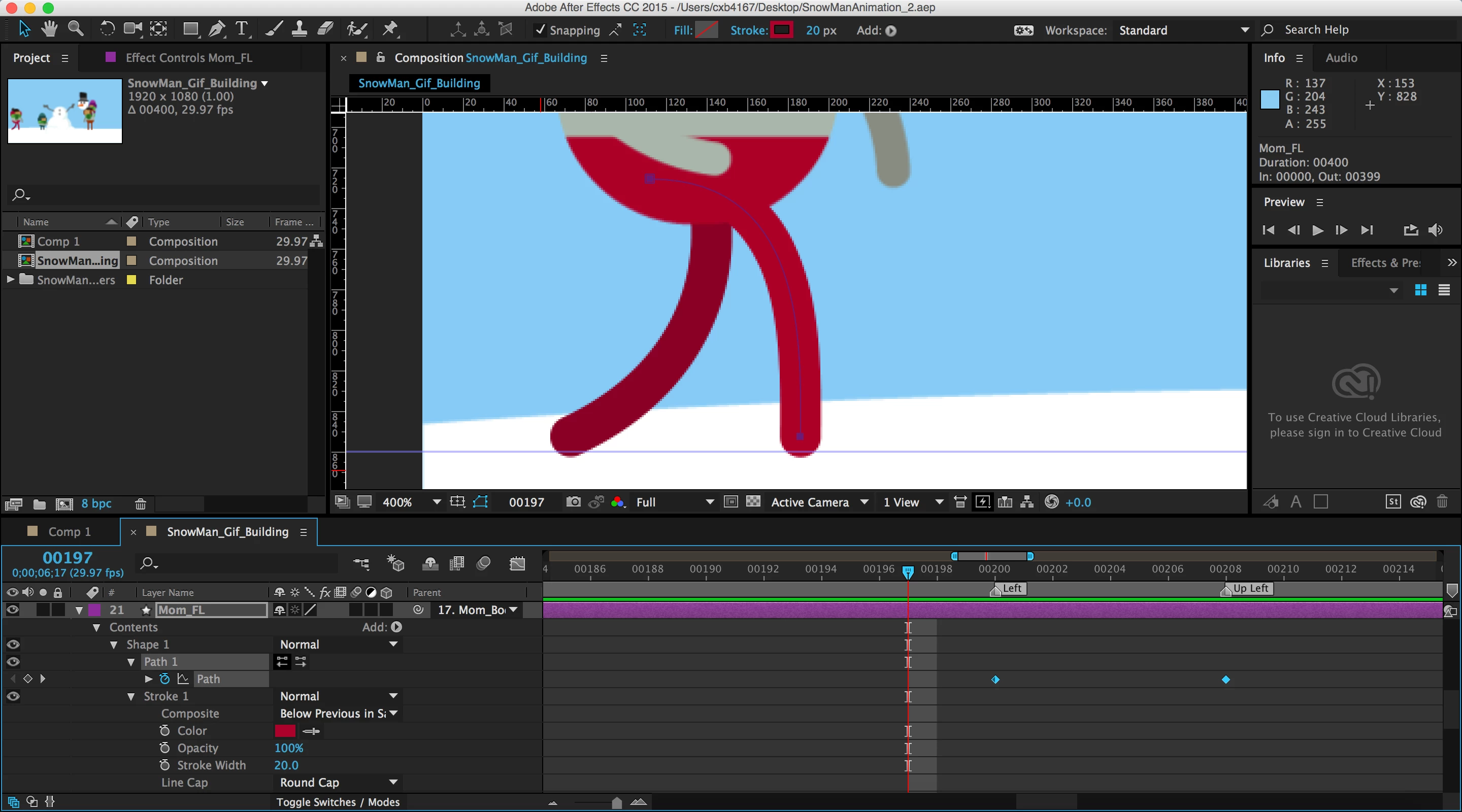
The first image is where I click on the path layer
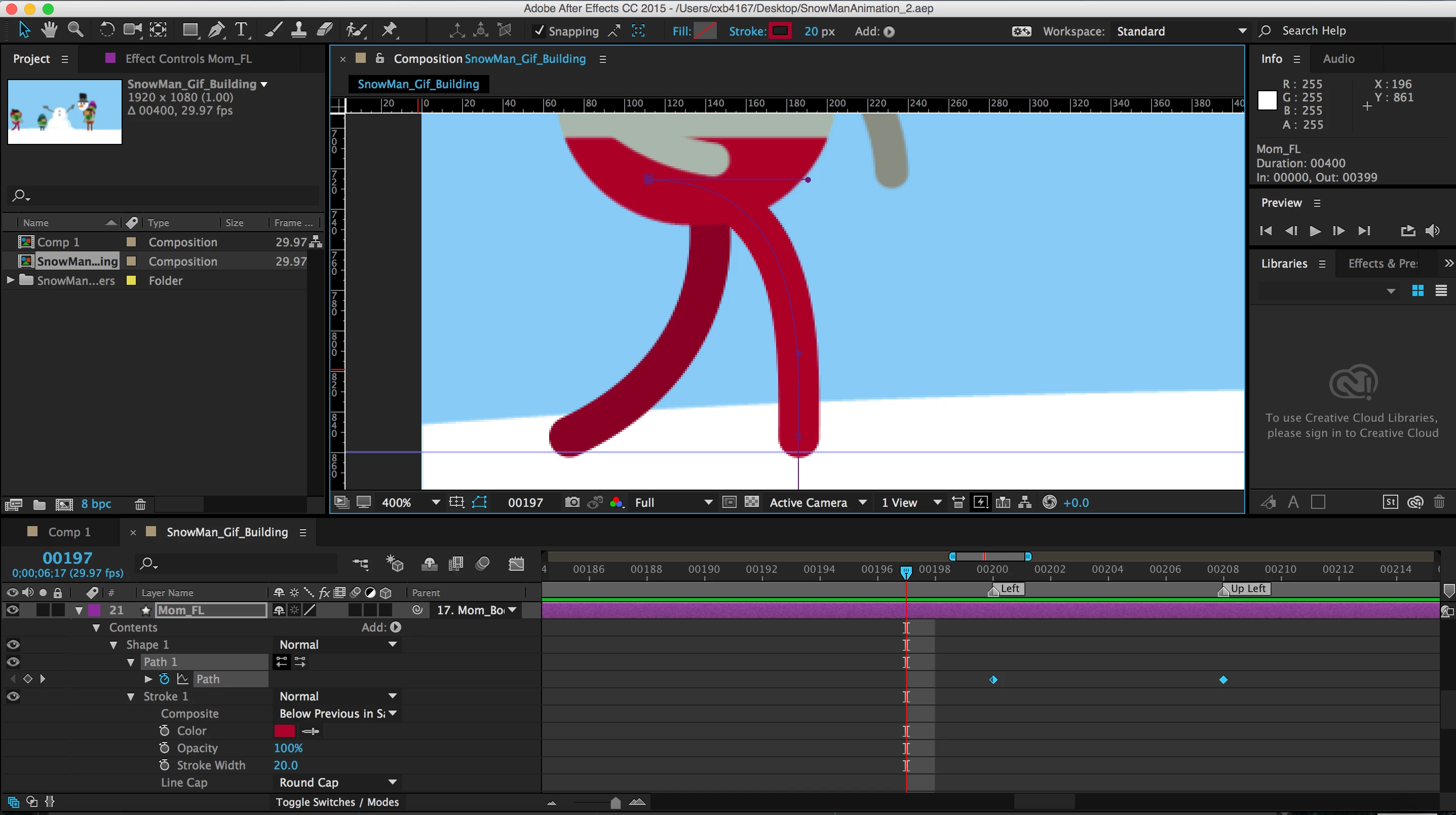
the second is where I shift+click on the leg to bring my anchor points/nodes up to edit the curve of the leg
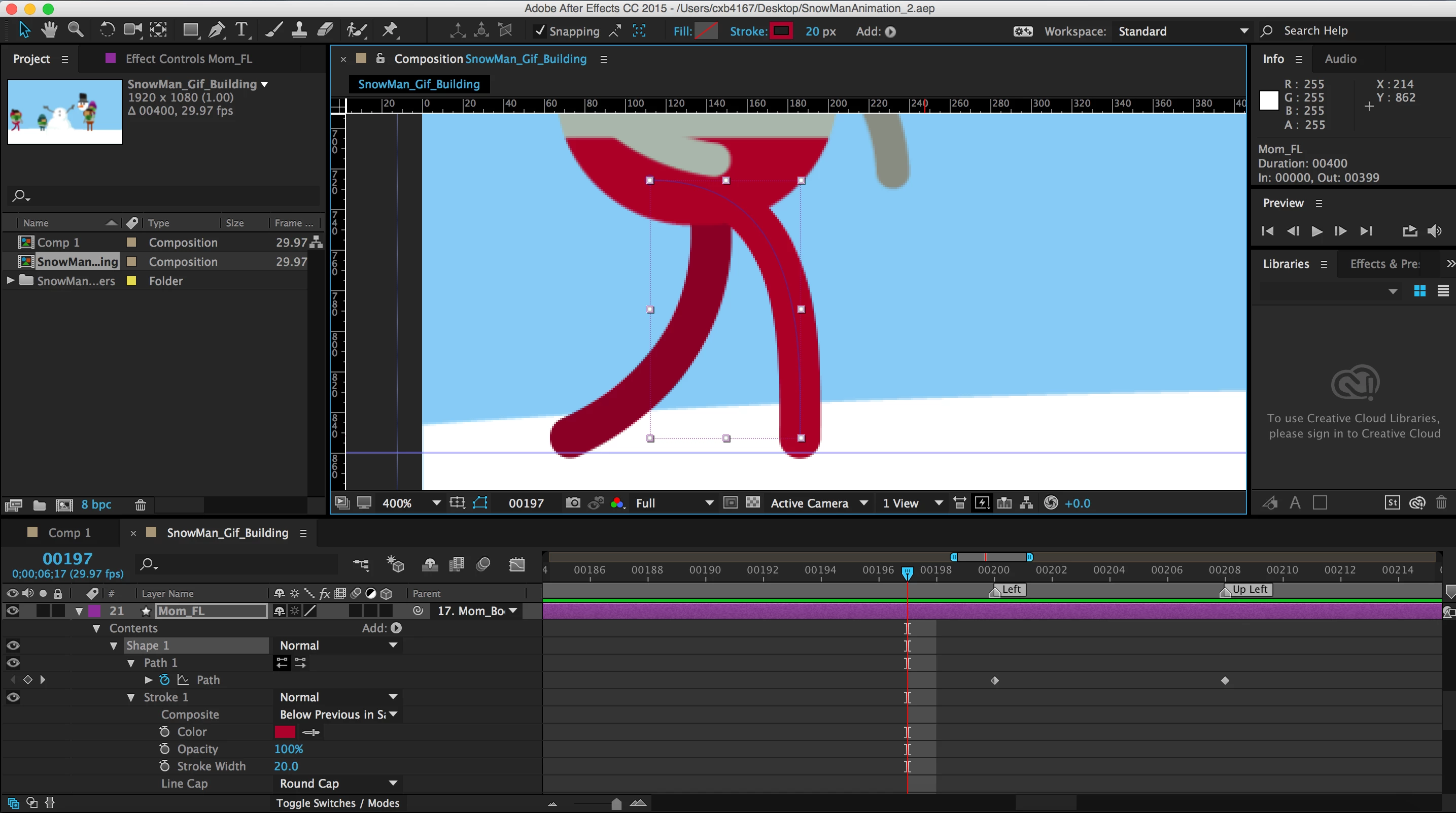
the third is what happens when I try to edit the curve (It deselects the Path layer and this full box is around the whole path)
any help would be greatly appreciated!
 AdChoices