


Can't enable GPU in Project Settings
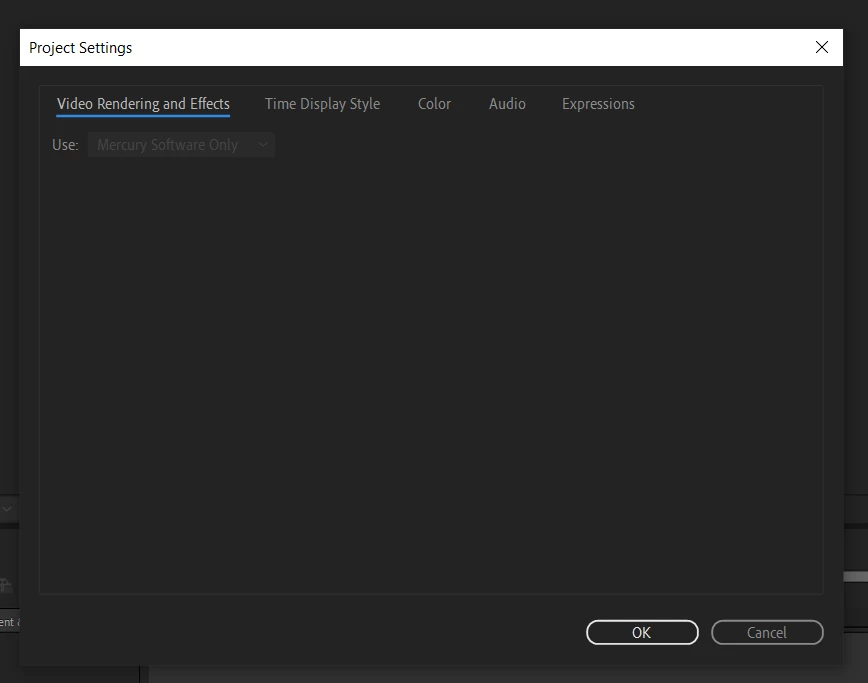
Hi everyone! It's been a couple of years since I've used After Effects on my laptop and since installing the latest version I no longer have the option to use my laptop's GPU. The only option available in Project Settings>Video Rendering and Effects is 'Mercury Software Only'.
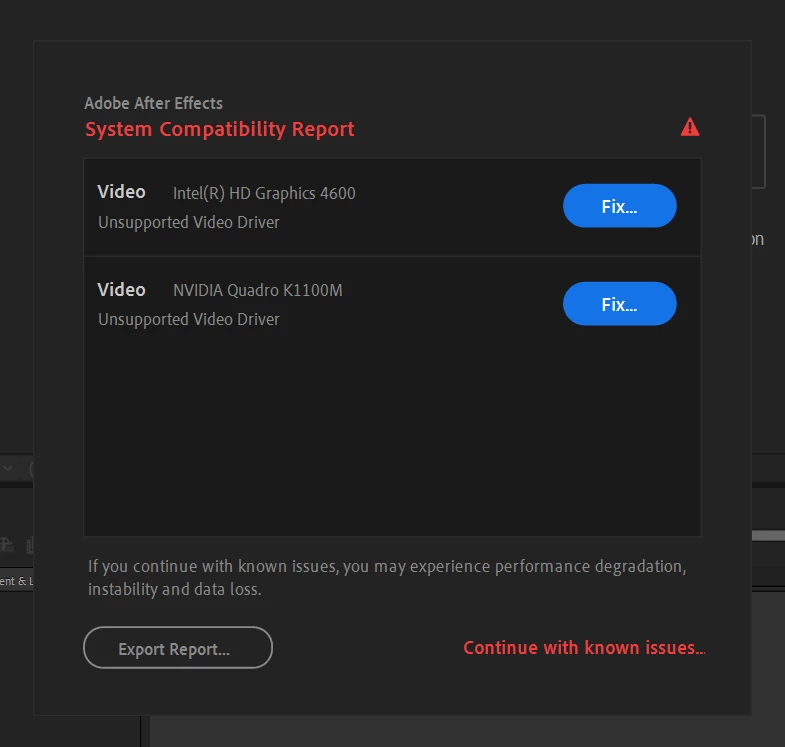
This might be related. On opening After Effects I'm greeted by the System Compatibility Report saying that my video drivers are unsupported (Intel HD Graphics 4600 and NVIDIA Quadro K1100M). I've updated both of these drivers several times and I still get this message.
I have tried rolling back to a previous version of After Effects and I get the same issue. I'm not able to roll back far enough to get to the last version that worked as expected.
Please help! The performance of a simple scene is much worse than expected and I believe it's because of this issue. Thanks!
Laptop Model: Dell Precision M4800
OS: Windows 10 Pro
Processor: Intel Core i7-4710MQ
RAM:16 GB
GPU: NVIDIA Quadro K1100M
 AdChoices