


Participant
September 19, 2023
Question

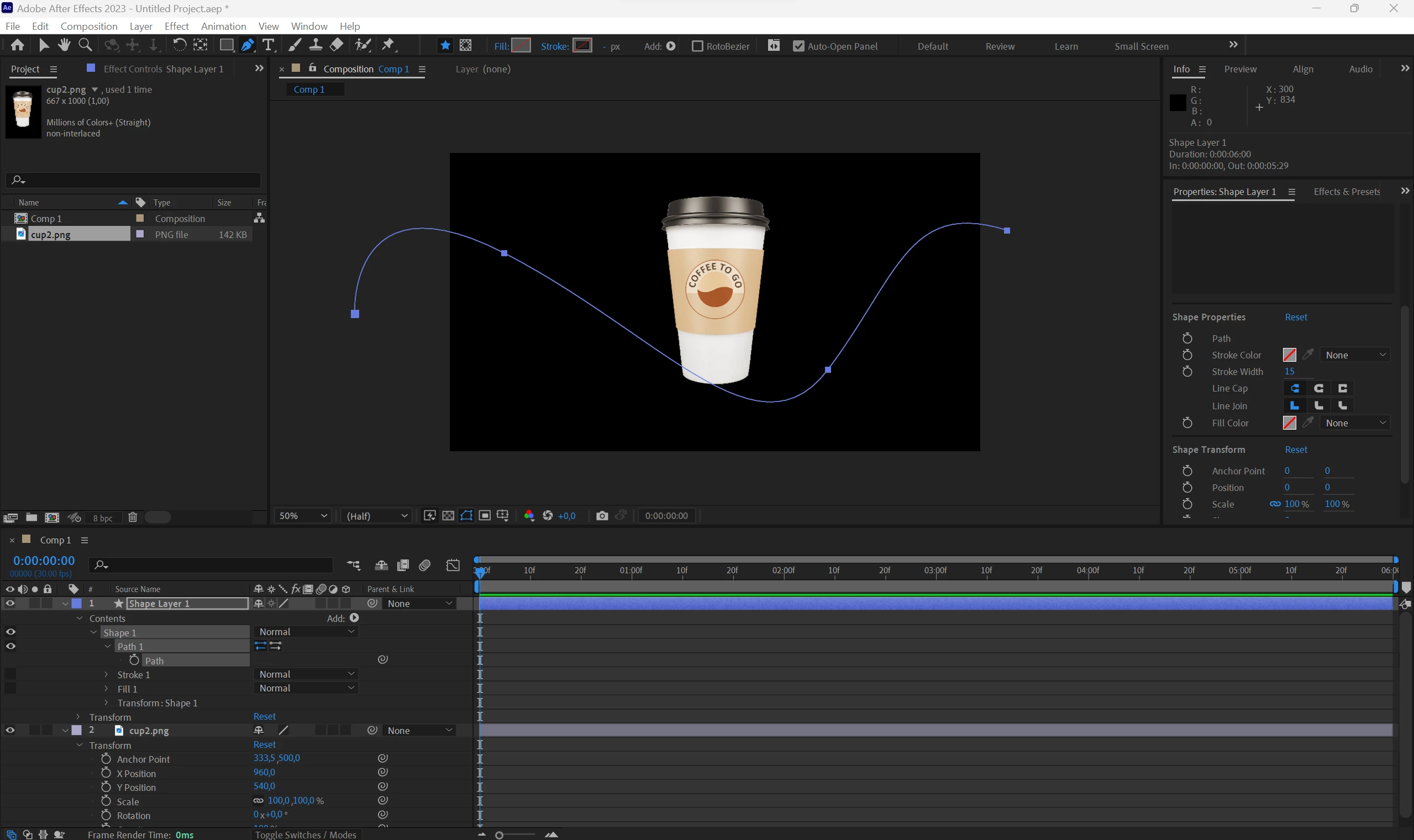
Can't paste a path into position of an object

  • September 19, 2023
  • 1 reply
  • 1320 views

Hi all, 

I'm trying to copy shape layer path into position of an image to make it move along the path but it's not working for me. I'm following this tutorial - (9) After Effects Tutorial: Animate Any Object or Text Along a Custom Path - YouTube


Could you please help me resolve the issue?
 

This topic has been closed for replies.

1 reply

Community Expert
September 20, 2023

Make sure that the Transform properties for the shape layer are reset. Select the Path on the shape layer and set a keyframe. Select the Keyframe and Cut or Copy (Ctrl/Cmnd + x or Ctrl/Cmnd + c).


Move the Time indicator to where you want the animation to start. Select your cup layer  (Layer 2) and press Alt/Option + P to set a position keyframe, then Paste (Ctrl/Cmnd + v). 


That should fix the problem. 


I give that tutorial a C. The workflow is only fair.

Participant
September 20, 2023
2023-09-20-17-17-24.mp4
Community Expert
September 20, 2023

This will never work if you separate dimensions. There are no bezier controls on a Position property with separated dimensions. You can't edit the path in the Comp Panel by selecting keyframes and modifying the path; you cannot turn a vector path into a motion path.  


I only separate position properties on about 1 out of 1000 layers that I create, and then I only do it when I'm driving position with a JSON script. If you usually edit motion paths, make sure that Default Position Properties to Separated Dimensions in the General section of preferences is off by pressing Alt/Option + Ctrl/Cmnd +  ; and deselecting the box.