


Inspiring
August 8, 2019
Answered

Can you resize timeline?

  • August 8, 2019
  • 4 replies
  • 11522 views

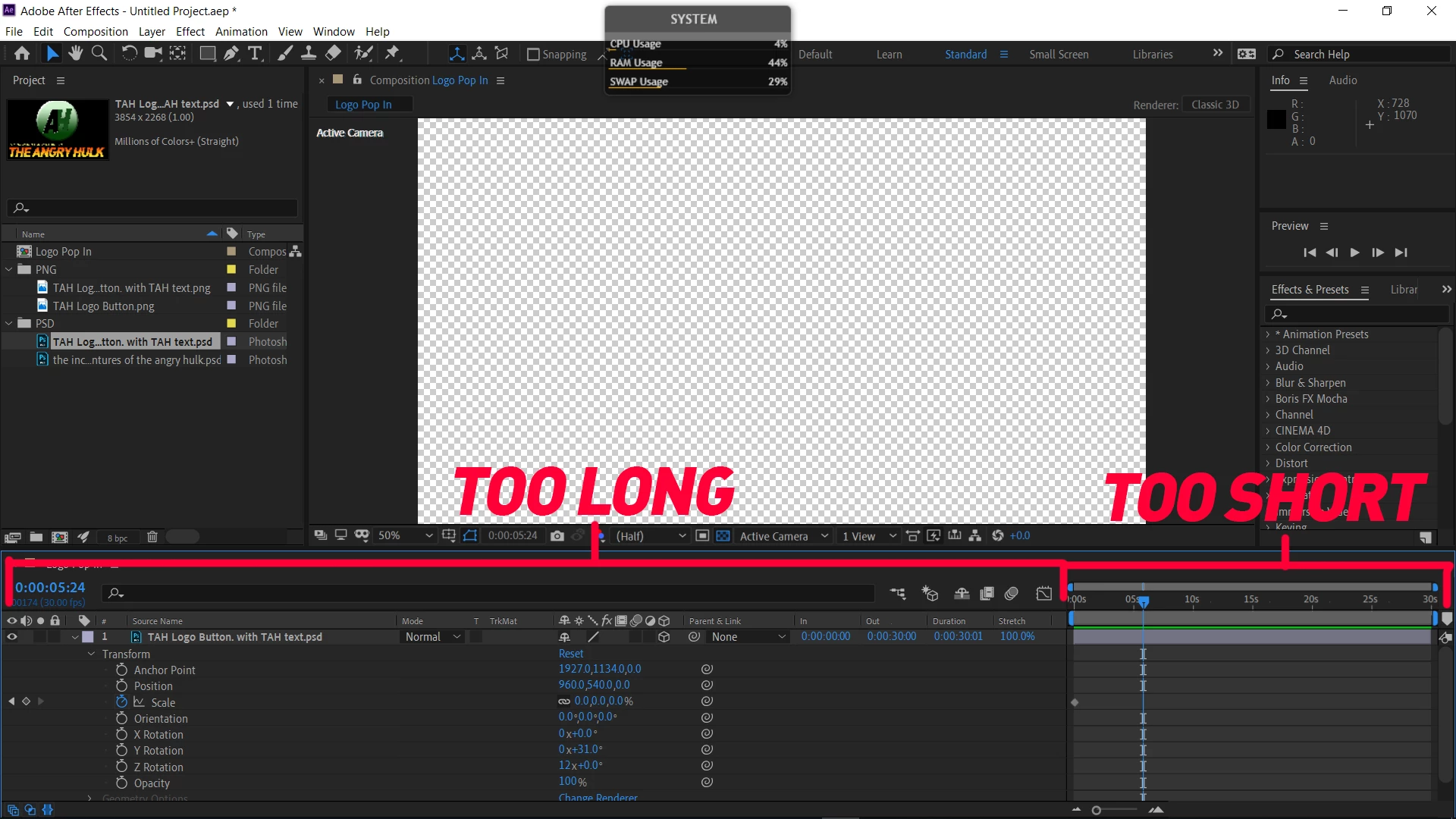
I thought I had done this in the past but it seems that I can't resize the timeline. I've added an image to show you, but the transform section is almost the whole size of my screen with the actual timeline is about 1/5 of the screen. Is there a way to maybe reverse the sizes so there is more timeline space?
    Correct answer Kevin-Monahan

    Hi Fabricio,

    I got your message. I opened an older version of After Effects and, even there, you cannot expand the timeline in the manner you indicated. Sorry about the frustration.


    Thanks,
    Kevin


    4 replies

    New Participant
    October 13, 2021

    I was having the same issue, and found that the resize curser does work if you click on the spots marked below.

    New Participant
    June 29, 2022

    You my friend are a LEGEND!


    New Participant
    May 6, 2021

    resize individual columns, not the whole left side


    Kyle Hamrick
    Community Expert
    August 8, 2019

    Unless you feel like you need all of those properties visible, you can hide several of those columns.

    Right-click in the title bar of the columns you don't want to see, and you can choose to hide them.

    This flyout also gives you the option to see the full list, and can check/uncheck columns within that.

    Inspiring
    August 8, 2019

    Thank you. This isn't exactly what I wanted but I was able to shorten the longer side enough to suit my needs.

    New Participant
    March 9, 2021

    I am also facing that same problem is it resolvable?

    Dave_LaRonde
    Inspiring
    August 8, 2019

    Hit the v key to get the arrow cursor.  Put it where "too long" and "too short" join.  A two-headed arrow appears. Click-hold-dragto the left.

    Inspiring
    August 8, 2019

    There is no resize cursor that pops up so I can't resize it.